Using Validations in Flo-lang
Rules Designer Validations enable checks on specific business data directly within the DSL without needing any Java implementations. They are a special instance of the Business Function that always returns a ValidationReport business data object.
To create a validation, follow this guide:
For this example we will use this Validation:
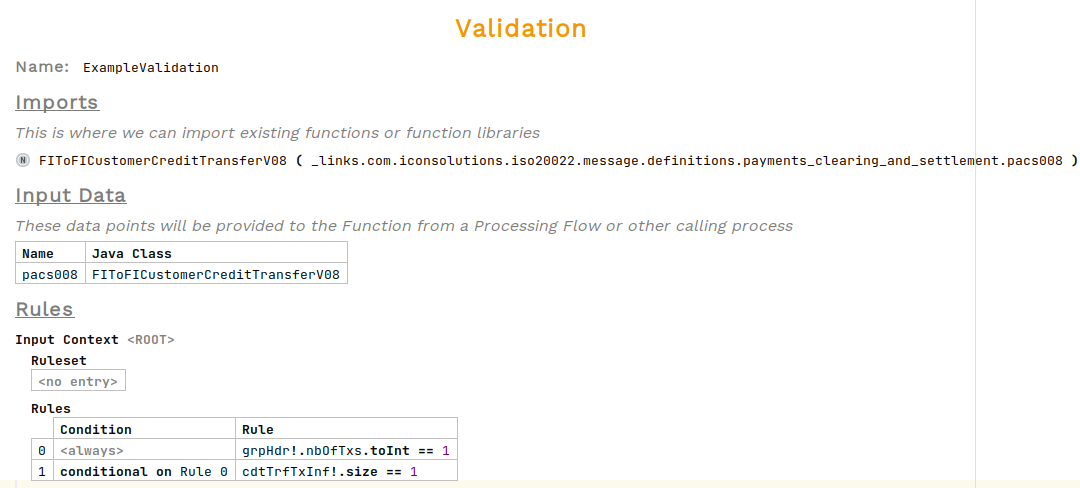
To call a validation in response to an event, go to the event behaviour, under Perform Action press Ctrl+Space and select Perform Action. Then choose the validation from the list.

Hovering over the validation now will request an input and an output mapping. To add these, open the inspector.
To open the inspector, either right-click and choose Inspect Node or use the shortcut alt+2
|

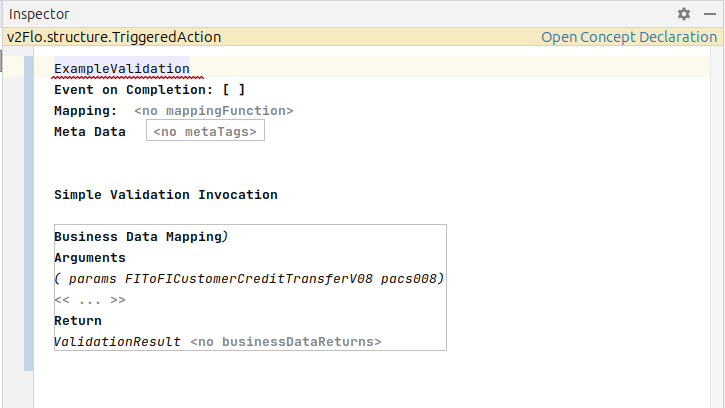
The validation requires a business data input to perform the validation on and a business data output to store the result. The input type must match that of the input defined in the validation, the output is of type ValidationReport. This will need to be defined within a Business Data Library.
|
If the data type of 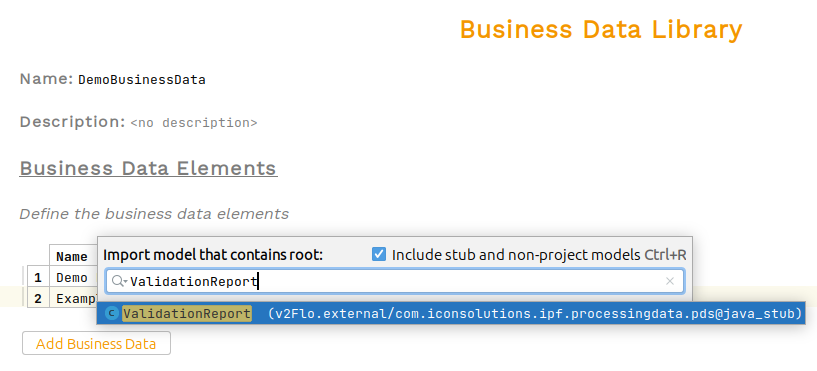
|
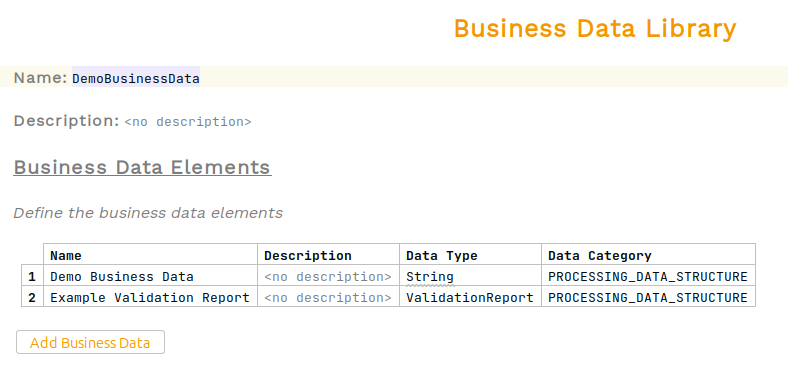
We can now add these business data elements to the validation call
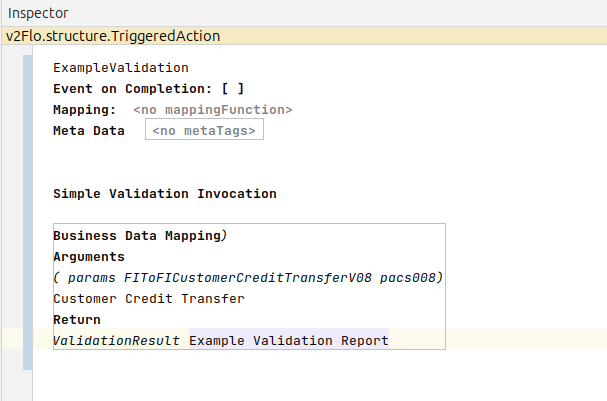
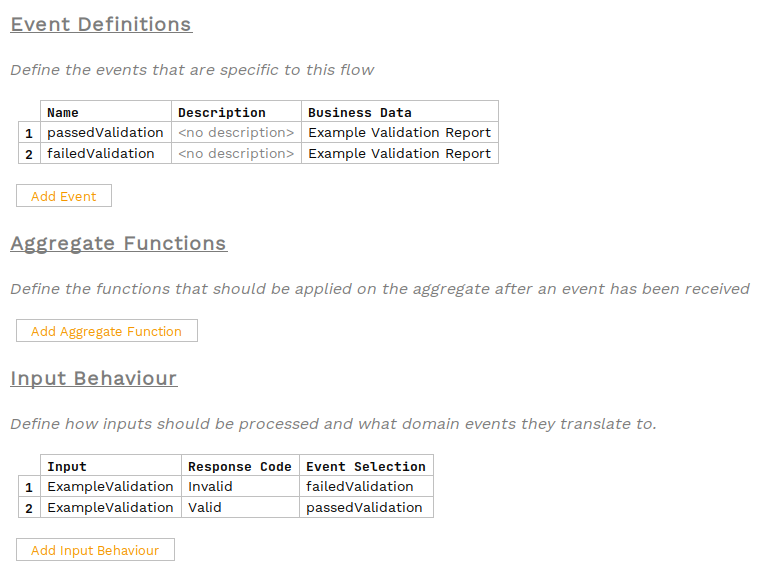
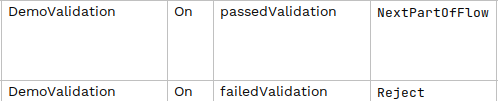
Validations return a response code of Valid or Invalid. Define the events that should occur in response to these codes and add these to the event behaviours as needed.