Uso de Validaciones en Flo-lang
Las validaciones del diseñador de reglas permiten realizar verificaciones sobre datos comerciales específicos directamente dentro del DSL sin necesidad de ningún Java implementaciones. Son una instancia especial de la Función Empresarial que siempre devuelve un objeto de datos empresariales ValidationReport.
Para crear una validación, siga esta guía:
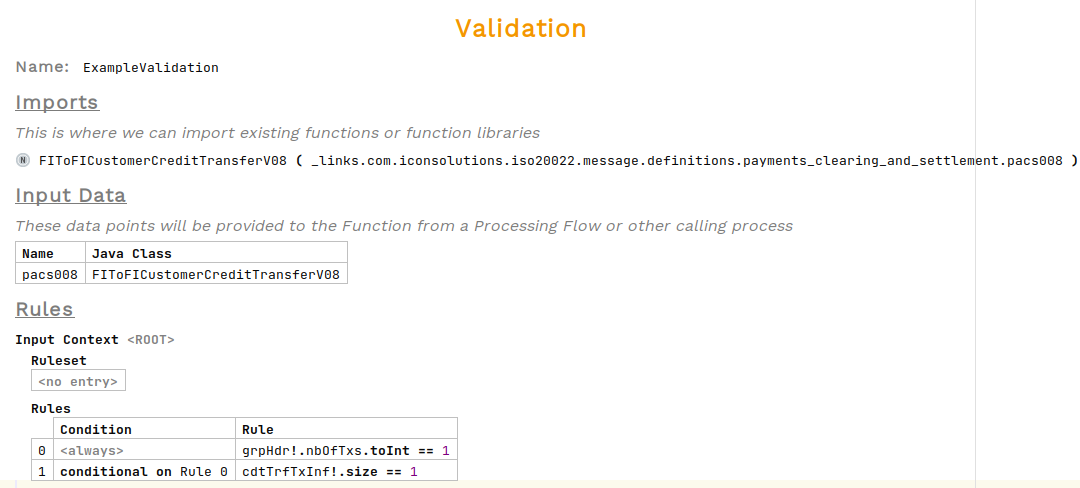
Para este ejemplo utilizaremos esta Validación:
Para llamar a una validación en respuesta a un evento, diríjase al comportamiento del evento, bajo Realizar Acción presione Ctrl+Space y seleccione Perform Action. Luego elija la validación de la lista.

Al pasar el cursor sobre la validación ahora se solicitará una entrada y una salida.mapping. Para añadir estos, abra el inspector.
Para abrir el inspector, haga clic derecho y elija Inspect Node o utilice el acceso directo alt+2
|

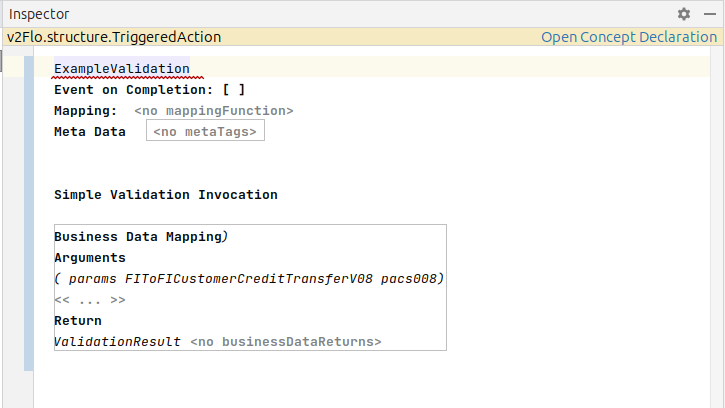
La validación requiere una entrada de datos empresariales para realizar la validación y una salida de datos empresariales para almacenar el resultado. El tipo de entrada debe coincidir con el definido en la validación, la salida es de tipo ValidationReport. Esto deberá definirse dentro de un Business Data Library.
Si el tipo de dato de `ValidationReport` no aparece en la lista, puede que necesite ser importado. Presione `ctrl+r` dos veces y busque ValidationReport 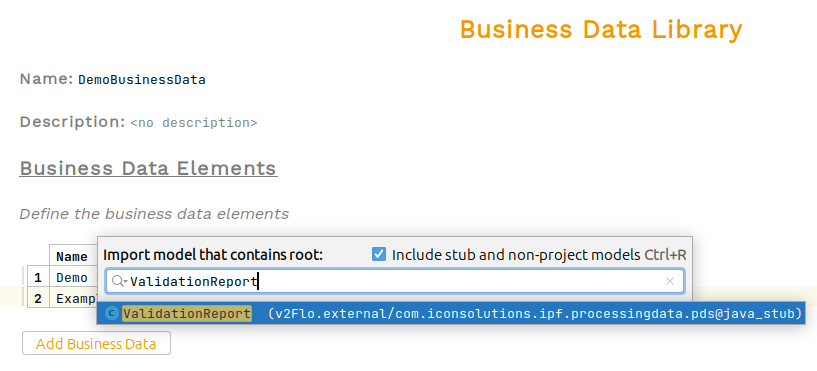
|
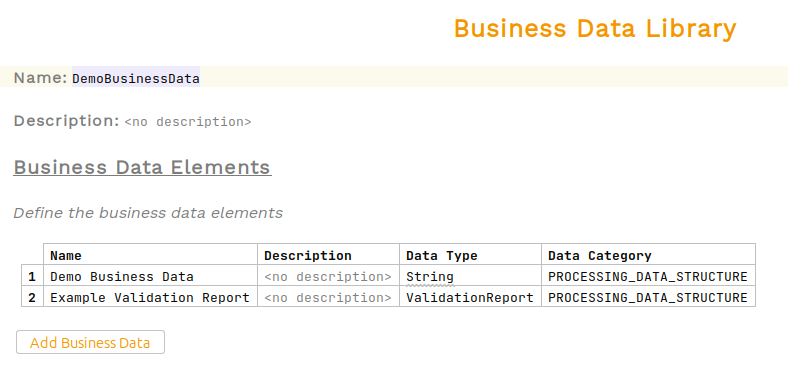
Ahora podemos añadir estos elementos de datos empresariales a la llamada de validación.
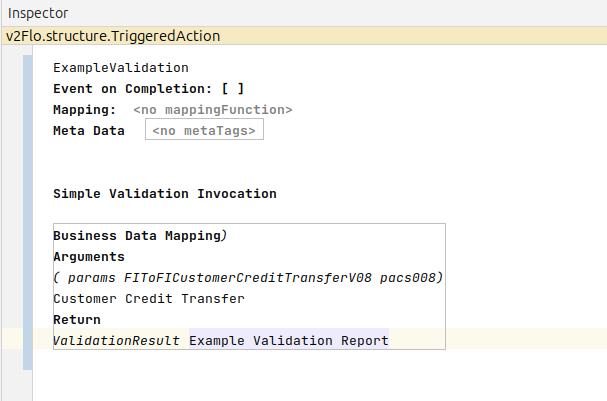
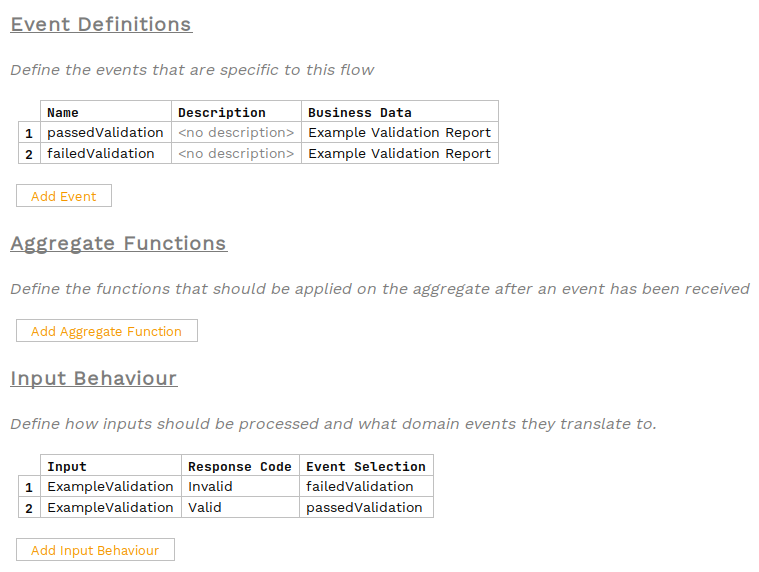
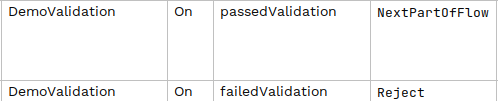
Las validaciones devuelven un código de respuesta de Valid or Invalid. Defina los eventos que deben ocurrir en respuesta a estos códigos y añada estos a los comportamientos de eventos según sea necesario.