How Do I Add Meta Data to an Action?
Suppose you have a requirement where you need to add some form of meta data to an action call. For example, if the action is called from two different places in the flow, and you need to distinguish between which call is being made.
You can achieve this by using the meta values capability within an action call.
We do this by bringing up the detailed inspector view for the action by clicking on it and either processing CTRL + ALT + I or by right clicking and selecting inspect node.
This brings up the inspector:
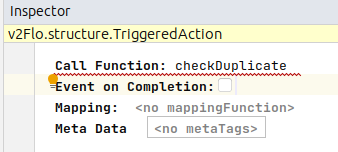
Here we can see the meta data set. In this table we can enter name / value pairs of data. These will then be added to the meta map that is provided on the action call so that the invocation can use these parameters for it’s onward processing.