Importando La Biblioteca de Reglas
Para hacer uso de la Biblioteca de Reglas dentro del DSL, debe ser importada en la solución y el modelo, y el Java se deben agregar clases al módulo de biblioteca externa.
Importar en la Solución
-
Abrir MPS a la solución en la que usted pretende utilizar la Biblioteca de Reglas.
-
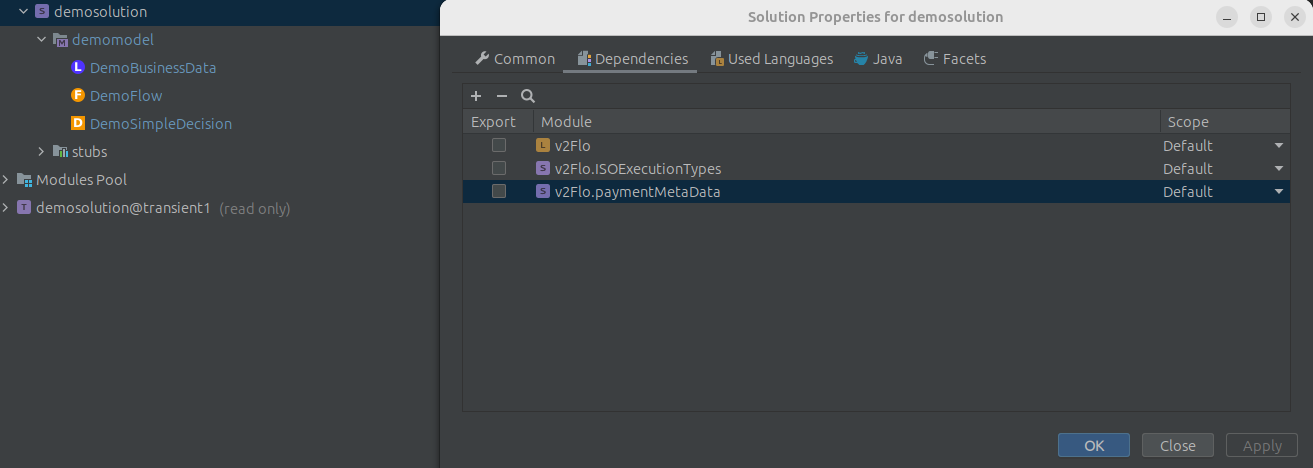
Haga clic derecho en la solución y seleccione "Propiedades del Módulo"
-
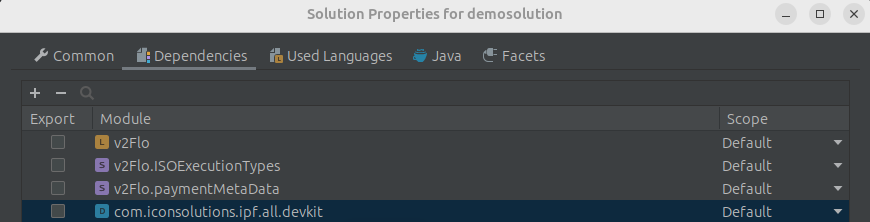
Seleccione la pestaña "Dependencias" y haga clic en el símbolo de más en la esquina superior izquierda.
-
Busque uno de los devkits y selecciónelo.
-
Haga clic en aplicar
Importar al Modelo
-
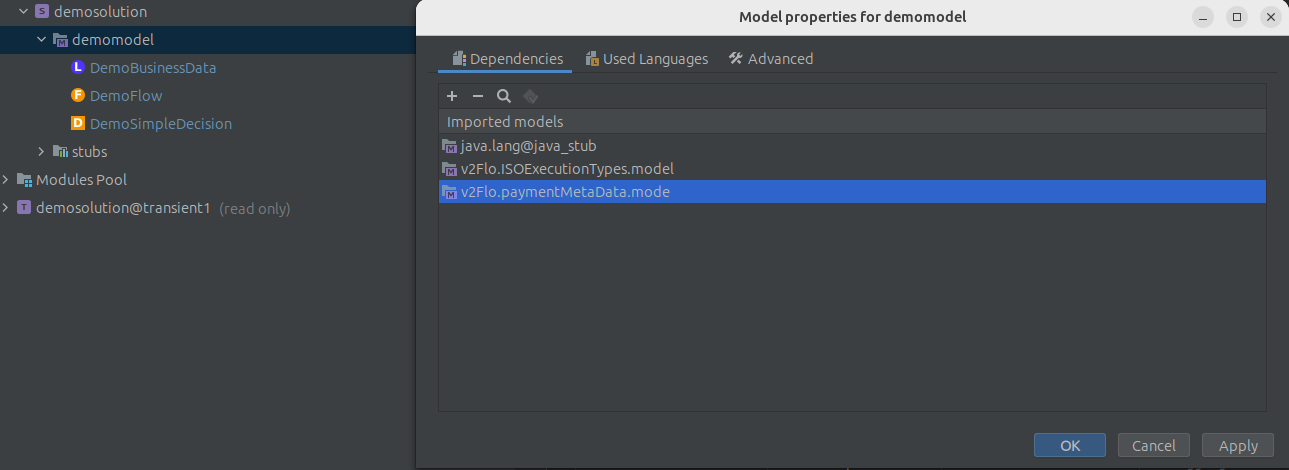
Haga clic derecho en el modelo y seleccione "Propiedades del modelo"
-
Seleccione la pestaña "Dependencias" y haga clic en el símbolo de más en la esquina superior izquierda.
-
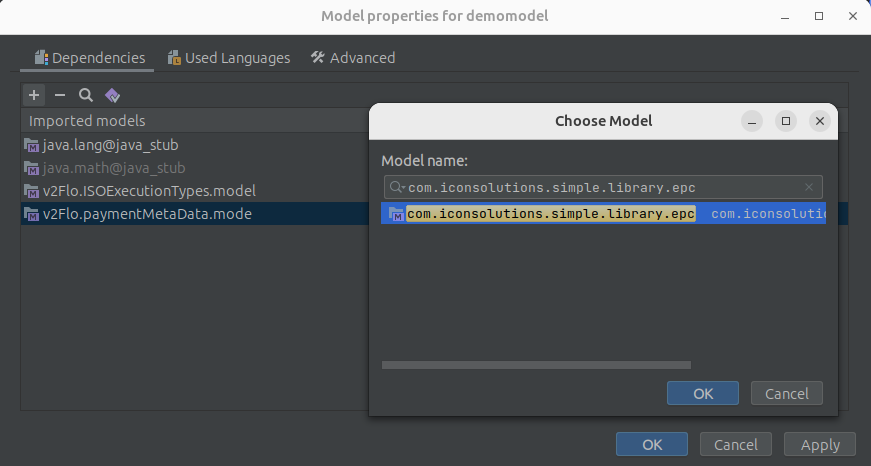
Busque la biblioteca de funciones requerida de la forma
com.iconsolutions.simple.library.*(epc,iso o común)
-
Haga clic en aplicar
Importe el Java clases de las funciones
-
Dentro de IntelliJ, vaya al pom del módulo de bibliotecas externas.
-
Agregue esta dependencia
<dependency>
    <groupId>com.iconsolutions.dsl</groupId>
    <artifactId>icon-languages-runtime-dependencies</artifactId>
</dependency>
La versión debe coincidir con la propiedad icon-languages.version de flo-parent.