Expresiones Útiles
El Lenguaje Simple utiliza conceptos de otro idioma. KernelF que cuenta con varias herramientas útiles para redactar expresiones en formatos más visuales. También hay algunas peculiaridades al redactar expresiones que esta guía espera explicar.
Para obtener más información sobre KernelF los documentos de la plataforma mps se pueden encontrar here
Constantes
Las constantes se definen utilizando el val y puede almacenar un valor inmutable para su uso posterior.

Bloques
Las expresiones en el núcleo F son líneas singulares por defecto. Para utilizar múltiples líneas, se debe emplear una expresión de bloque. El valor de un bloque será el valor de la última línea dentro del bloque.
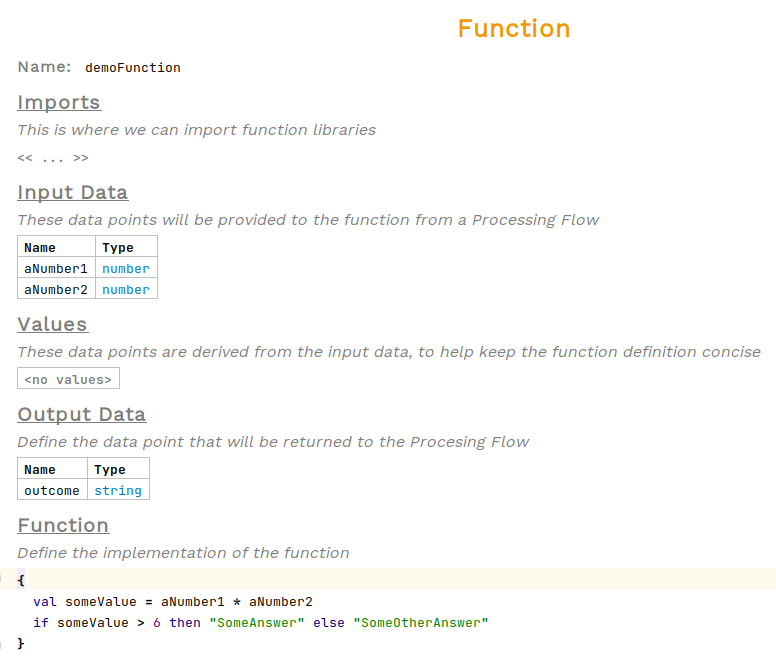
Para utilizar un bloque, escriba { dentro de una celda <expr>
Registros
Para crear instancias de clases dentro de una expresión, utilice el hashtag clave. Esto instanciará un registro.
Para elegir el tipo de registro, mueva el cursor justo después del hashtag y presione Ctrl+Space para ver los tipos disponibles. Si el tipo que está buscando no se encuentra en la lista, verifique si el registro o la biblioteca de valores de la que proviene ha sido importada en la parte superior del nodo.
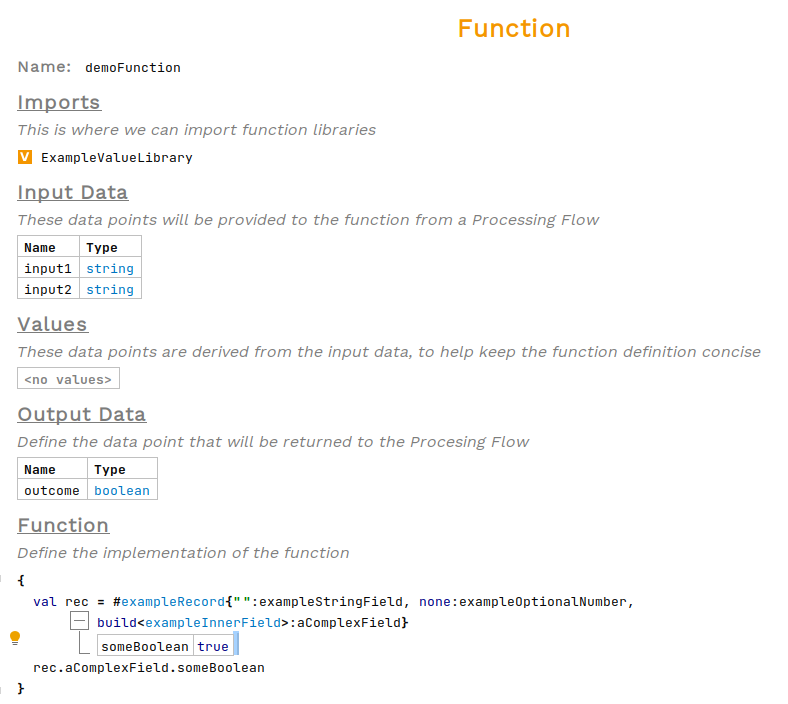
Para establecer los valores del tipo del campo del registro en los valores justo antes del nombre del campo. Si un campo debe ser nulo, utilice la palabra clave none. Si falta un campo, presione enter desde cualquier campo para agregar una entrada al final del registro.
Operaciones de punto
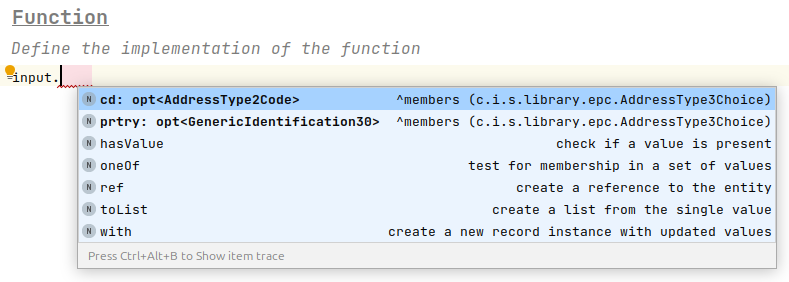
Las operaciones de punto permiten el acceso a los campos y propiedades de los registros. Presione . después de un argumento, entonces Ctrl+Space para ver los campos y métodos disponibles.
Tipo opcional
KernelFcontiene un optional tipo, mostrado como opt<ExampleType>, que contendrá ya sea una instancia del tipo parametrizado o empty. Generalmente, estos se utilizan para representar campos anulables. Existen algunos métodos relacionados con tipos opcionales.

Para verificar si un opcional está vacío, el hasValue la operación se utiliza, devolviendo true si tiene valor y false if empty.

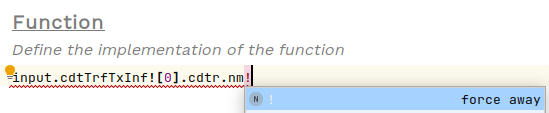
El Bang operación, también conocida como force away or get, recupera el contenido de un opcional, convirtiéndolo de tipo opt<ExampleType> al tipo contenido ExampleType. Está escrito utilizando el ! símbolo después del valor.
Otro método para utilizar en opcionales es el ?: operación. Esto verifica el valor del opcional, y si tiene un valor lo devuelve, si está vacío devuelve la alternativa proporcionada. Para utilizar, primero presione Space seguido por ?:.
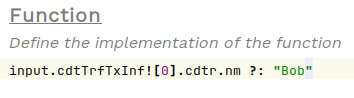
Tenga en cuenta que esto no es seguro para nulos en todos los campos excepto el último en la cadena. Así que, en el ejemplo anterior, si el cdtr El campo está vacío, se generará una excepción en tiempo de ejecución.
Índice
Para seleccionar un índice específico de una lista, utilice corchetes.[]. Si el campo es de tipo opcional, primero deberá obtener el valor utilizando !.
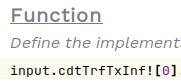
Alternativa
El alt la expresión es equivalente a una secuencia de bloques if-else, pero es más fácil de leer. La condición de la fila a la izquierda se prueba en orden de arriba hacia abajo, devolviendo el valor a la derecha. Una fila final con la palabra clave otherwise se utiliza si todas las demás verificaciones fallan.
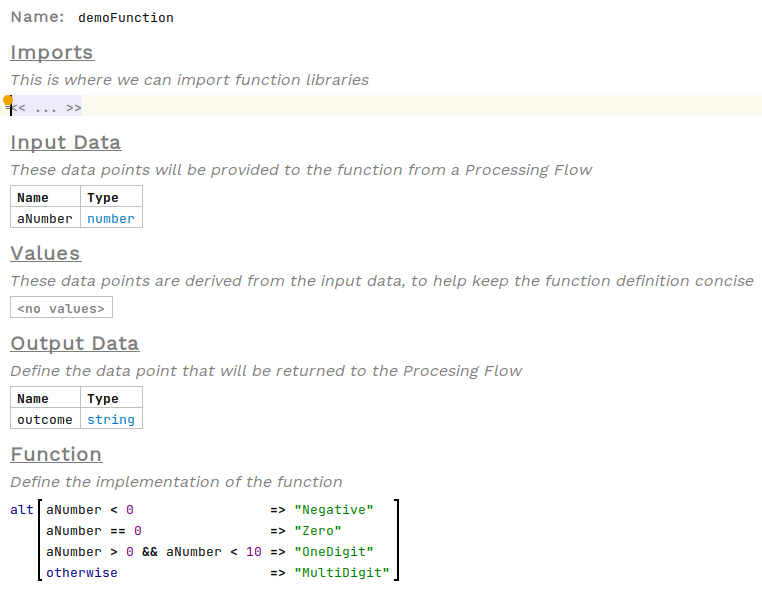
Para utilizar esta estructura, escriba alt dentro de cualquier celda <expr>.

Tabla
Similar a alt pero para condiciones más complicadas, la tabla toma una columna para cada variable y una fila para cada valor que esas variables pueden tomar. Estas filas se evalúan de arriba hacia abajo, y el valor en la columna final se proporciona como la respuesta. Cualquier celda en blanco se ignora en cada verificación. La fila final es el caso por defecto y debe dejarse en blanco excepto por la celda de respuesta.
Se pueden proporcionar múltiples columnas de respuesta, lo que resultará en una tupla como respuesta.
A continuación se presenta un ejemplo de uso de una tabla para la validación de direcciones:
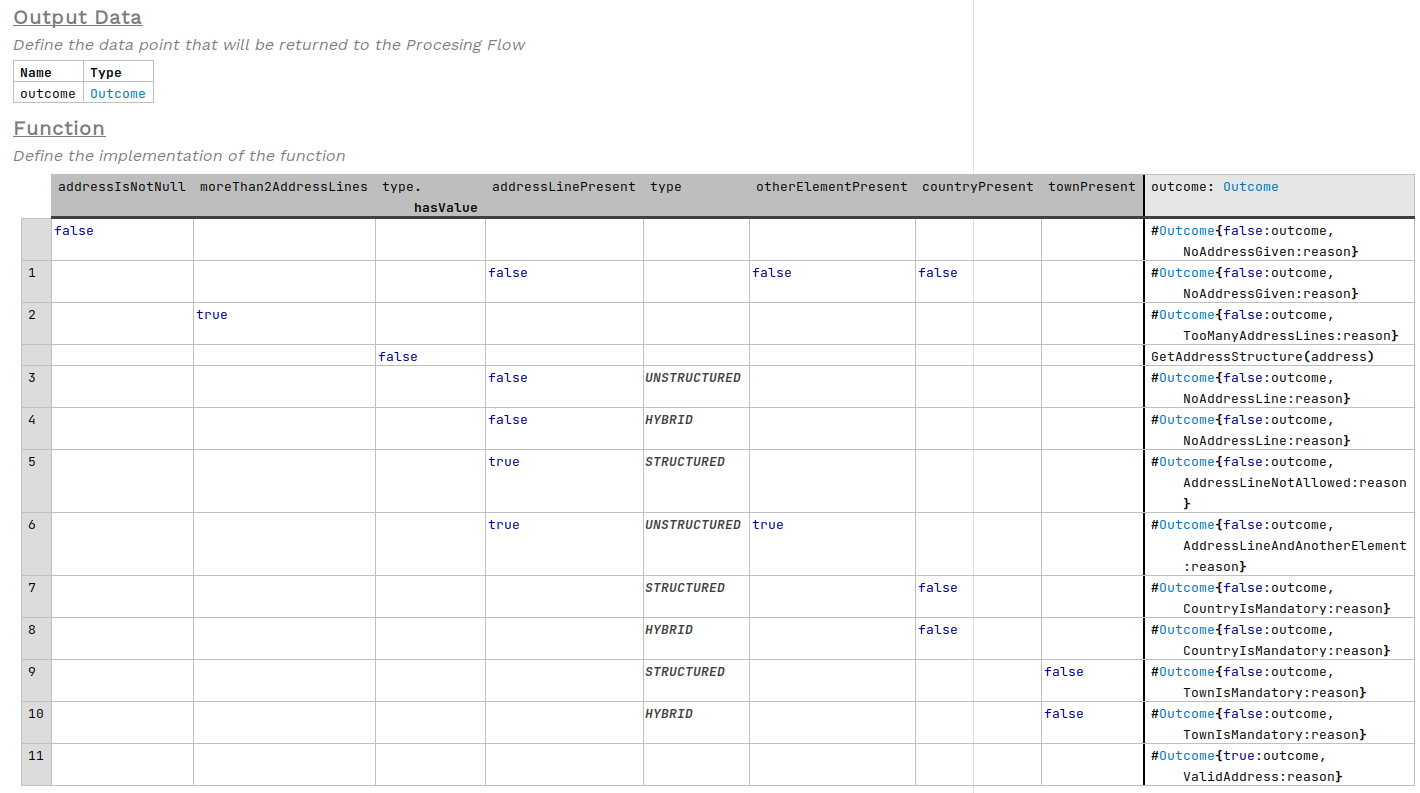
Para utilizar esta estructura, escriba multiDecTab dentro de cualquier celda <expr>
