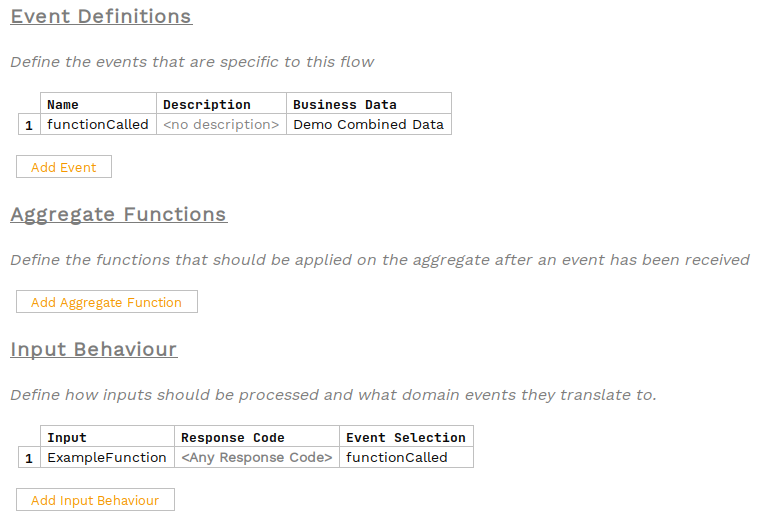
Uso de Funciones Empresariales en Flo-lang
Las funciones empresariales pueden integrarse en un flujo para permitir que mapping sobre los elementos de datos empresariales desde dentro del DSL directamente, sin necesidad de escribir un Java implementación de un mapping puerto.
Para crear una función empresarial, siga esta guía:
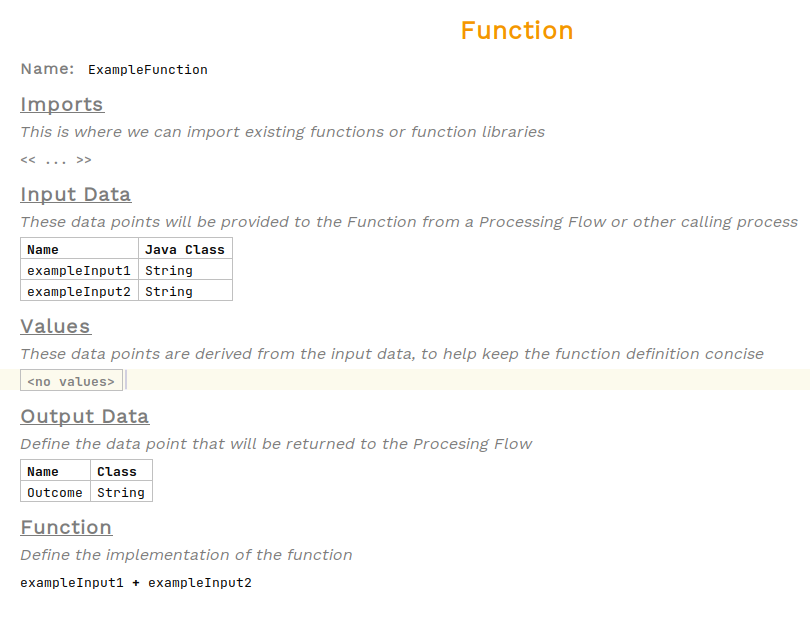
Para este ejemplo utilizaremos esta Función:
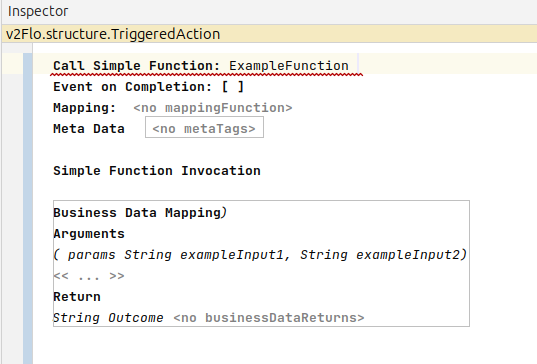
Las funciones pueden ser llamadas como una acción. Seleccione el Perform Action celda sobre el comportamiento desde el cual llamará a la función y seleccione Perform Action entonces seleccione la Función que se va a llamar.

Al pasar el cursor sobre la acción, se mostrará que la función requiere tanto datos de negocio de entrada como de salida. Para añadir estos, abra el inspector.

Para abrir el inspector, haga clic derecho y elija Inspect Node o utilice el acceso directo alt+2
|
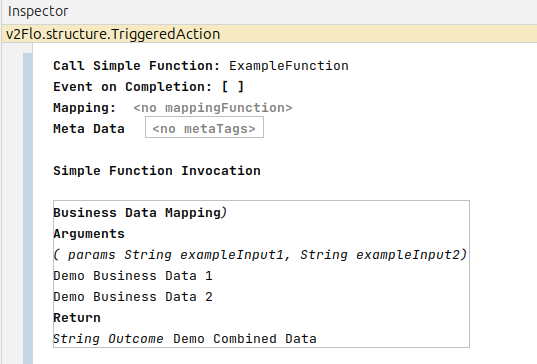
Añadiendo los datos empresariales relevantes
Ahora solo necesitamos agregar los eventos.