Documentation for a newer release is available.
View Latest
Esta página no está disponible actualmente en Español. Si lo necesita, póngase en contacto con el servicio de asistencia de Icon (correo electrónico)
Audit
Introduction
The audit page tracks the actions that are performed by users when interacting with the GUI.
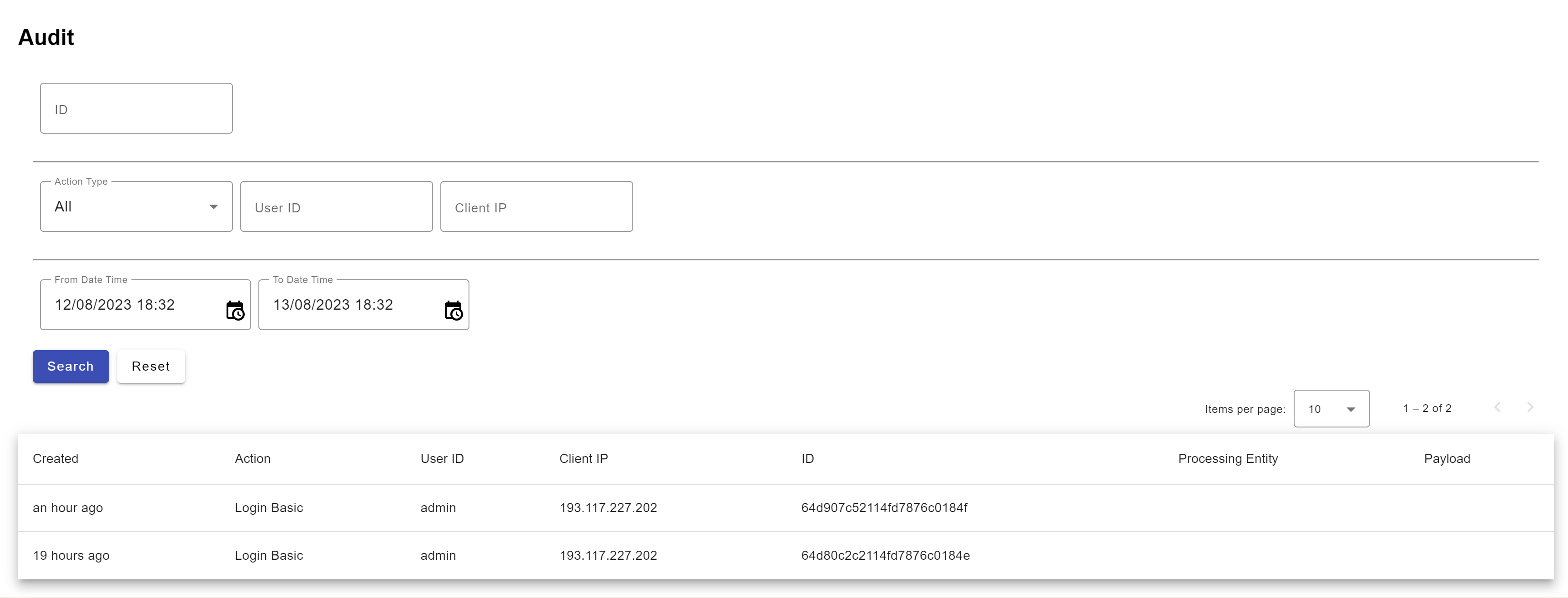
| Parameter | Description |
|---|---|
Created |
Data and time of the event |
Action |
This shows the action the user has done |
UserID |
The Identity of the user who has taken the action |
Client IP |
The IP of the system from where the action has been carried out |
ID |
A unique ID assigned to the audit event |
Processing entity |
The entity on which the actions have been carried out To see the audit records for another entity, change it using the dropdown in the nav bar. |
Payload |
On clicking the button, a screen will pop up to show the fields modified in XML format |
| The actions being audited are either determined by the ICON UI screen or can be extended by the implementation. |