Documentation for a newer release is available.
View Latest
Audit
Introduction
The audit page tracks the actions that are performed by users when interacting with the GUI.
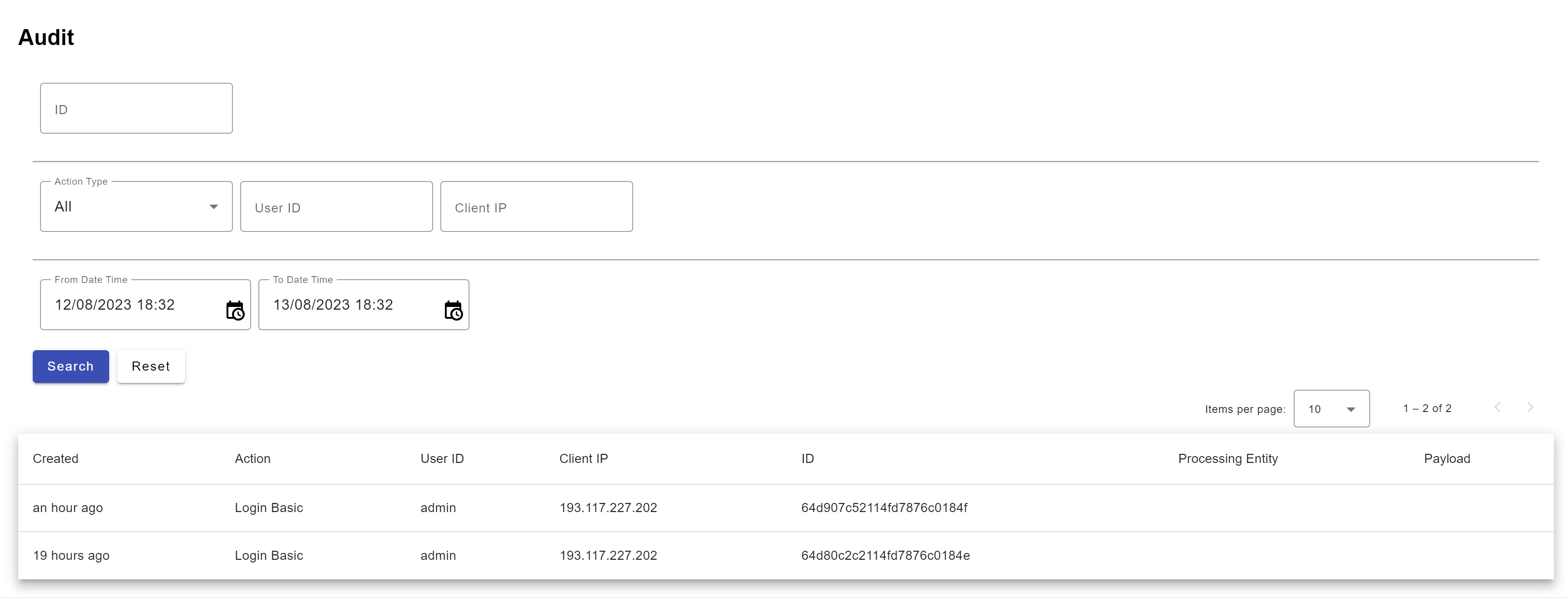
| Parameter | Description |
|---|---|
Created |
Data and time of the event |
Action |
This shows the action the user has done |
UserID |
The Identity of the user who has taken the action |
Client IP |
The IP of the system from where the action has been carried out |
ID |
A unique ID assigned to the audit event |
Processing entity |
The entity on which the actions have been carried out To see the audit records for another entity, change it using the dropdown in the nav bar. |
Payload |
On clicking the button, a screen will pop up to show the fields modified in XML format |
| The actions being audited are either determined by the ICON UI screen or can be extended by the implementation. |