RD 4 - Add Data Table
Data Table
A data table is a static key value store that can be called from expressions in the simple language. They are most useful for holding data that is unlikely to change and needs to be accessed from multiple different rules designer components. More details about data tables can be found here
Objective
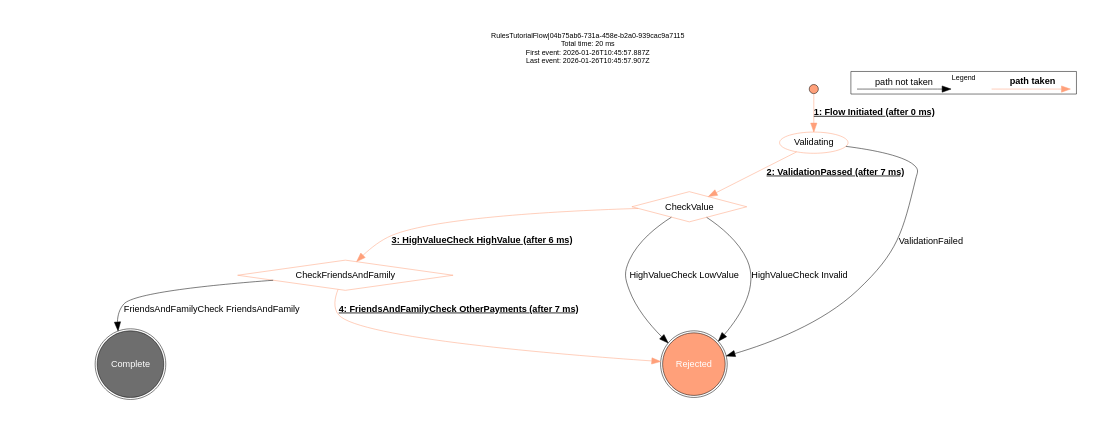
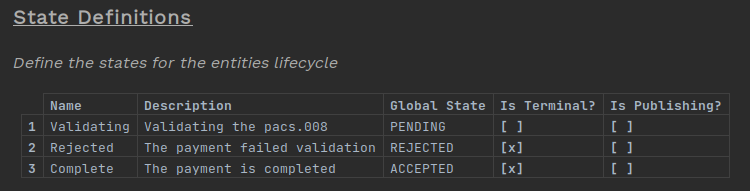
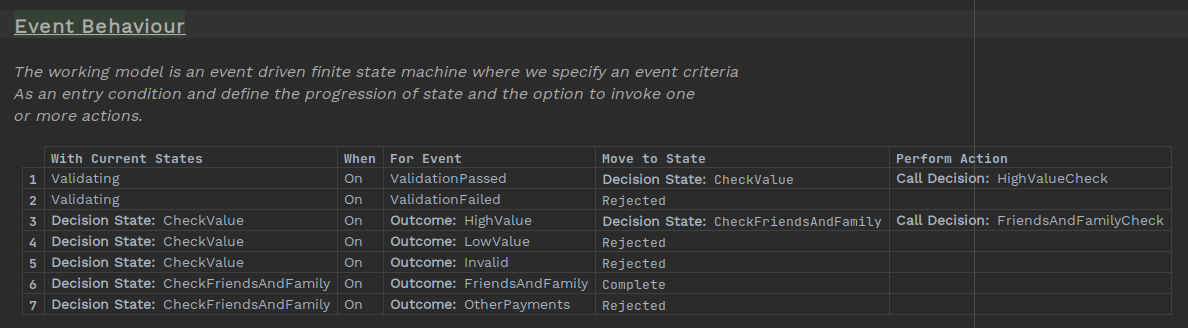
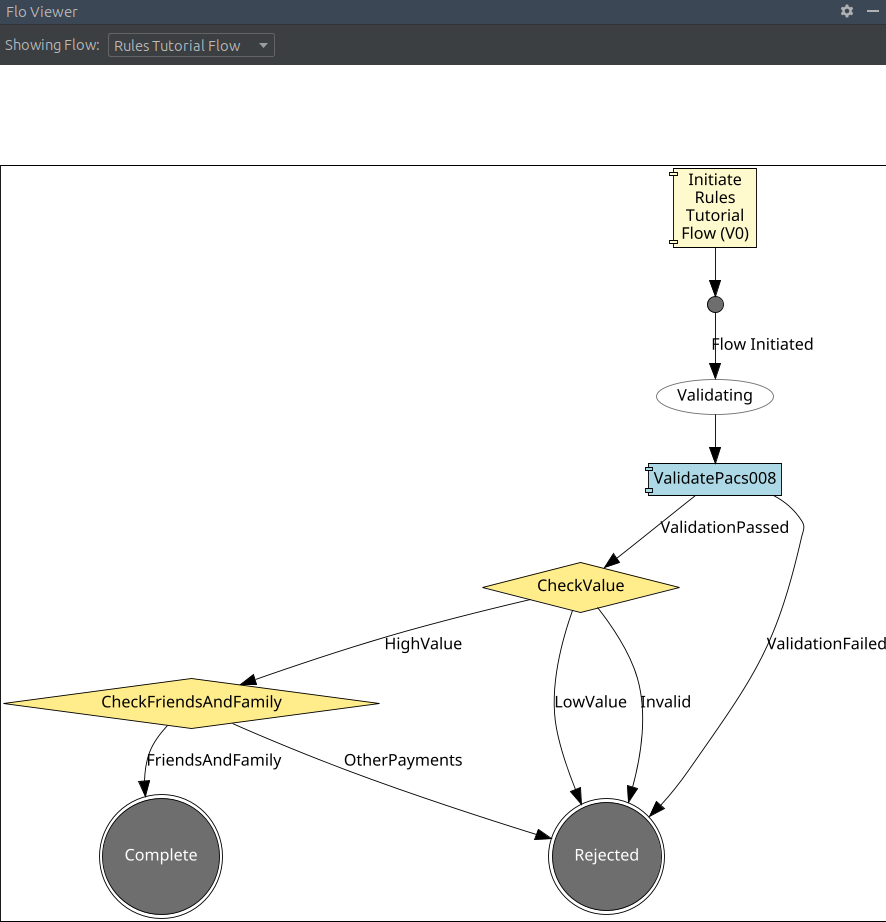
To see how data tables work, we will be adding another step to our flow. Here we are rolling out our service to 'friends and family' first and need a way to check the payment is from a specific list of debtor accounts. We will accept any high-value payments to friends and family and reject any others.
DSL Set Up
|
To see a completed example of this step, open the |
Creating the Data Table
To create a new Data Table node in our model. Right-click on the model, then select
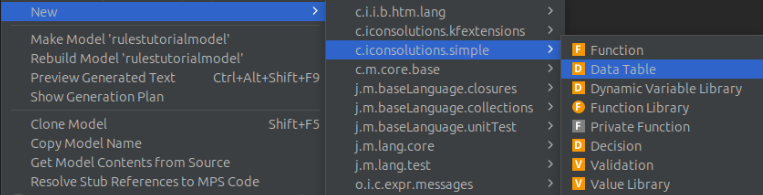
Gve the table a name, here we use FriendsAndFamilyTable
The table is made up of columns of fields and rows of entries. Any number of columns is allowed, but for our purposes we will create two columns, one for the account name and one for the IBAN.
To create a new column, an existing column header and press Enter. Then give the column a title and the type of data that column will contain. In our case both columns should be string type.
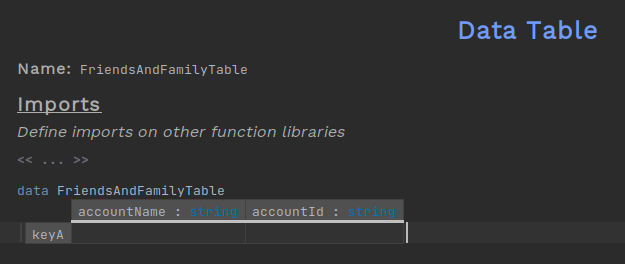
Now to add the entries to the table select the end of a row and press Enter. Each row can be given a key and a value for each column of the matching type.
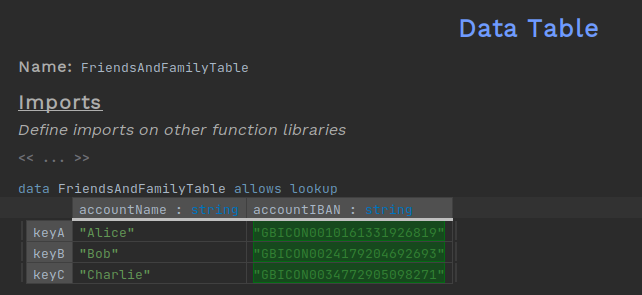
To enable lookups on the table select the name just above the table and press Space then Ctrl+Space and select allows lookup. Without this, attempting a lookup at a later step will throw an error.

Calling the Decision Table
Now that we have defined the table, we want to use it within our flow. To do this, we will add a second decision node to decide if a transaction is to one of the accounts in the table or not.
Create a new decision node as we did in a previous step
RD 2 - Create a Decision
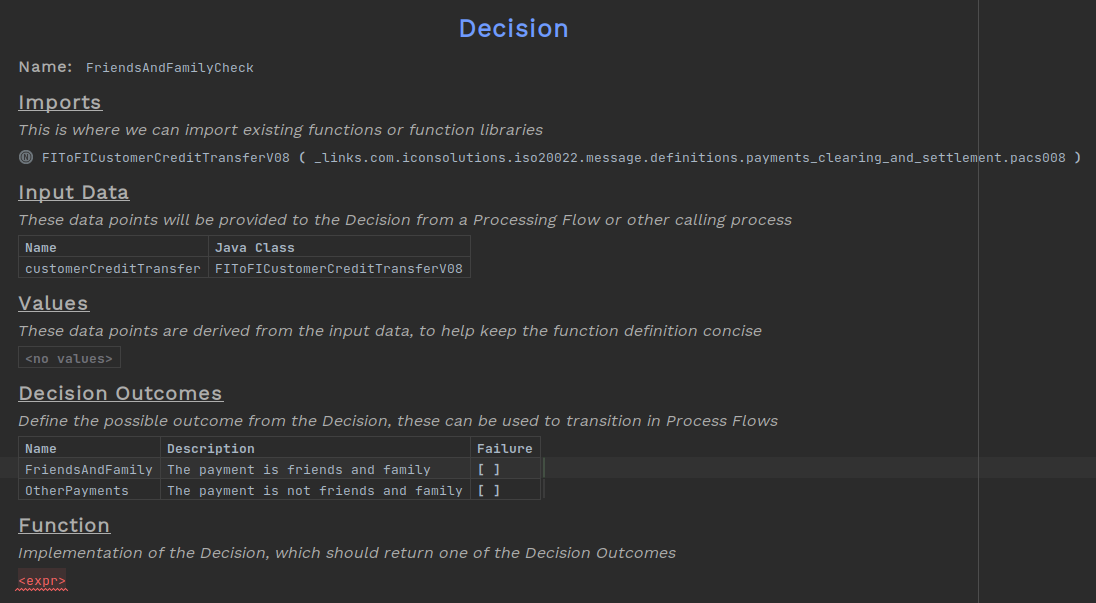
This decision will have two outcomes, one for friends and family payments and one for all other payments.
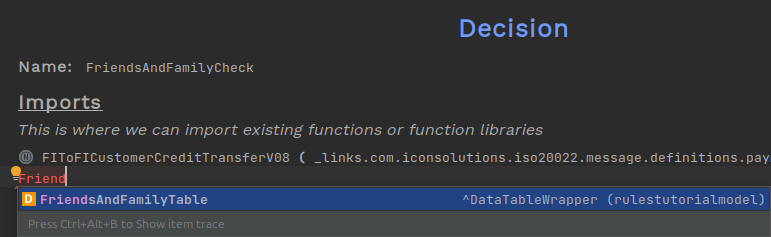
Now for the body of the decision, we will use the table. First, select the imports, press Enter, and select the table
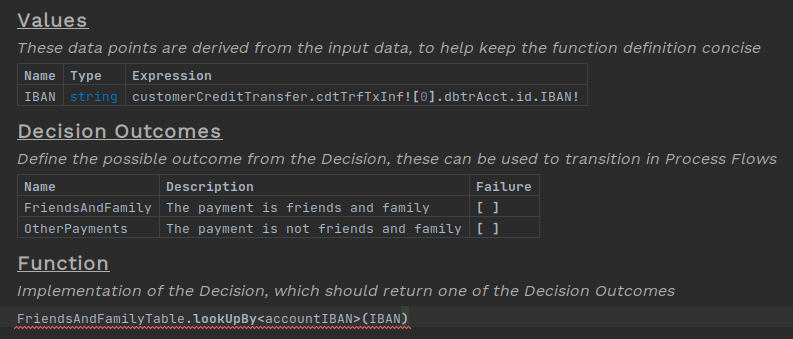
The table can now be called in the expression at the bottom of the decision. Type in the table’s name and add onto the end .lookUpBy. Place within the <> brackets the name of the column you are searching by and the value within the () brackets. We extracted out the path to the IBAN into the value table for clarity.
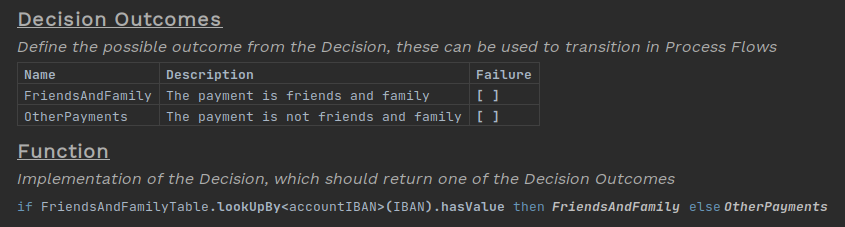
The lookup returns either the first row of the table that matches the value given or an empty object if no row is found. We can use the hasValue method to check if a row was found and thus choose the appropriate outcome.
Testing
Next step: RD 5 - Functions
Building the application with
mvn clean installThen running it we can test that the table lookups are working as expected
curl -d '{"requestId":"FriendsAndFamily","pacs008":{"grpHdr": {"msgId": "ExampleMessageId", "creDtTm": "2025-10-27T17:27:29.886889529Z", "nbOfTxs": "1", "intrBkSttlmDt": "2025-10-27", "sttlmInf": {"sttlmMtd": "CLRG", "clrSys": {"prtry": "EBA"}}}, "cdtTrfTxInf": [{"pmtId": {"endToEndId": "VIVNxmihFItoyyjAPLTqnwqOpoaWUgFHcFr", "txId": "TugAtCCIQtcUYcFfGVGAHFNfdUjeCokipAn"}, "intrBkSttlmAmt": {"value": 6000, "ccy": "GBP"}, "accptncDtTm": "2025-10-27T17:27:29.878336788Z", "chrgBr": "SLEV", "dbtr": {"nm": "James Allen", "pstlAdr": {"adrLine": ["213 South Street"]}, "id": {"orgId": {"anyBIC": "PRXYITMM"}}}, "dbtrAcct": {"id": {"iban": "GBICON0024179204692693"}, "ccy": "EUR", "nm": "Chloe Williams"}, "dbtrAgt": {"finInstnId": {"bicfi": "ICONGBA1", "clrSysMmbId": {"mmbId": "191919"}, "pstlAdr": {"adrLine": ["897 North Street"]}}}, "cdtrAgt": {"finInstnId": {"bicfi": "ICONGBA0", "clrSysMmbId": {"mmbId": "400302"}, "nm": "Chloe Hughes", "pstlAdr": {"adrLine": ["465 Main Street"]}}, "brnchId": {"id": "iWULDmNwqrZLcrNNmxlELmWDrQGgGdeOavf"}}, "cdtr": {"nm": "Sophia Phillips", "pstlAdr": {"adrLine": ["293 Kingsway"]}, "id": {"orgId": {"lei": "12345678901234567888", "anyBIC": "KJFISESS"}}}, "cdtrAcct": {"id": {"iban": "CZ6508000000192000145399"}}}]}}' -H 'Content-Type: application/json' http://localhost:8080/submit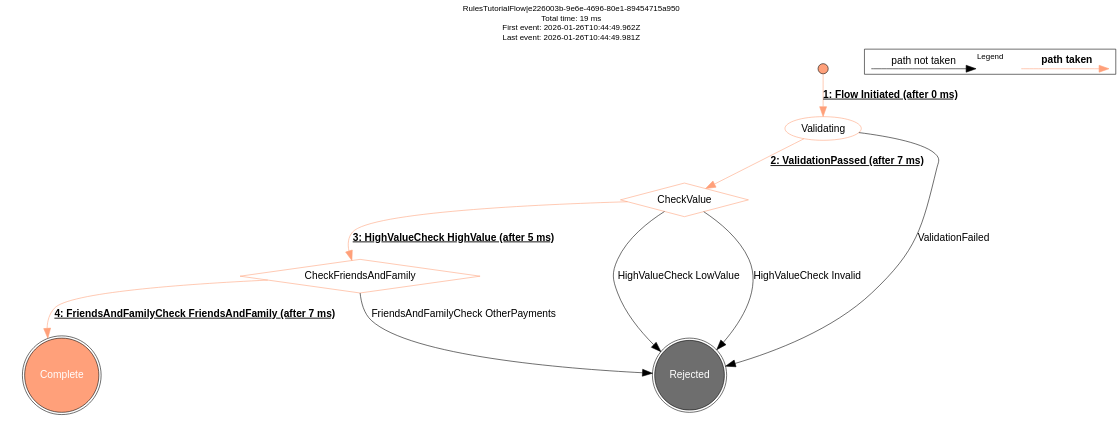
curl -d '{"requestId":"NonFriendsAndFamily","pacs008":{"grpHdr": {"msgId": "ExampleMessageId", "creDtTm": "2025-10-27T17:27:29.886889529Z", "nbOfTxs": "1", "intrBkSttlmDt": "2025-10-27", "sttlmInf": {"sttlmMtd": "CLRG", "clrSys": {"prtry": "EBA"}}}, "cdtTrfTxInf": [{"pmtId": {"endToEndId": "VIVNxmihFItoyyjAPLTqnwqOpoaWUgFHcFr", "txId": "TugAtCCIQtcUYcFfGVGAHFNfdUjeCokipAn"}, "intrBkSttlmAmt": {"value": 6000, "ccy": "GBP"}, "accptncDtTm": "2025-10-27T17:27:29.878336788Z", "chrgBr": "SLEV", "dbtr": {"nm": "James Allen", "pstlAdr": {"adrLine": ["213 South Street"]}, "id": {"orgId": {"anyBIC": "PRXYITMM"}}}, "dbtrAcct": {"id": {"iban": "GB38UVCRXEHFCFLMQNBTWFSWXISKIW"}, "ccy": "EUR", "nm": "Chloe Williams"}, "dbtrAgt": {"finInstnId": {"bicfi": "ICONGBA1", "clrSysMmbId": {"mmbId": "191919"}, "pstlAdr": {"adrLine": ["897 North Street"]}}}, "cdtrAgt": {"finInstnId": {"bicfi": "ICONGBA0", "clrSysMmbId": {"mmbId": "400302"}, "nm": "Chloe Hughes", "pstlAdr": {"adrLine": ["465 Main Street"]}}, "brnchId": {"id": "iWULDmNwqrZLcrNNmxlELmWDrQGgGdeOavf"}}, "cdtr": {"nm": "Sophia Phillips", "pstlAdr": {"adrLine": ["293 Kingsway"]}, "id": {"orgId": {"lei": "12345678901234567888", "anyBIC": "KJFISESS"}}}, "cdtrAcct": {"id": {"iban": "CZ6508000000192000145399"}}}]}}' -H 'Content-Type: application/json' http://localhost:8080/submit