Introduction
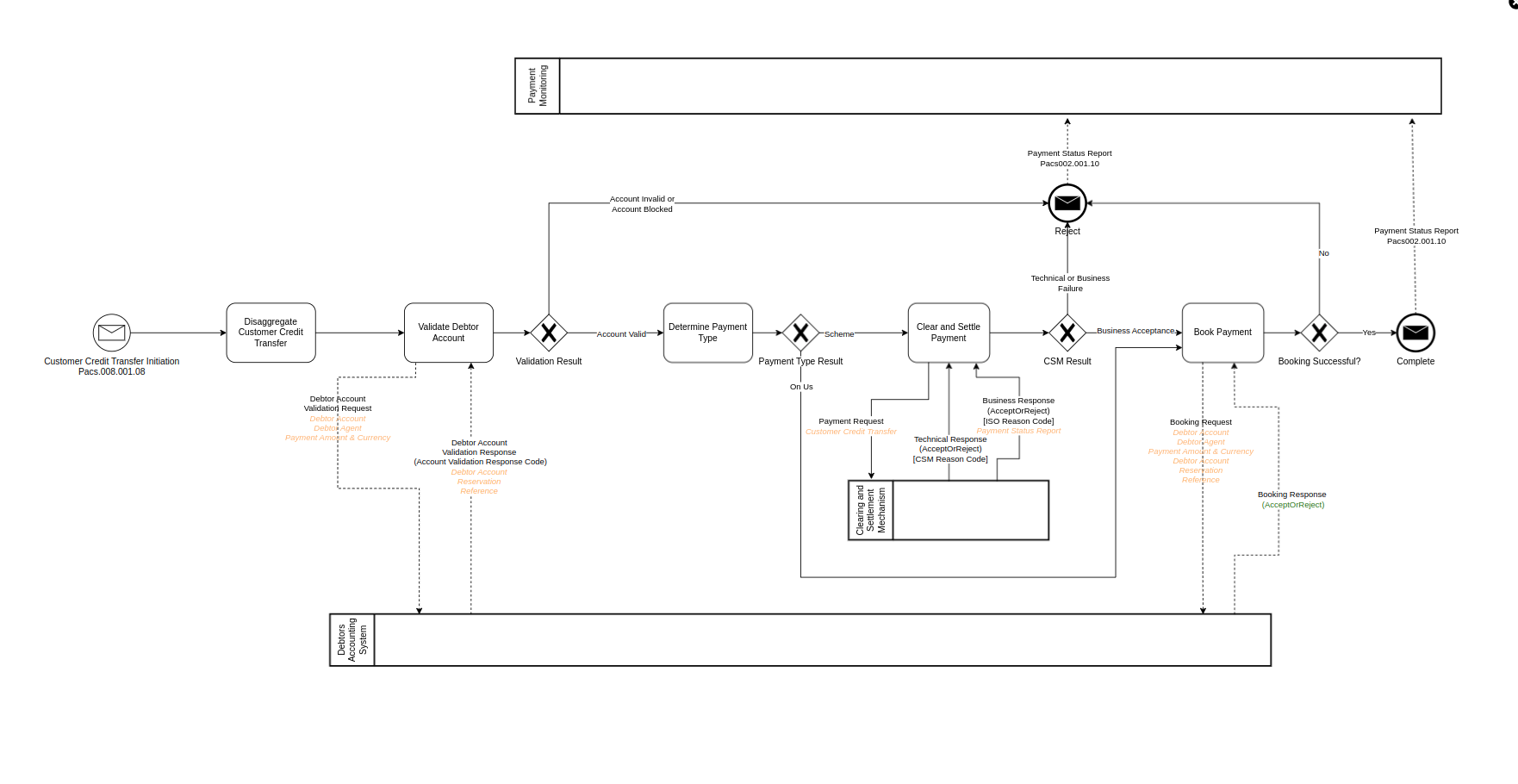
This tutorial uses the payments domain to introduce the flow Domain Specific Language (DSL) provided with IPF Studio. You will be introduced to the majority of the concepts in the DSL and use Flow Designer (aka MPS) to create and update a flow. Your ultimate goal is to define a solution that implements the below business process, described in BPMN.
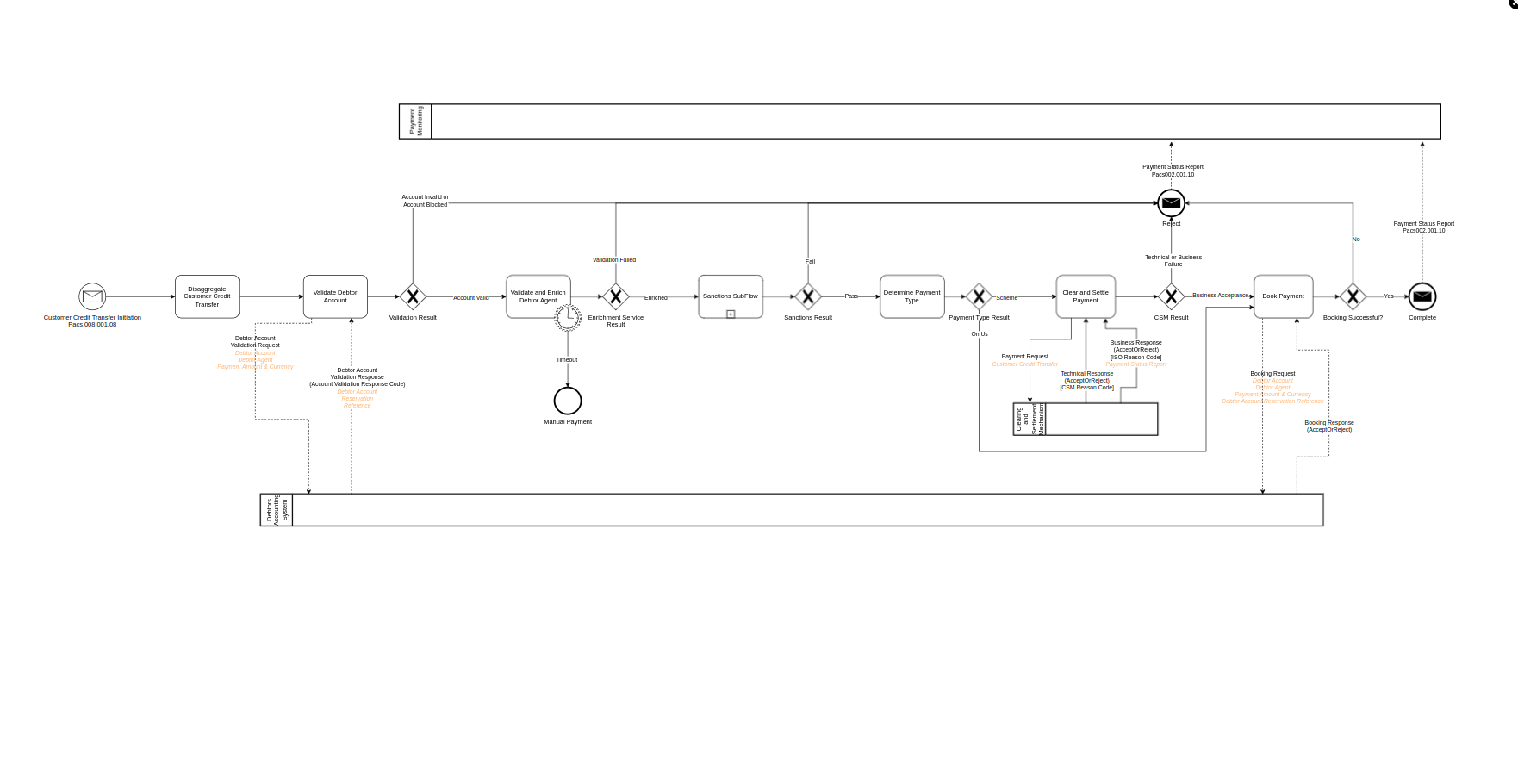
To get the most out of the tutorial you should access the ipf-ba-tutorial-app using MPS - once you have access to MPS you should start at step 1. Examples of what the model should look like at the end of each step are provided to you.
Overview of steps
| Step | Description | Use Case | Comments | BPMN Flow Diagram | Designer Concepts introduced in this Step |
|---|---|---|---|---|---|
1 |
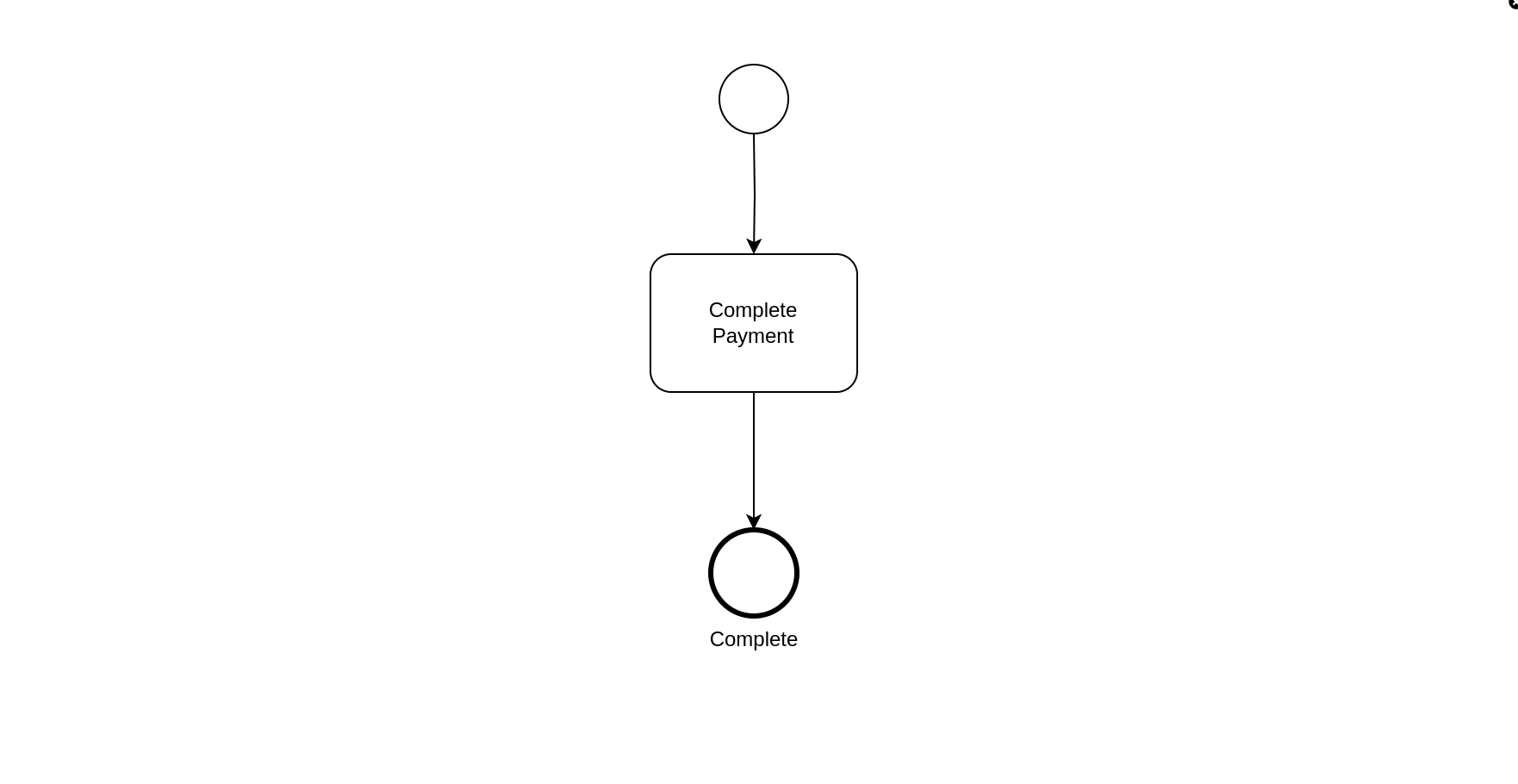
A simple payment flow involving a payment instruction from a Debtor then it being immediately completed |
Upon receipt of the instruction the first state is a Completed State creating a very simple business flow |
|
INITIATION BEHAVIOUR STATE FLOW |
|
2 |
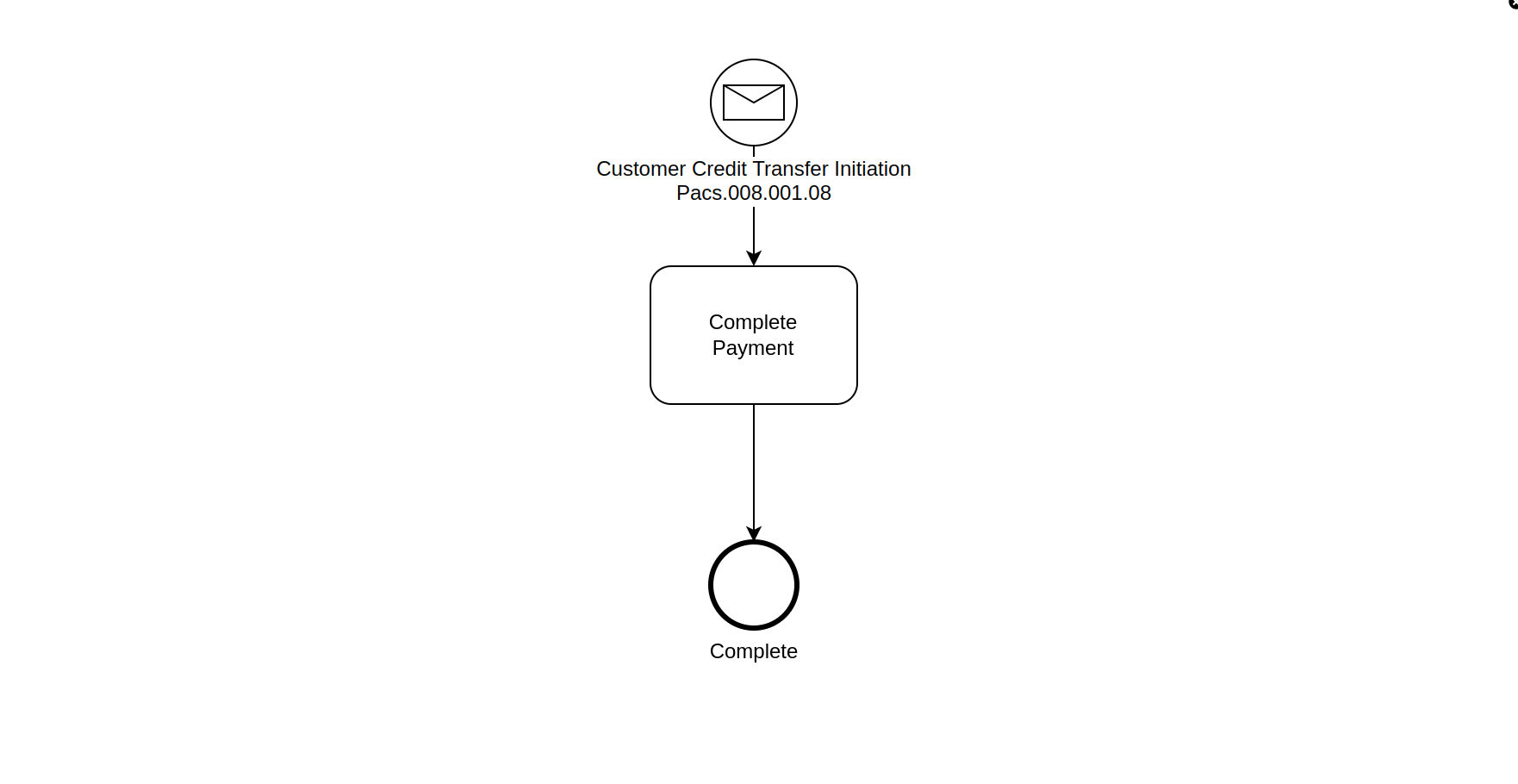
The instruction reflects the data that you would expect to see for a payment flow |
Add a Pacs008 to the business data library |
|
BUSINESS DATA LIBRARY |
|
3 |
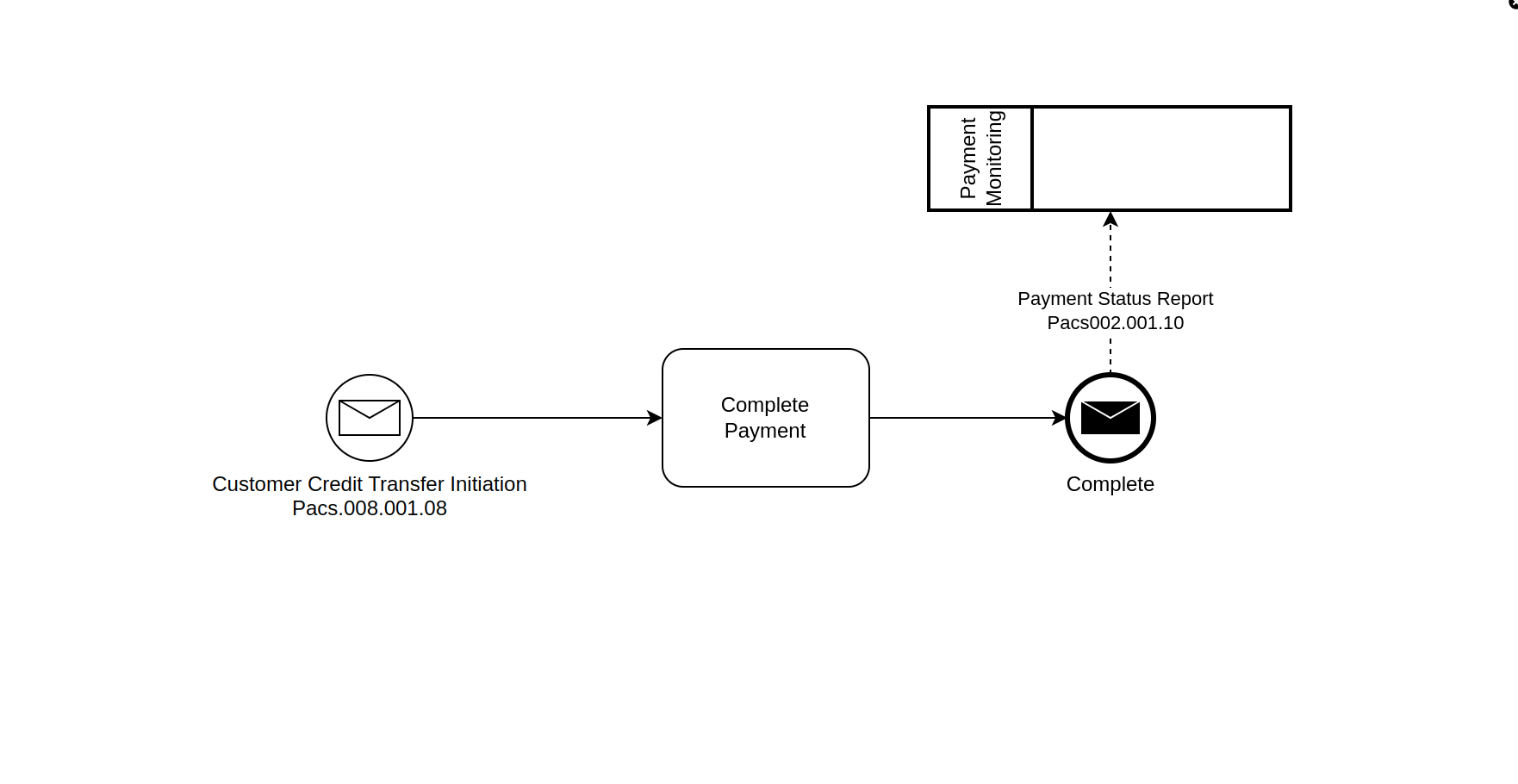
The Debtor Agent is notified when a payment has been processed |
|
EXTERNAL DOMAIN NOTIFICATION ACTION |
||
4 |
The Debtor Agent is notified when a payment has been processed with a Pacs002 |
As above |
MAPPING FUNCTION AGGREGATE FUNCTION |
||
5 |
The Debtor Account on the instruction is validated by calling out to a Debtor Agent system |
The Debtor system will provide and Accepted or Rejected response which will result in the instruction being rejected and flow terminated, or for the flow to continue. |
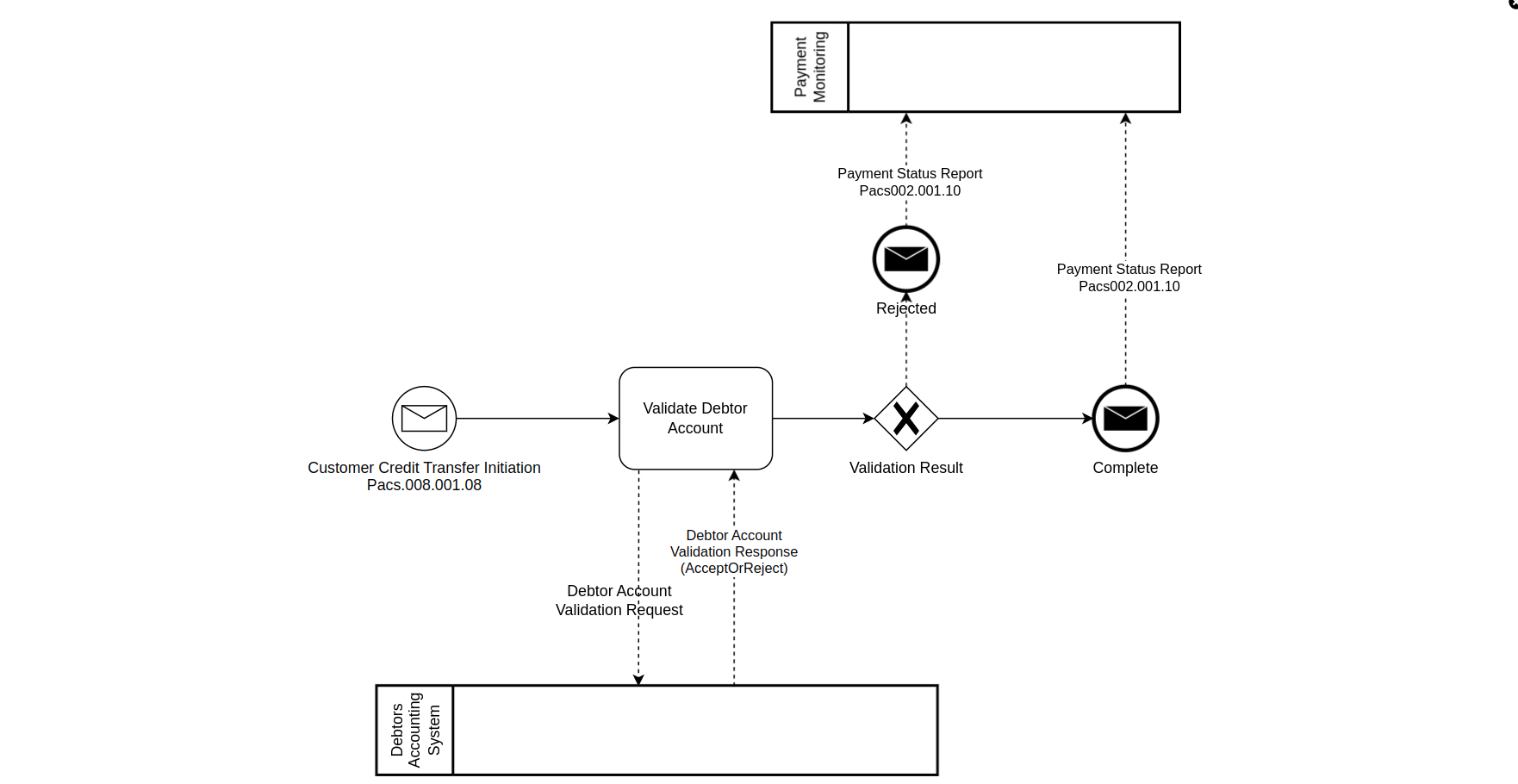
|
REQUEST/RESPONSE INPUT BEHAVIOUR EVENT DEFINITION EVENT BEHAVIOUR MODEL VALIDATION GRAPH VIEW INTENTIONS |
|
6 |
The Customer Credit Transfer Request is disaggregated and data elements included in the Debtor Account Validation Request. The Debtor Account Validation Response includes new data |
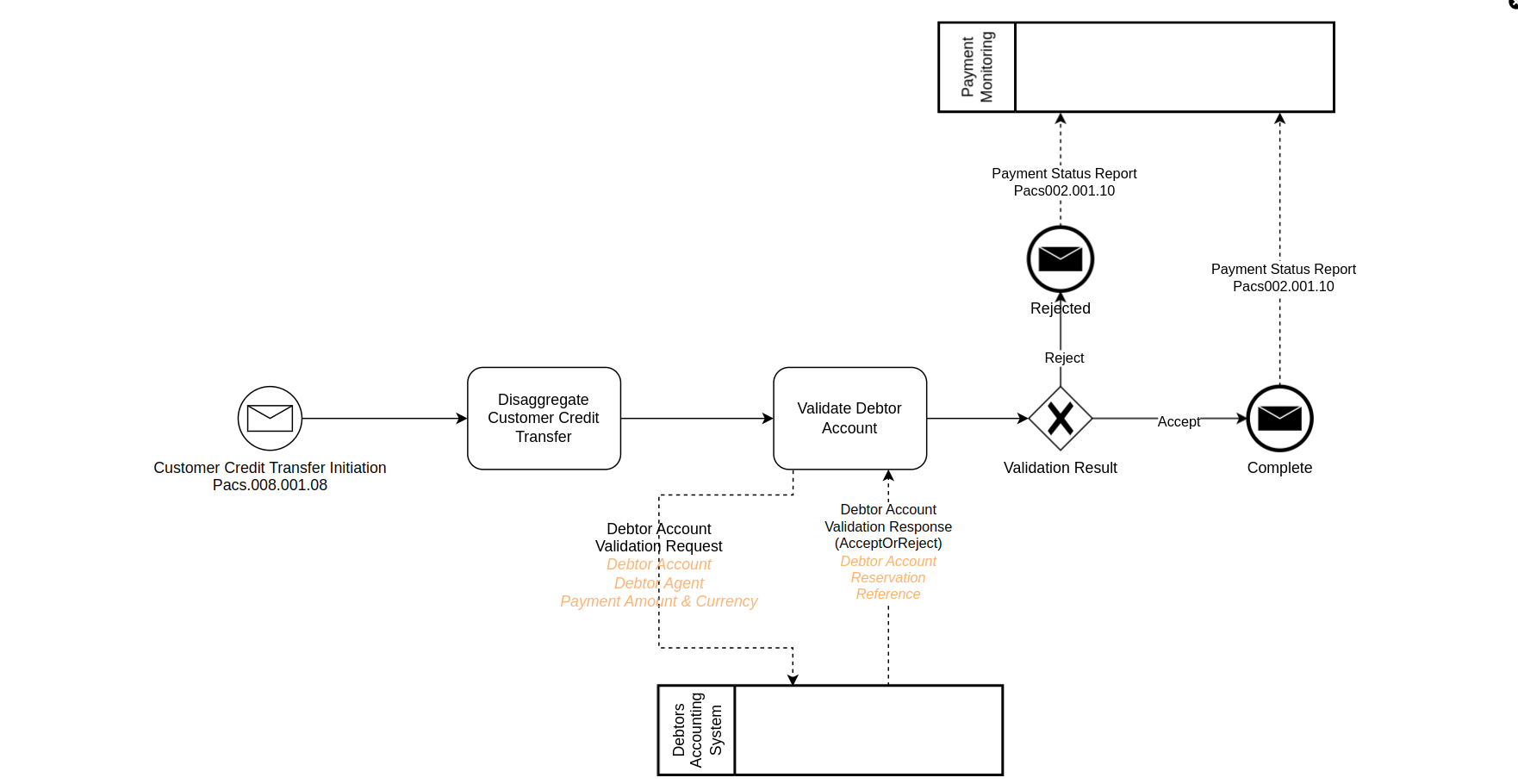
|
IMPORTING |
||
7 |
The payment is sent to a scheme that provides an acknowledgement of a receipt (or technical failure) and then the result of the instruction validation. When an instruction is rejected by the CSM, they will also provide a reason for the failure. |
Responses will be Accept or Reject. Possible reasons for an instruction rejected will be provided as an ISO code. |
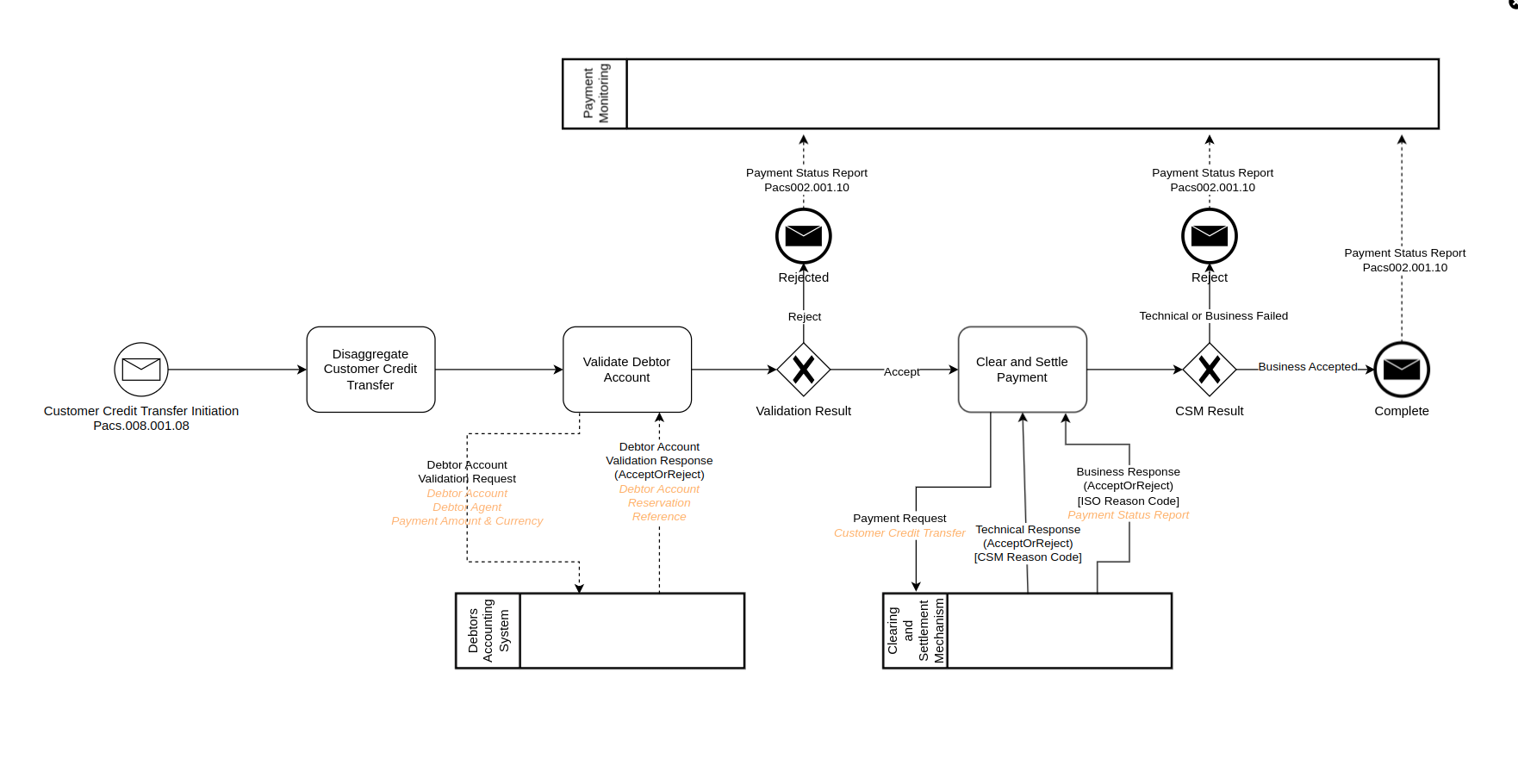
|
REASON CODE LIBRARY NON COMPLETING RESPONSE ON ANY EVENT BEHAVIOUR |
|
8 |
If the Creditor Bank and the Debtor Bank are the same, then a payment should not go to the scheme but be booked directly |
Will need to add booking state.Update existing flow to add booking. Will add Debtor Agent and Creditor Agent business data. |
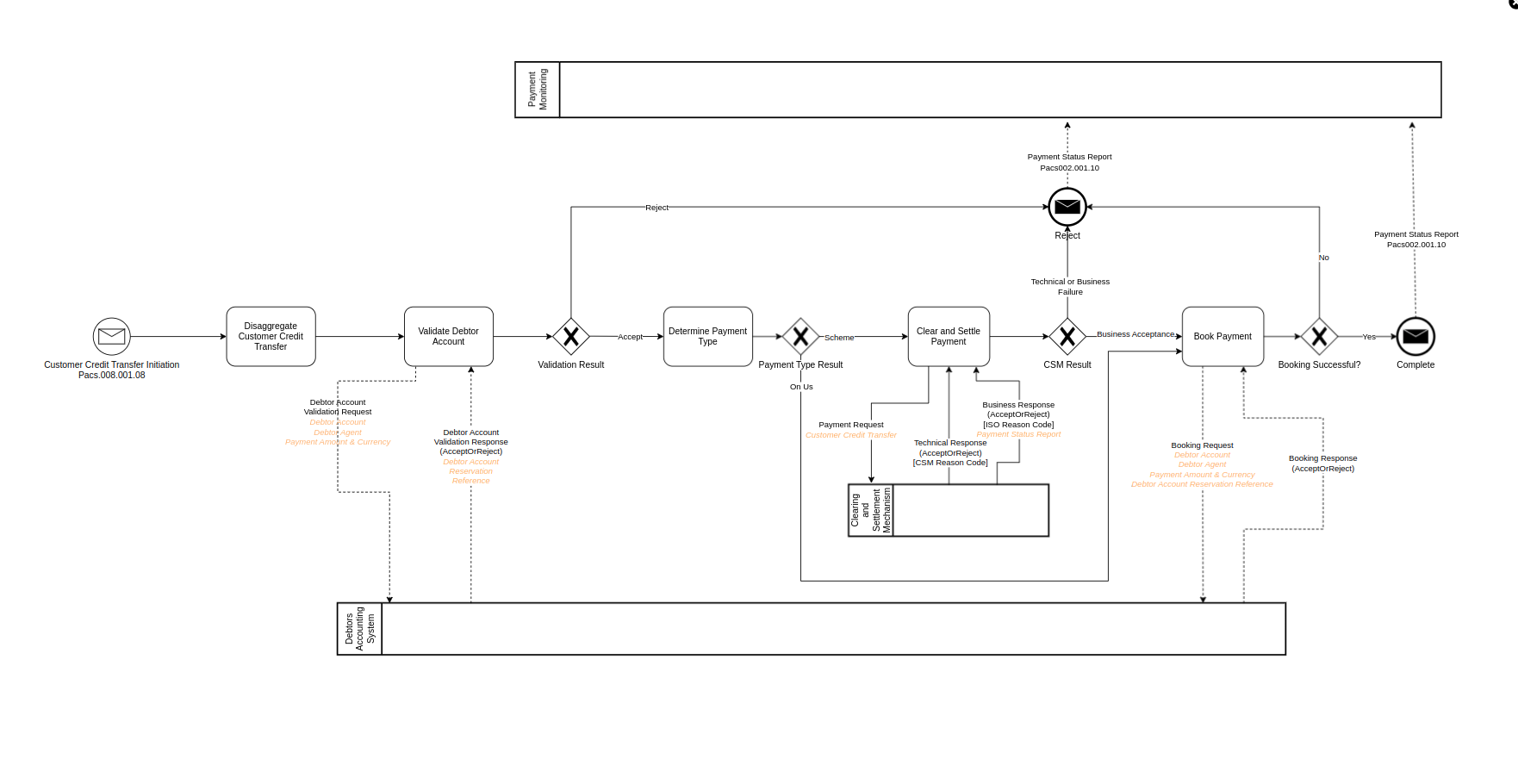
|
DECISIONS |
|
9 |
Handle the scenario, when validating a debtor account, a number of different responses could be provided rather than a simple true or false |
Possible responses: Account Valid,Account Accepted,Account Invalid,Account Blocked. First two responses are a 'pass' and the second two response a 'fail' |
|
RESPONSE CODE LIBRARY |
|
10 |
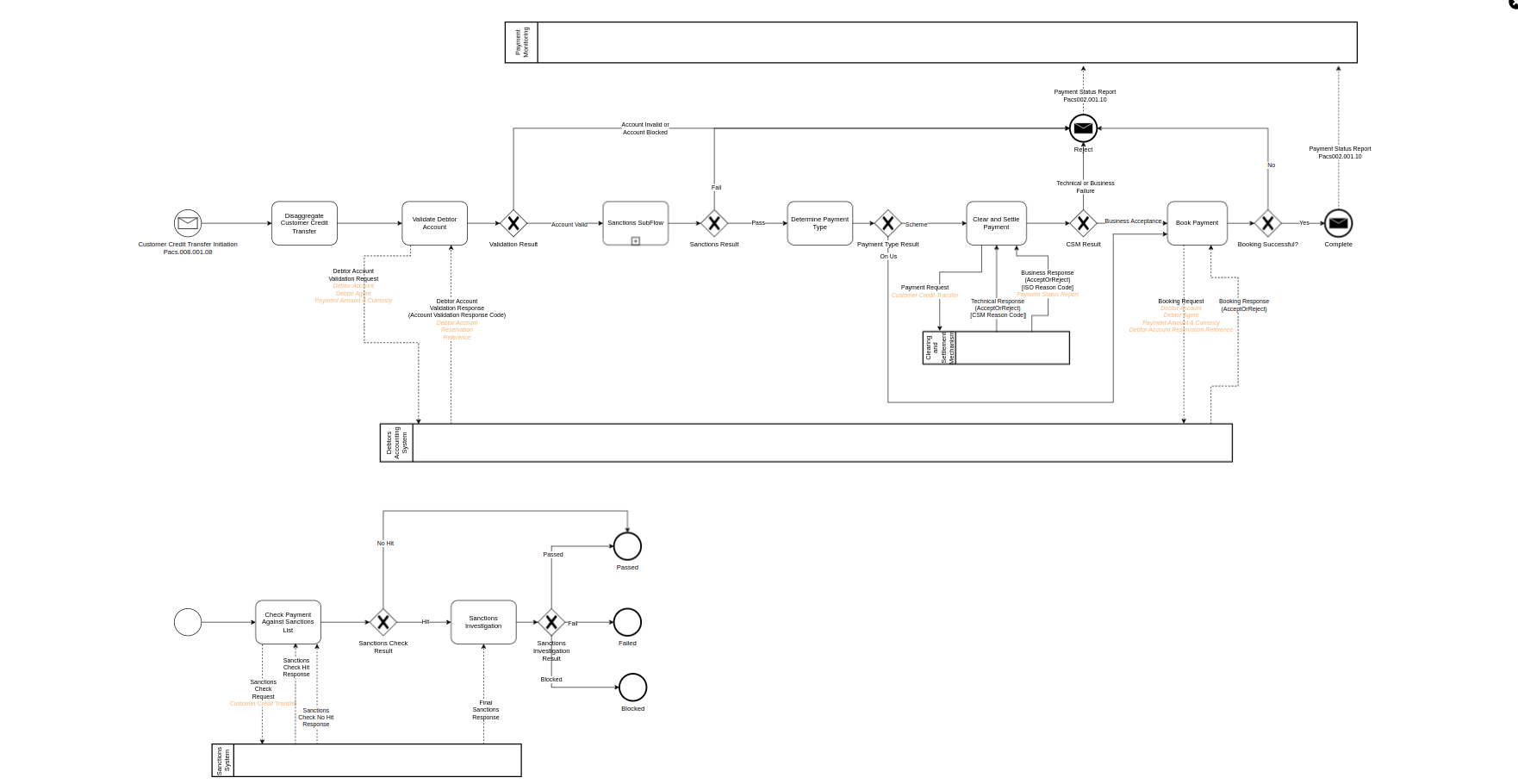
Payments are checked for sanctions which is a reusable sub-flow. |
A Sub Flow will be created and added to Event Behaviour in two places |
|
SUB FLOW |
|
11 |
The payment is enriched with data about the Debtor Agent held within the application |
A Domain Function will be created and added to Event Behaviour. Business Data will be updated so that enriched Debtor Agent is used in the Notification |
|
DOMAIN FUNCTION INPUT ENRICHMENT |