Participant Data
Introduction
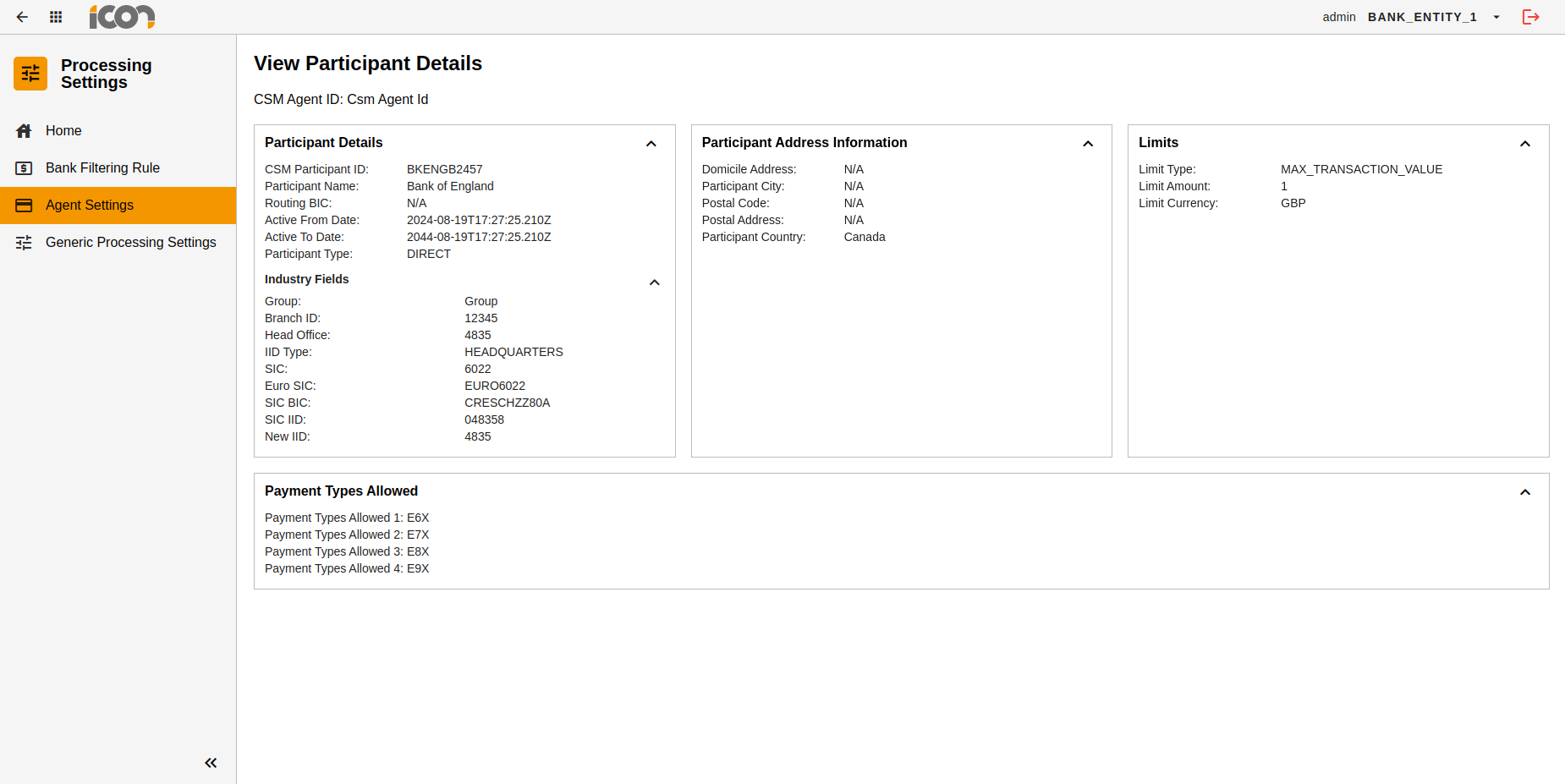
This page is an introduction to the Search Participant Data functionality and its associated screens. These screens are designed to be used by an authorised operator to search for and view data related to a Participant.
| This is industry data and is read only. |
Participant Details
The Participant Details information card can be found within the Agent Settings UI.
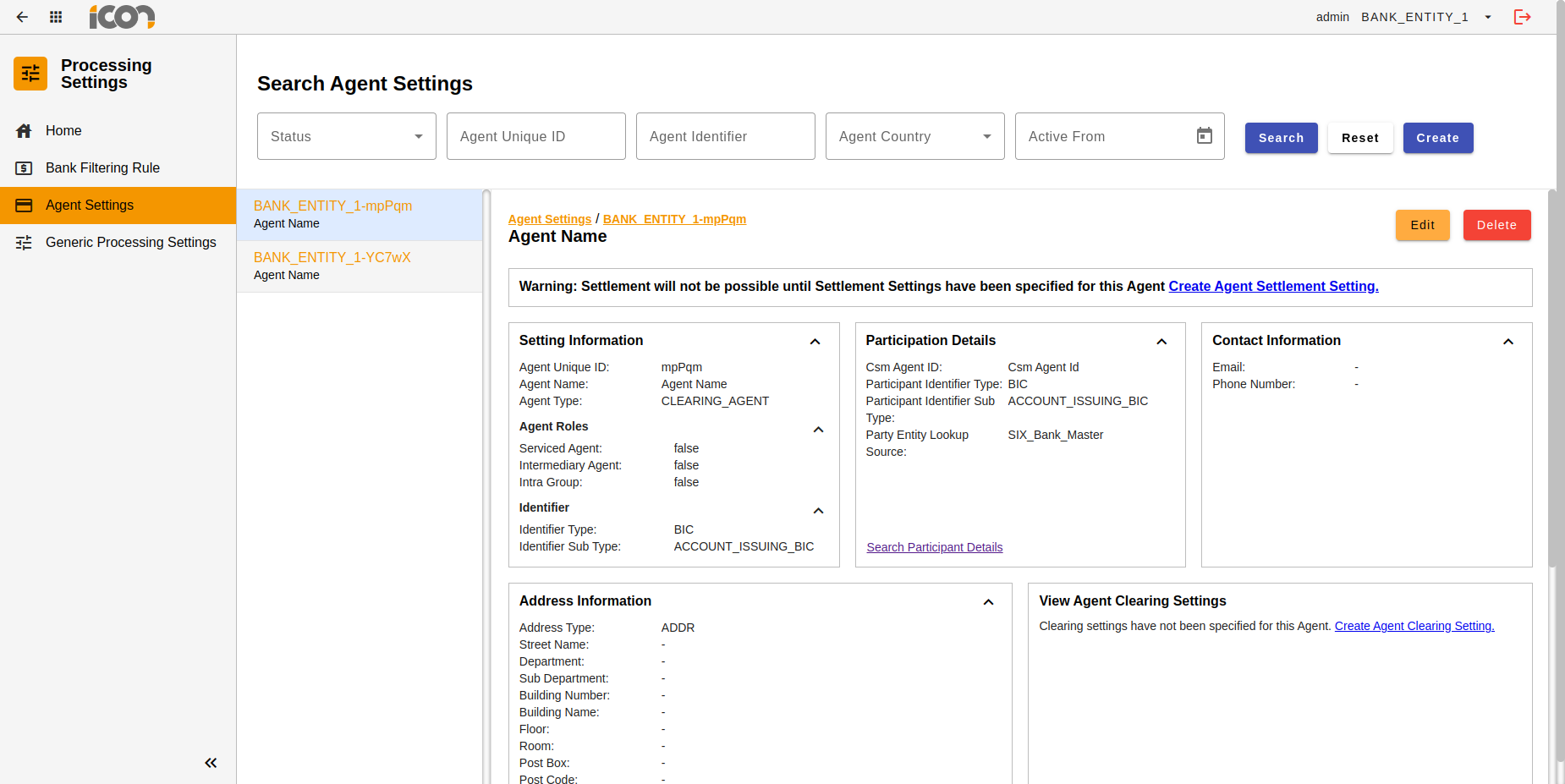
When the Participant Details card is populated, operators will be able to search for other reachable entities' data by clicking on the 'Search Participant Details' hyperlink.
Where the Participant Details card has not been populated, the 'Search Participant Details' hyperlink will be replaced with the text as shown in the screenshot below.
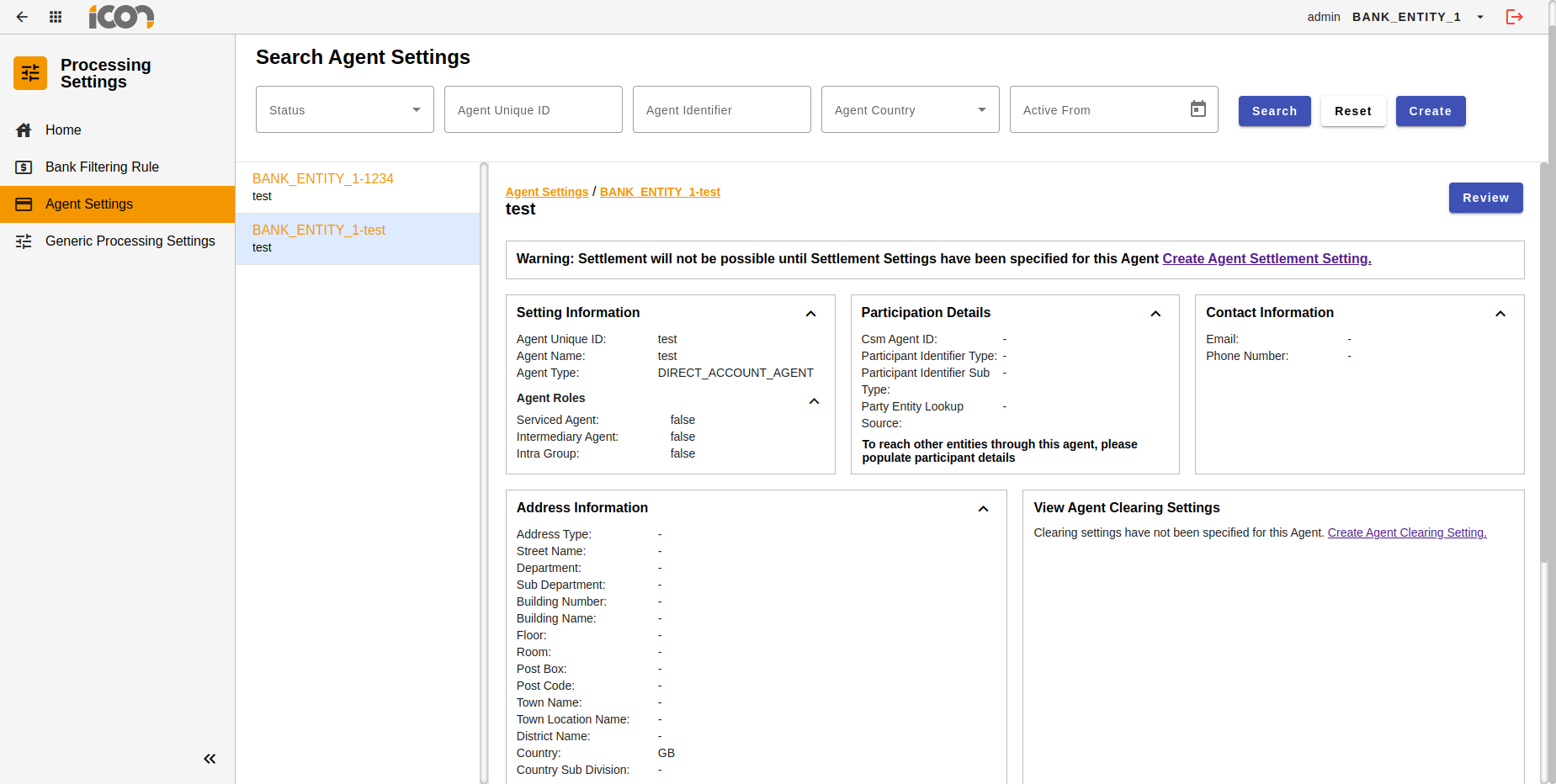
The operator, given they have the right permissions, will have to modify the Agent Setting and include Participant Details, in order to activate the Participant Details search functionality.
| Where the modification requires approval, the hyperlink will only be visible once the required approvals have been given. |
Search Participant Details
Once an operator clicks on the 'Search Participant Details' hyperlink, they will be navigated to the Participant Details Search UI.
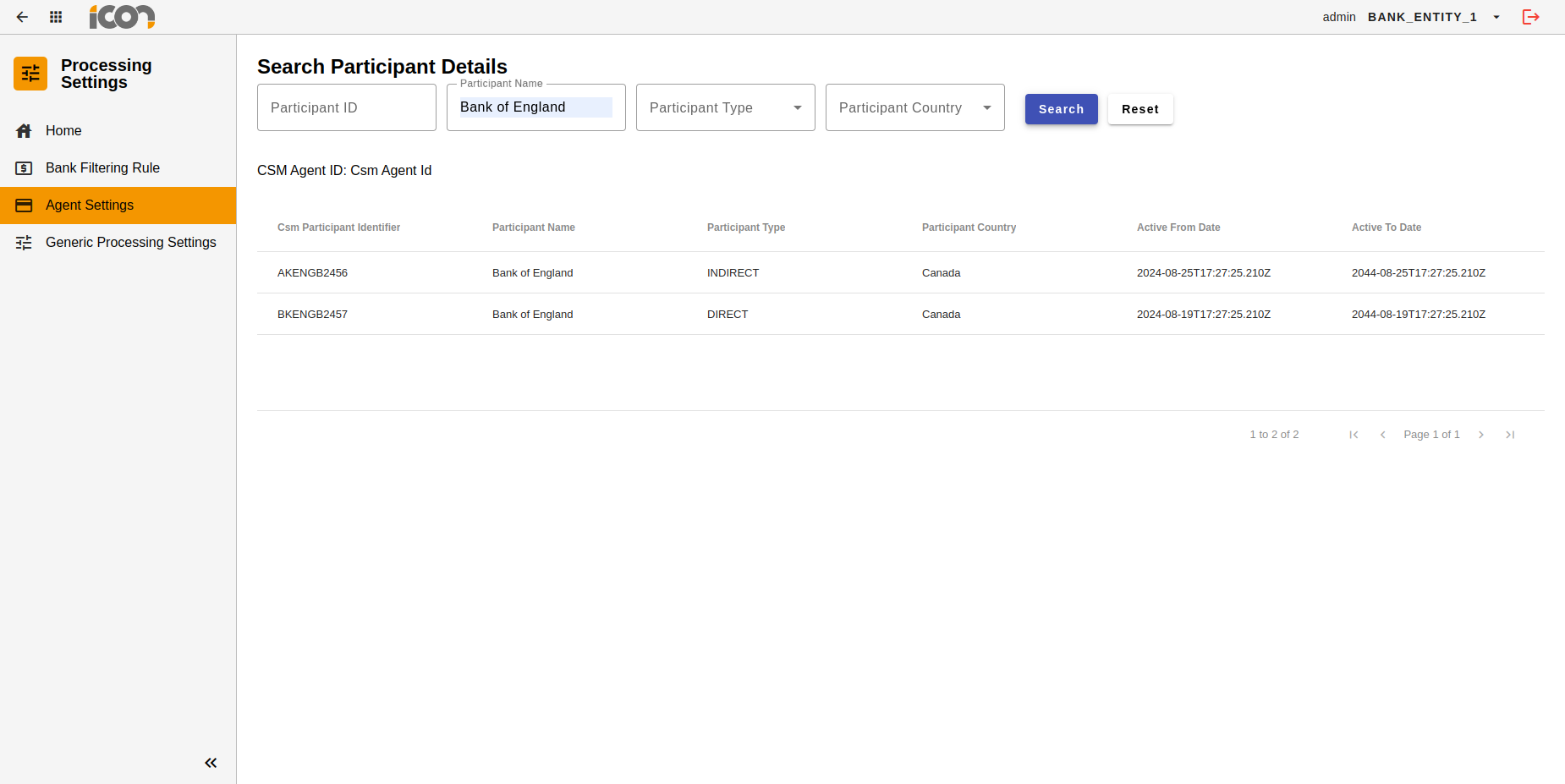
Operators must provide either the Participant ID or Participant Name in order to proceed with a search.
| Participant Type and Participant Country can optionally be provided to narrow down search results. |
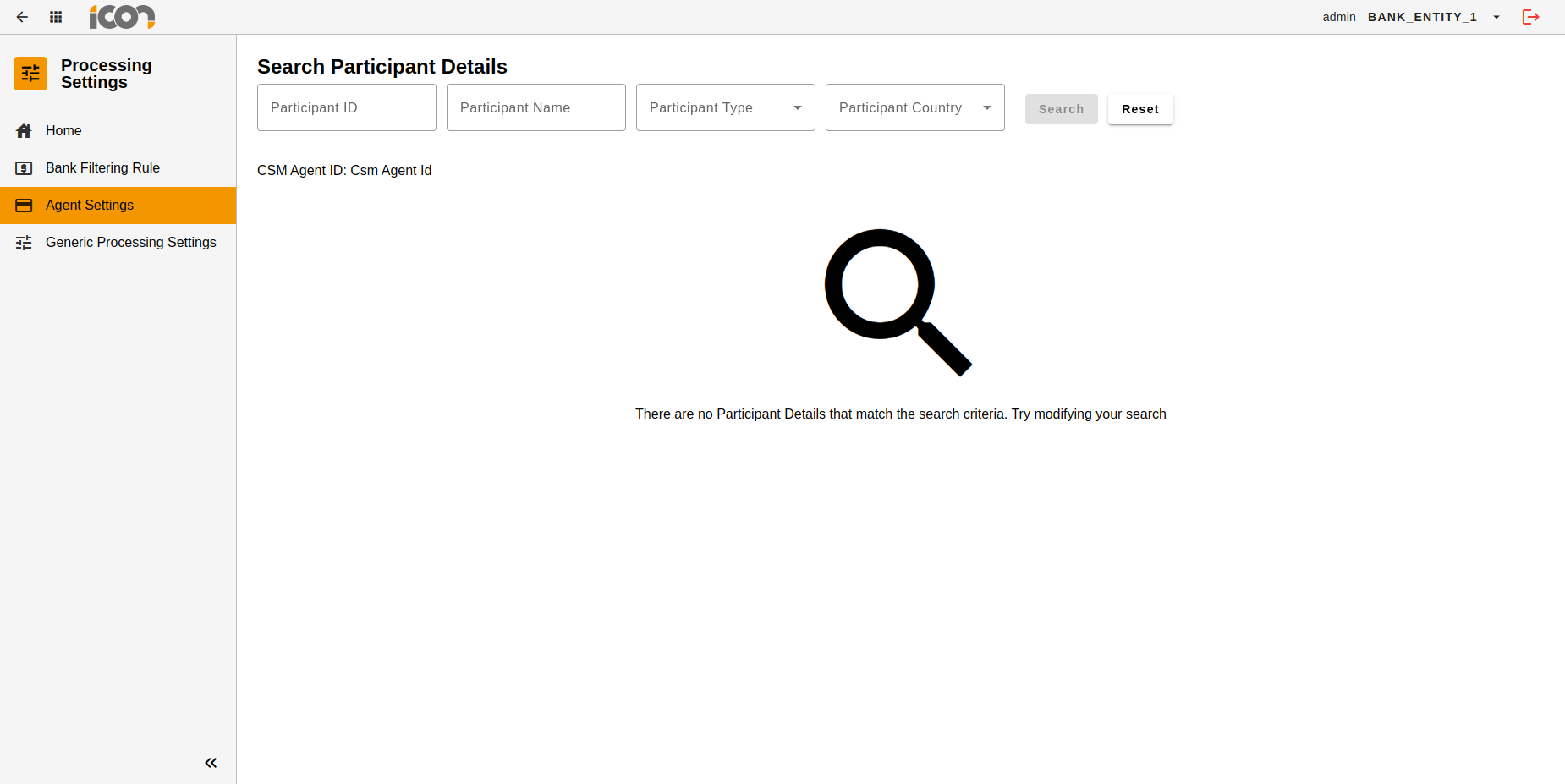
Where there is no data that matches the search criteria, an error message will be returned as per the screenshot below.
View Participant Details
Clicking on any one of the returned search results will navigate the operator to the View Participant Details UI. This will display any industry data that is stored relating to that participant.
| This is reference data provided by Industry sources and can therefore not be modified by the operator. Where data is not available from industry sources, it will be marked as N/A. |