How do I call one flow from another?
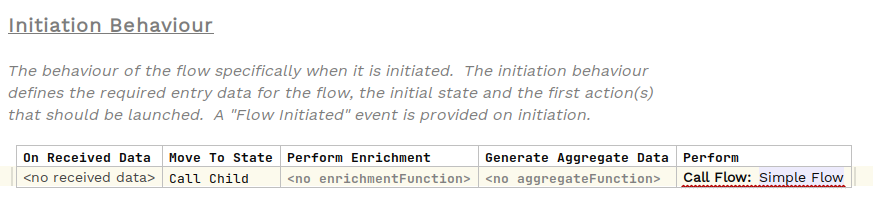
It is possible for one flow to call another. To do this instead of using the normal "Perform Action" within our event behaviour we use "Call Flow" and then specify the flow that we wish to invoke:
Data Transfer
The receiving flow can specify as part of it’s behaviour that it requires certain data points on initiation. When performing flow calls therefore it is necessary that the parent passes these data points to the child. This can be done either by their availability already on the flow (for example if they have been populated by a previous event) or by specifying a mapping with the inspector panel:
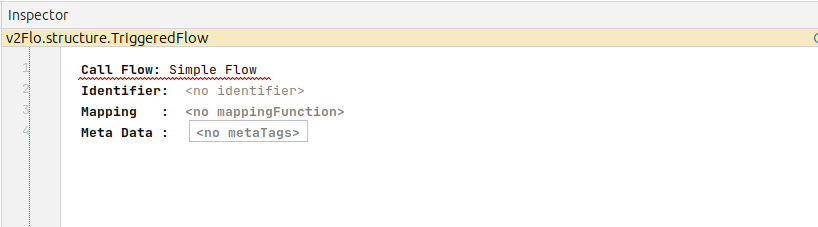
The child flow will then be sent all the data points that it requires. Failure to provide these data points will result in error warnings within the parent flow configuration.
Flow Identifiers
When a parent flow calls a child flow, it will use it’s own initiatingId and the initiatingId of the child. In this way, the idempotency of child flow calls is preserved as we can ensure that the child flow is never created twice.
However, in certain circumstances you may wish to call the same child flow at multiple points during the flow. When this is the case you must supply an identifier (seen in the inspector as per the previous screenshot). An identifier is a simple string that will be added to the identifier passed to the child flow. Then the new initiating id will become <parent-initiating-id>-<identifier>.
Note the identifier must be appropriate to form part of the flow id. It is simplest just to use a numeric value here.