CS Agent Selection Settings
What is CS Agent Selection Settings?
When multiple agents can facilitate the clearing and settlement of a payment with a counterparty or financial institution, it is crucial to be able to determine which agent to use.
This is often relevant when a processing entity participates in one or more clearing houses available for clearing and settling payments, but it may also apply in scenarios where the counterparty is reachable through intermediaries or directly if the processing entity holds a direct account relationship with the counterparty.
The CS Agent Selection Settings UI allows clients to specify agent preferences across a variety of payment types, service levels, and transfer currencies.
| The payment types and service levels are not predefined by IPF. They are defined by the client’s implementation before configuring them in the CS Agent Selection Settings. |
The CS Agent Selection Settings UI allows operators, with the appropriate permissions, to specify the order in which Agents should be selected during reachability check. The order is an order of preference so the Agents that appear first in the selection order are checked first for reachability of the counter-party using the settlement relationship with that agent.
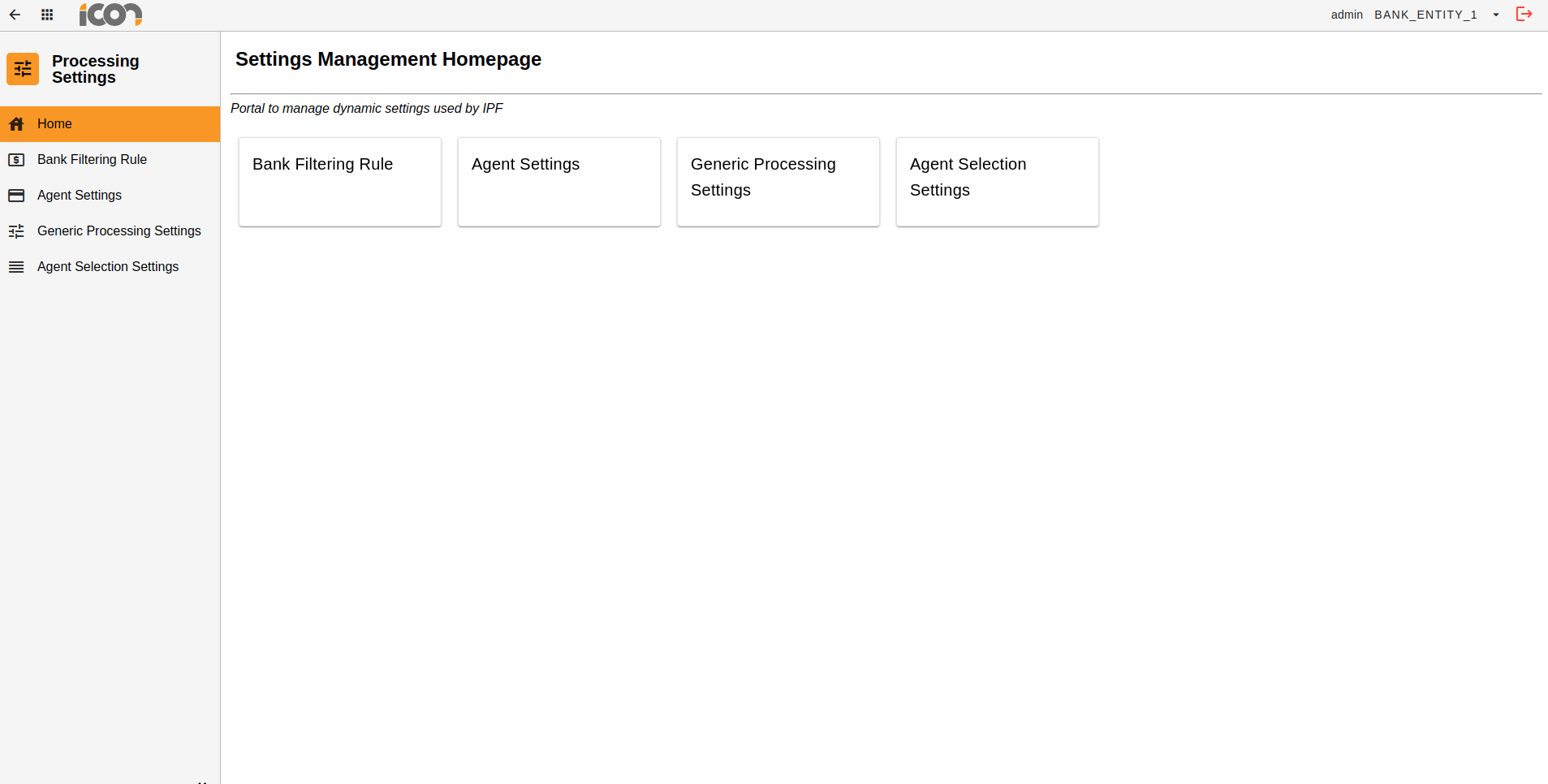
To navigate to the CS Agent Selection Settings screens, operators should click on the Processing Settings module from the Operational Dashboard homepage and then click on the Agent Selection Settings tile.
| While in the Processing Settings module, operators can easily navigate to the Agent Selection Settings screens at any time by using the side navigation bar. |
Search
Search Identifiers
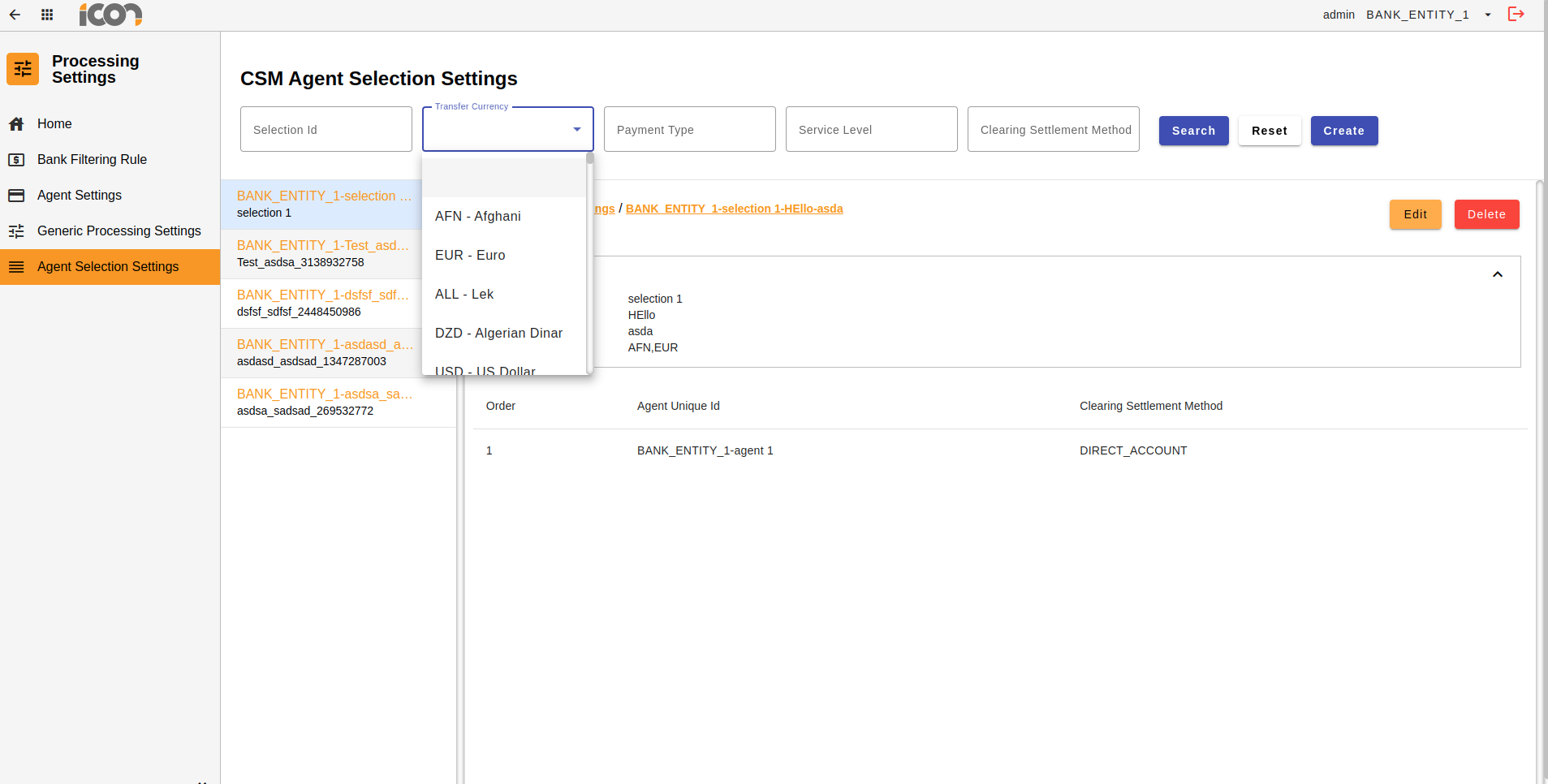
The operator can input data into any of the available search fields and, upon initiating the search, will receive a tabulated display of the Agent Selection Settings that match the specified criteria. Selecting the reset option will clear the search parameters and restore the default settings.

| Identifier | Description |
|---|---|
Selection ID |
A unique identifier that identifies the selection settings. The selection ID is a combination of the Payment Type, Service Level and a unique system generated number. |
Transfer Currency |
A list of transfer currencies for which the setting record is applicable. |
Payment Type |
Payment type as assigned to the payment. |
Service Level |
Service level as assigned to the payment. |
Clearing Settlement Method |
The agent types. i.e. Direct Account, Intermediary, Clearing House. |
| Once created the Payment Type, Service Level and Selection ID cannot be edited. |
| Payment Type and Service Level are client specific. Contact your client implementation team for the appropriate values to input in these fields. |
Search Results
Upon clicking 'Search,' the operator will be presented with a list of Agent Selection Settings that align with the specified search criteria. Adjacent to the list, a preview pane will display detailed information related to the selected setting. By default, the first result will be automatically selected and its corresponding details displayed in the preview pane.
| Where there are no search results returned, an error will be displayed on the screen. |
Managing CS Agent Selection Settings
Create
Clicking the 'Create' button from the search UI allows operators to initiate the creation of a new Agent Selection Setting. This action will open a form for the operator to complete with the required information. After filling out the form, the operator can click the 'Create' button to submit the new setting for approval.
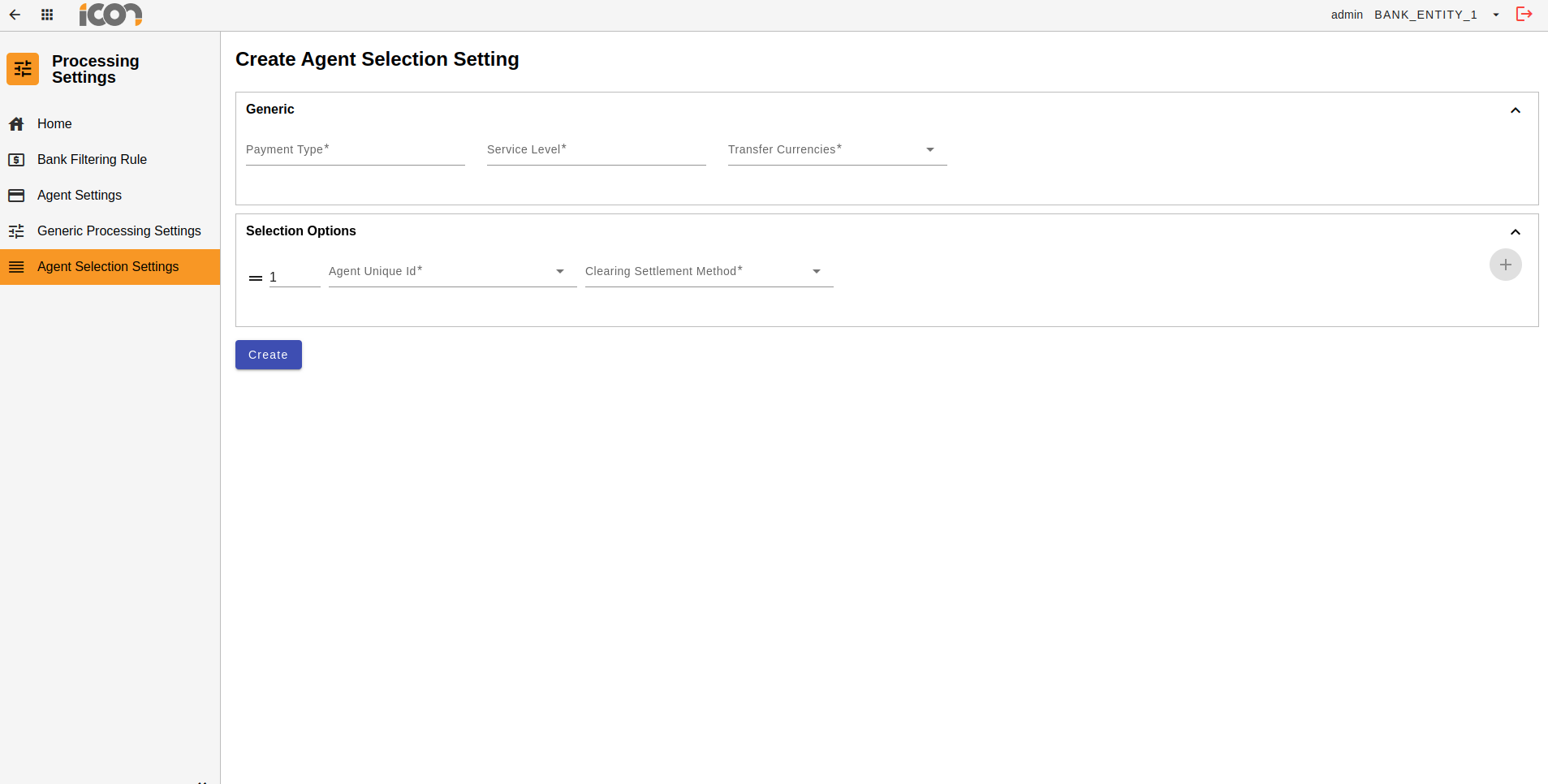
| Required fields are marked with an asterisk. Where required information has not been provided, an error will be displayed under the required field. |
| In order to create a selection setting, there must be an active Agent set up.Details on how to create an Agent Setting can be found here, Agent Settings. |
Modification
Once a Selection Setting is in a status of Active, options to edit or delete the record will be visible from the view page and within the preview pane on the search UI.
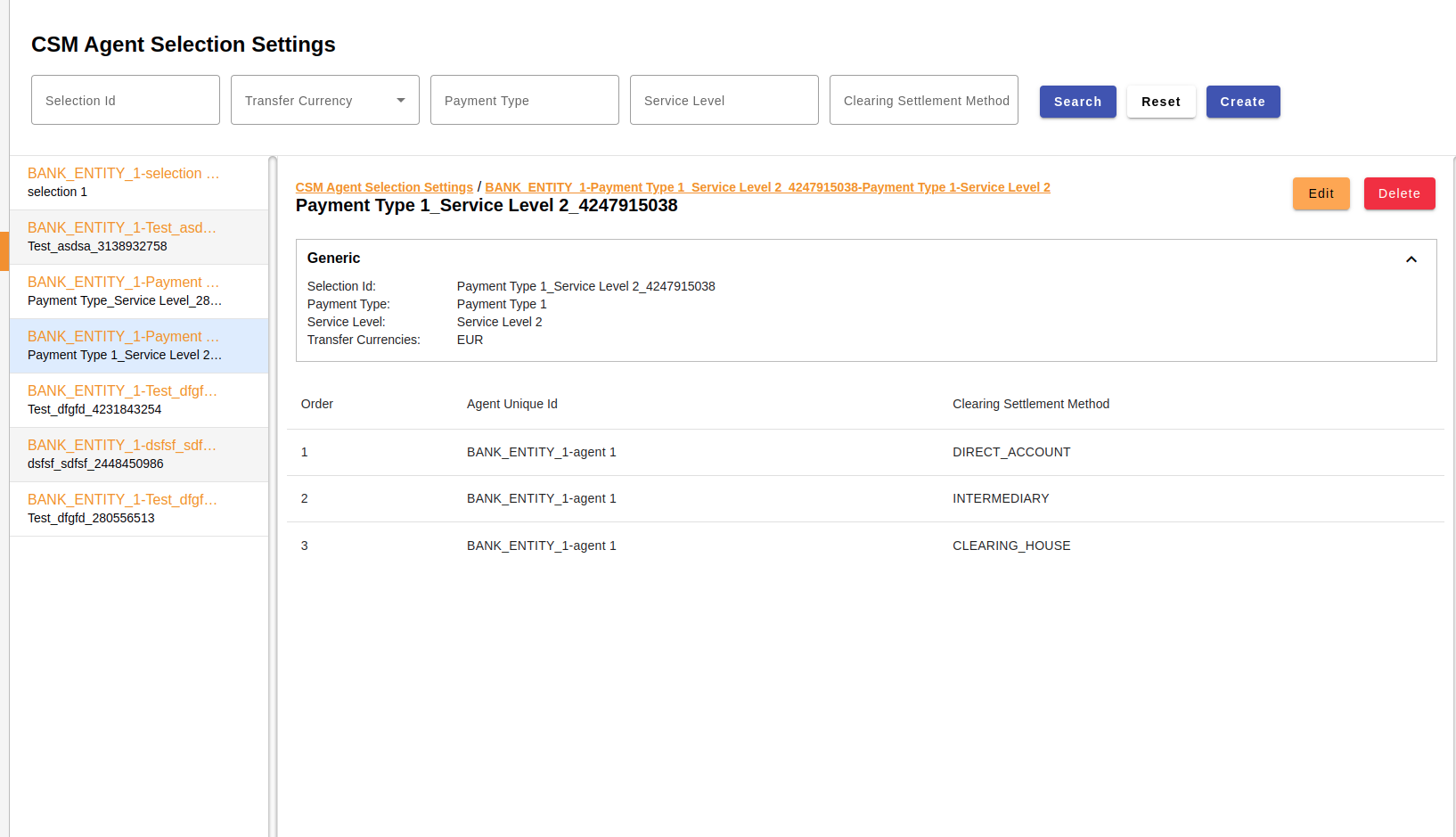
Clicking on the edit button allows operators to modify the record, navigating them to a screen displaying the current data input for the Agent Selection Setting.
All fields excluding the Selection ID, Payment Type and Service Level can be modified. Operators are able to quickly reorder the Agents within the Selections Options card by using the drag and drop functionality. Alternatively, operators can input the new order number and the agents will be reordered.
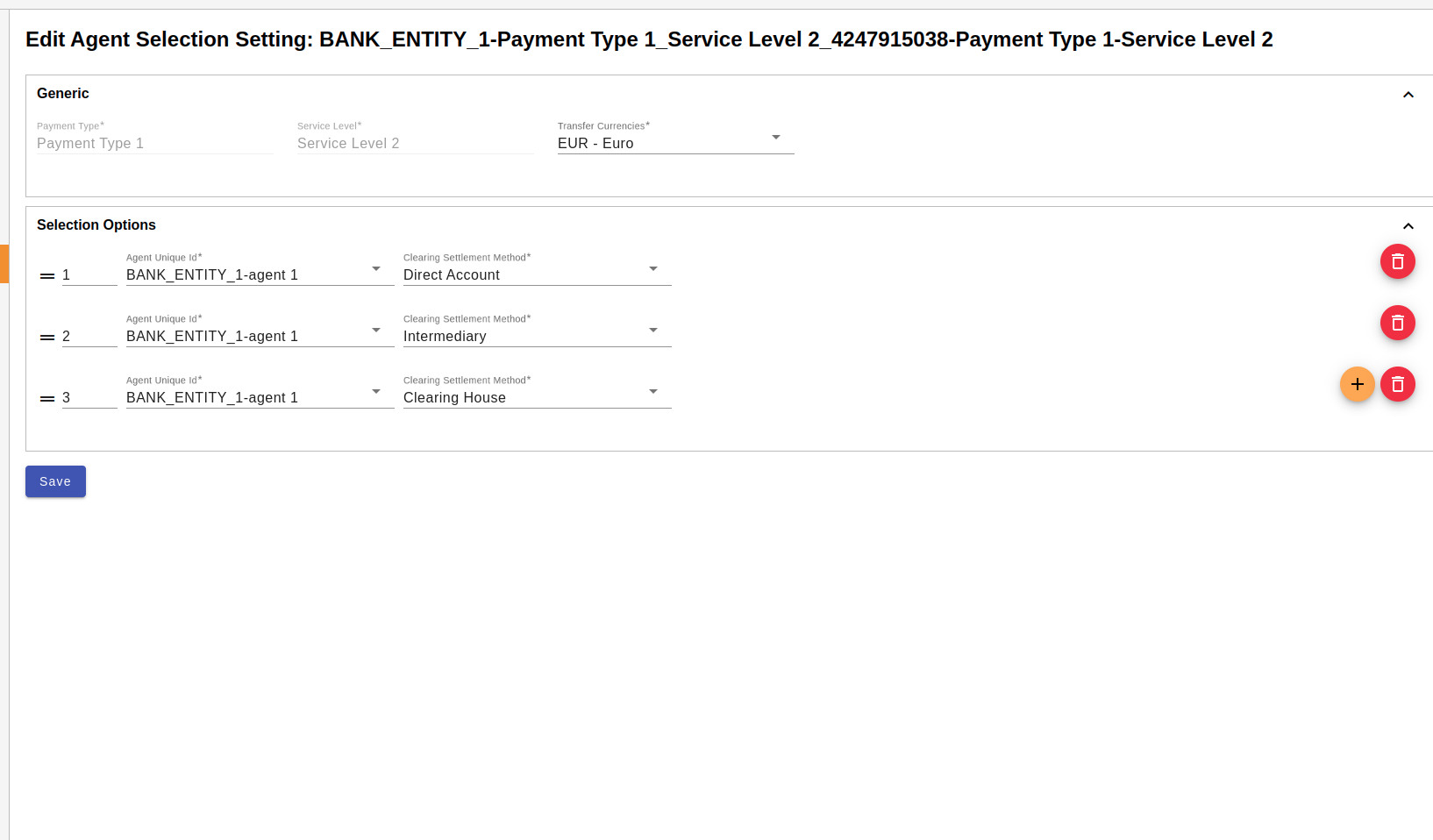
Upon clicking save, the changes will be stored and the record will transition to an 'Active Pending Approval' status. If required data is missing, errors will be displayed under the respective fields.
| To navigate out of the edit screen, operators can use the global back button located at the left hand corner of top navigation bar. |
Clicking the delete button initiates the deletion process, transitioning the record to an 'Active Pending Approval' status. Once the deletion is approved, the record will be permanently deleted.
Approvals
Upon creating, modifying, or deleting an Agent Selection Setting, the record will transition to a 'Pending Approval' status. During this status, a review icon will be visible for operators with approval permissions.
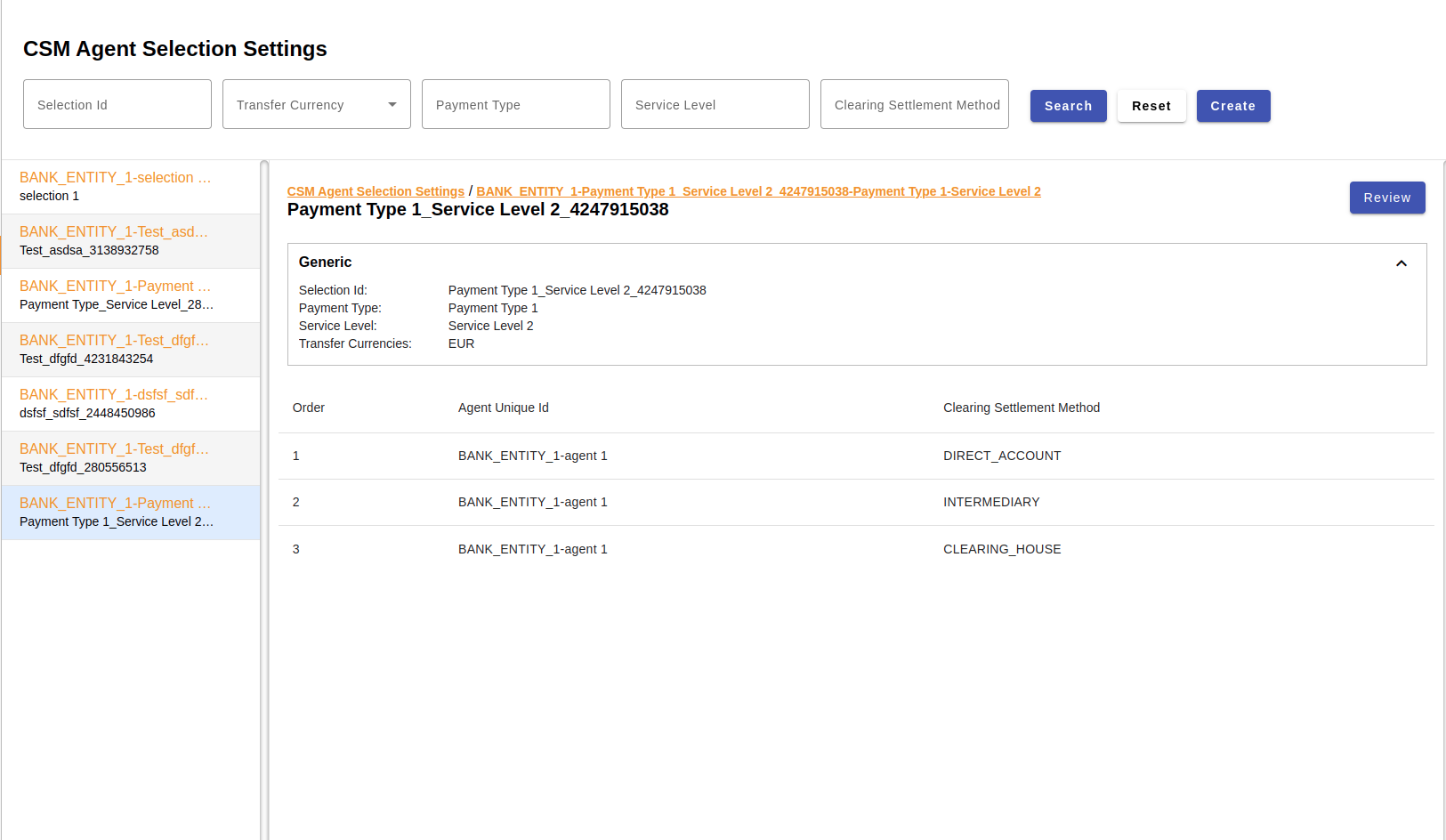
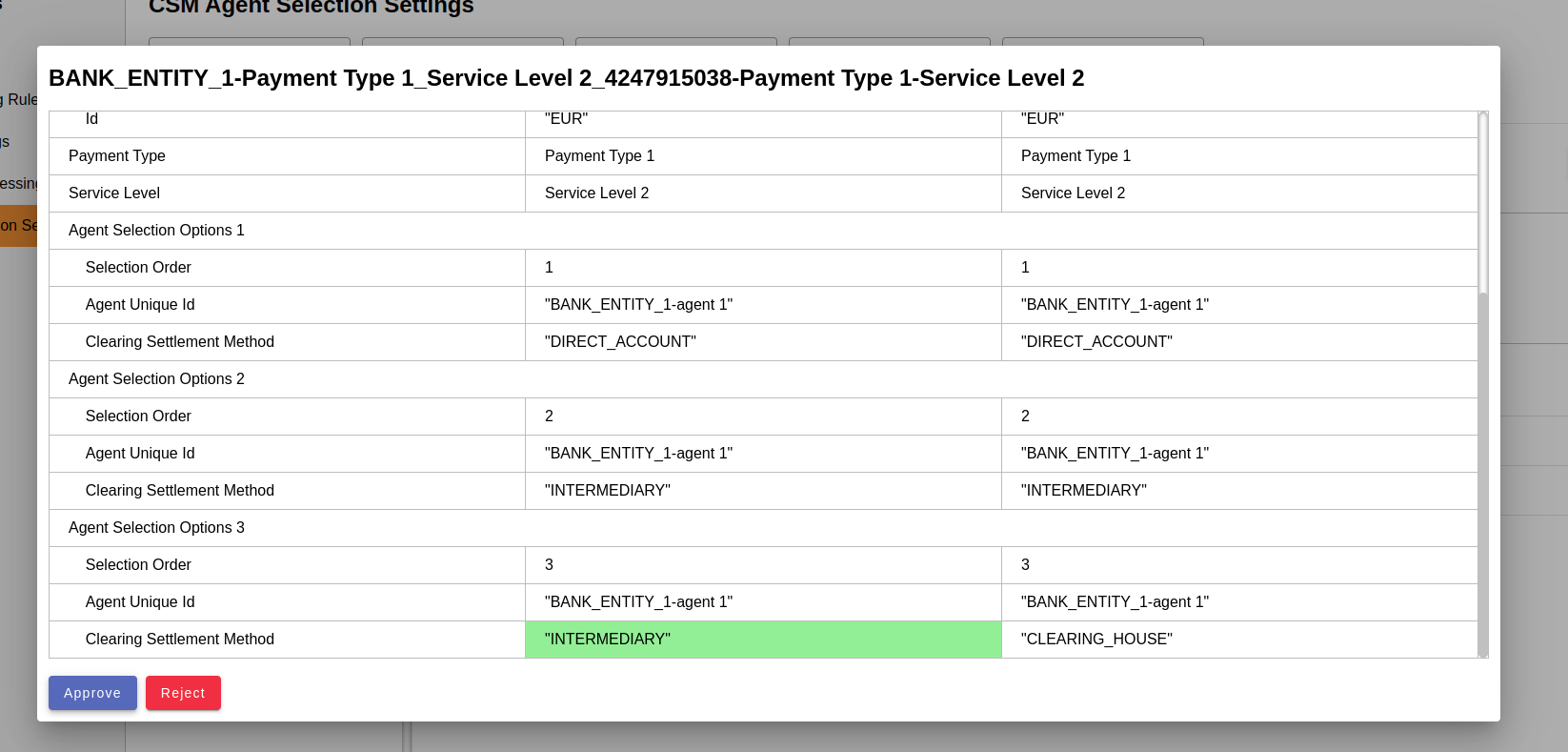
When an operator clicks on the 'Review' icon the approval process will commence. A modal will display the record details, highlighting modifications: additions or changes in green and deletions in red. The operator can approve or reject the creation, modification, or deletion of the record, provide a reason for their choice, and confirm the action.
| When a record is awaiting approval, all other actions will be disabled. |