How Do I Increase Graph Visualisation Memory Allocation?
Should you find that you’re not able to visualise your flow within MPS, it may be a result of insufficient memory being allocated for graph visualisation. This can occur when one or more of your flows contains a large number of event behaviours and associated library elements.
To overcome this issue, you can increase the memory allocation by using the IPF Studio Configuration plugin as detailed below.
Within MPS, go to File > Settings > IPF Studio Configuration.
Within the "Memory allocation in bytes for graph visualization" field, increase the memory allocation to a value that allows for visualisation of the graph.
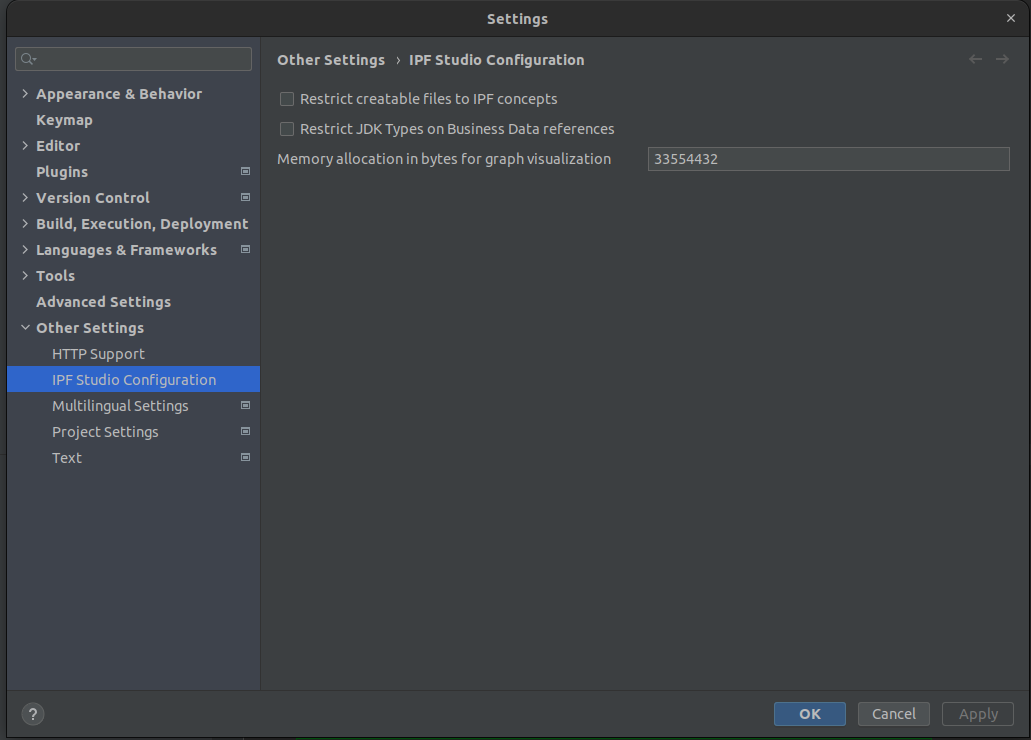
The value you enter should be in bytes. The default value of 32MB (32 * 1024 * 1024 = 33554432 bytes) is usually sufficient for most flows.