Metrics
Introduction
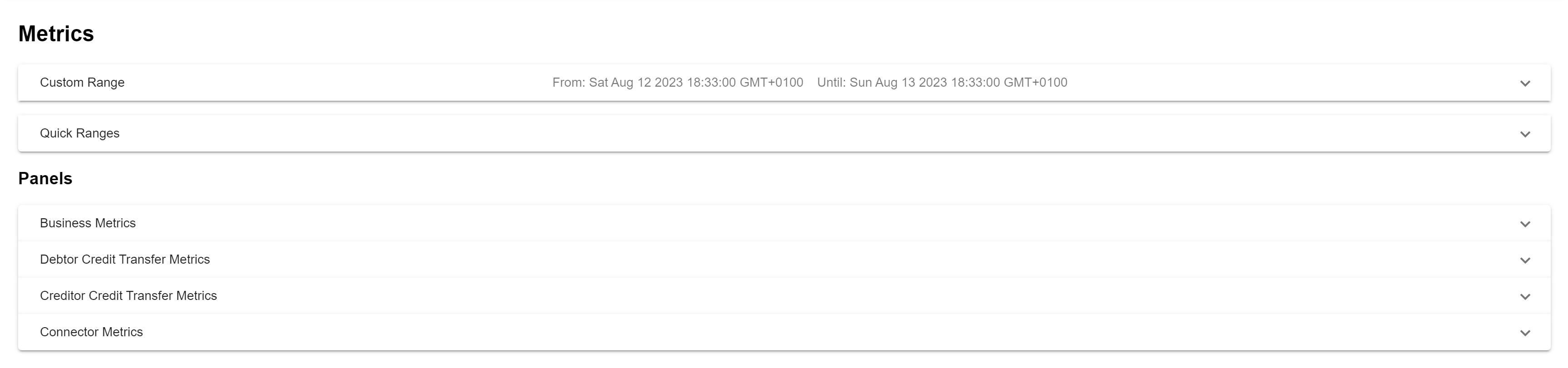
On the main Metrics screen we can filter on the basis of Date range by going to the 'Customer Range' Tab or use 'Quick Range' to look for Metrics for certain time period e.g last 15 mins/30 mins etc. Once range selected please click 'Apply' button. There is a 'Reset' Button which helps clear the values in the pre-populated fields
-
Business Metrics - This Shows the Business information (In Charts) like Total payments timed out, Payments categorized by Status, Beneficiary BIC, Type of payment etc. Also shows the throughput grouped by CSM and currency.
-
Debtor Credit Transfer Metrics - This shows a view for Outbound payments in terms of latency
-
Creditor Credit Transfer Metrics This shows a view for inbound payments in terms of latency
-
Book Transfer Metrics - This shows a view for book payments in terms of latency
-
Connector Metrics - This shows the graphical representation of request and response throughput to analyze the system performance
| These are fully customisable using Graphana. The above is an example set provided by IPF |
Getting Started
To begin using the library simply run npm i @iconsolutions/metrics in whatever angular app you need to use the library in.
You will need to add the following to the app routing module:
{
    path: 'metrics',
    canActivate: [roleGuard],
    data: { roles: ['ROLE_METRICS'] },
    loadChildren: () => import('@iconsolutions/metrics').then((m) => m.MetricsModule)
}