ODS Search - MDS Search
Introduction
This page is an introduction to the MDS search functionality. A Message Data Structure (MDS) object is a data structure that originates from ISO20022 objects - for example a pain.001 instruction contains a group header, one or more instructions, and within each instruction, one or more credit transfer transactions. Each is considered a distinct MDS object, that belongs to the original payment or unit of work.
MDS Search is housed within the ODS Search feature and allows operators to search for and view transactions in the context of their bulks and batches and see related data from within the GUI.
| This functionality is intended for IPF Clients using the SCT Scheme Pack. |
MDS Type Select
To navigate to the MDS Search UI within the ODS Search module, operators will have to click on the 'MDS Search' icon / submodule within the left hand side navigation bar.
Clicking on the 'MDS Search' submodule will display a UI screen containing a list of the MDS Types supported within the instance of IPF. As the searchable fields differ for the various MDS type, operators are required to select an MDS type before they can proceed.
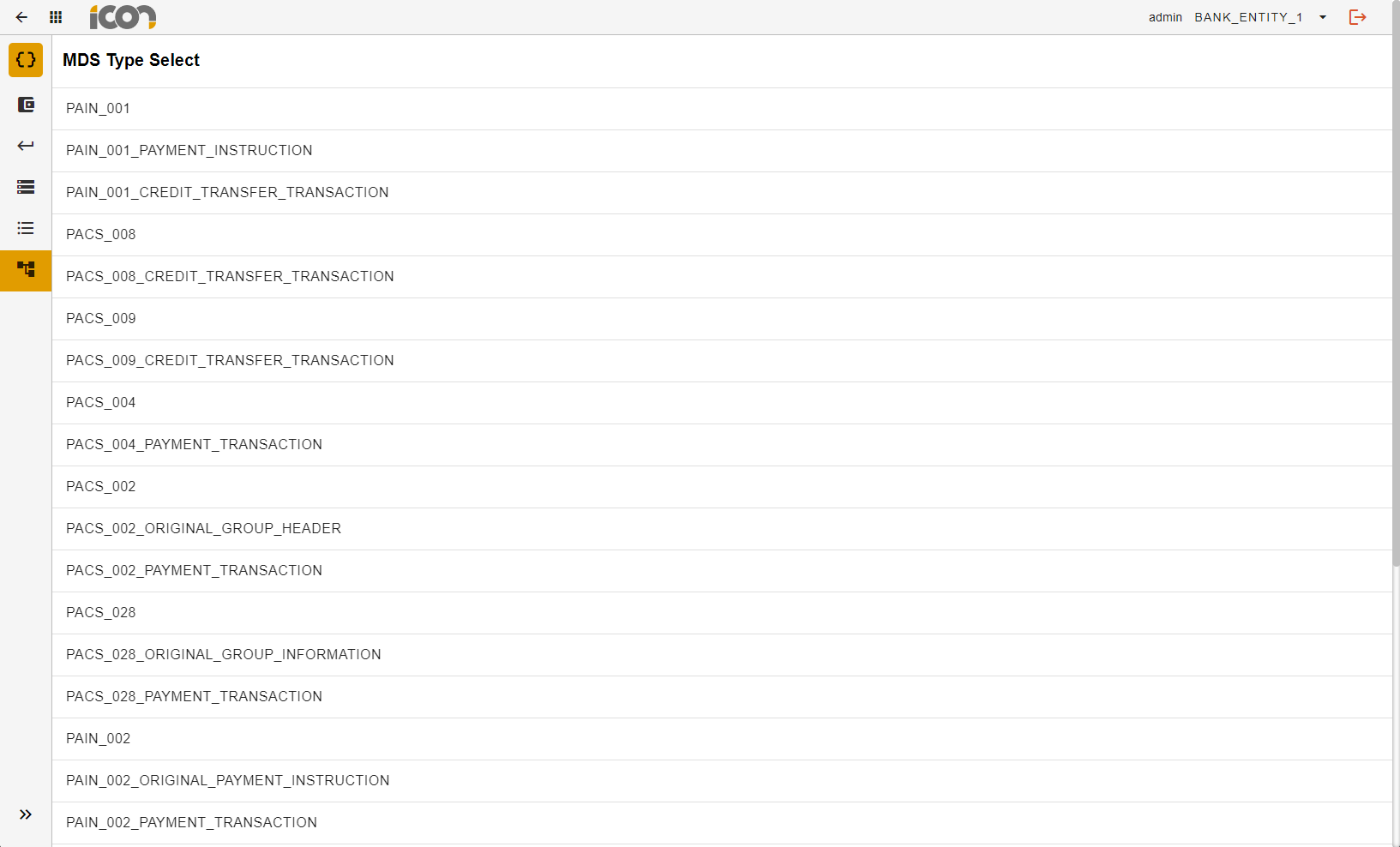
| The screenshot depicts the MDS Types supported in a demo instance of IPF. This may differ for each client. |
MDS Type Search
Once an MDS Type has been selected, the operator will be presented with a search screen which caters to the selected MDS type. In the example below, PACS_008 was chosen and the searchable fields are those relevant to the PACS_008.
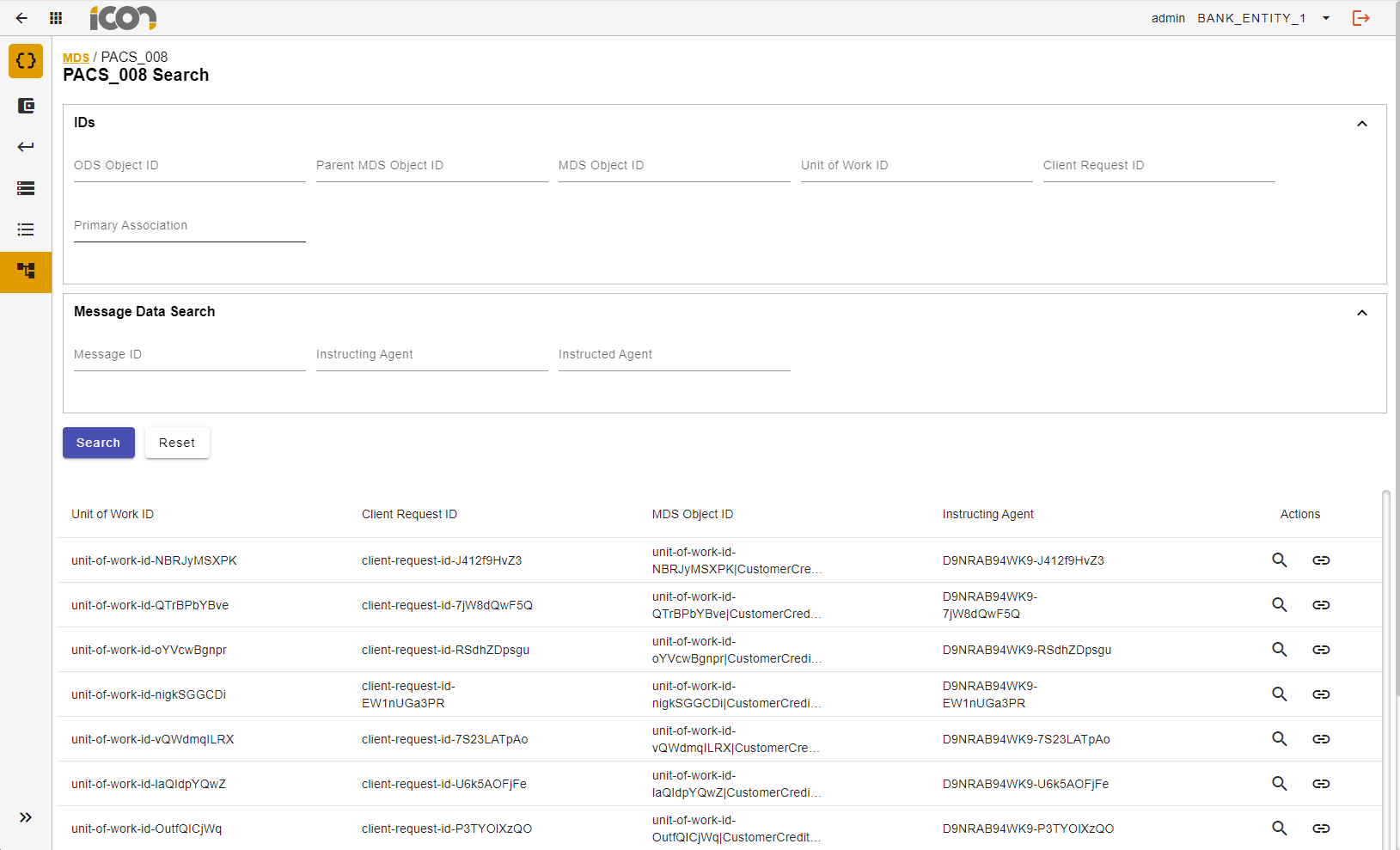
| There are some generic searchable fields across all MDS types, however it is the case that some MDS Types Search UIs may have more or less additional searchable fields. |
Once the operator has input some search criteria, they can click search and all records that match the search criteria will be displayed in a table as per the screenshot above.
| Operators can click the reset button to remove all data input in the search. |
Explore MDS
Results of an MDS search will be displayed in a table as shown in the screenshot below. The table headers are configurable from a conf file called mds-response-fields.conf and therefore can be altered for each MDS type.
Click here for more information on configuration.
With regards to learning more about an MDS Search result, there are two options.
Details Page
Clicking the "link" icon, which can be found in all tables within MDS Search, to be navigated to the Details screen. From here operators can delve into the history of a payment.
Explore MDS UI
Clicking the magnifying glass will navigate to the 'Explore MDS' screen shown in the screenshot below.
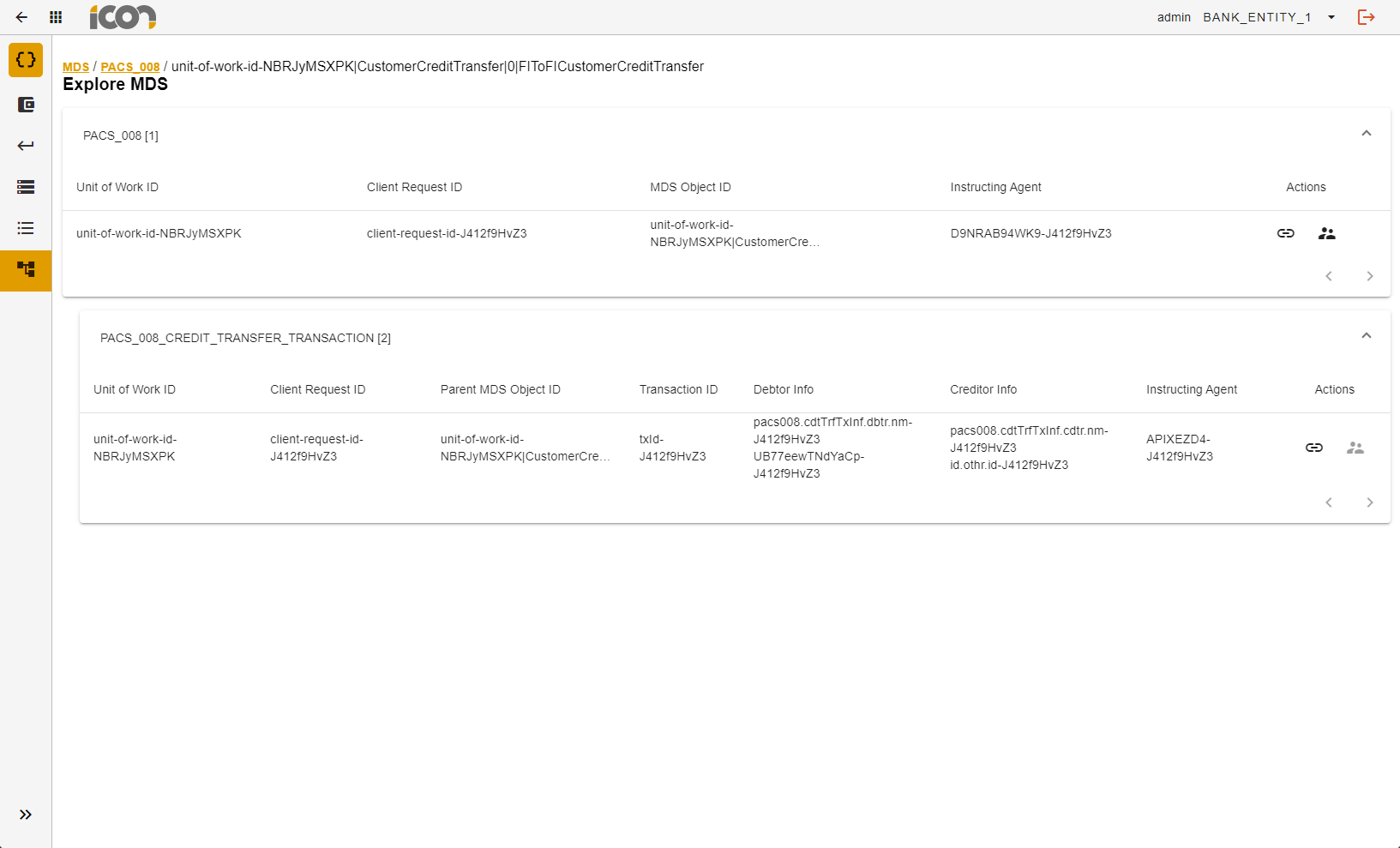
From this page, operators will have view of the MDS object type selected. Clicking on the icon to the far right of each row will display grandparent, parent and child object types that are associated with the original object.
| The image in the screenshot depicts an example of a parent-child relationship. In scenarios where there is more than one PACS008 Credit Transfer Transaction, all children will be displayed. |