DSL 13 - Using shared concepts (Part One - Within a Solution)
|
Getting Started
The tutorial step uses the "add_custom_types" solution of the project as it’s starting point. If at anytime you want to see the solution to this step, this can be found on the "shared_models_one" solution! |
What is a shared concept?
In DSL 9 - Using Subflows we looked at setting up a subflow as a way of sharing logic. By creating the subflow, we allowed ourselves to use it in several places within our flow. However, what if we want to go one step further and reuse a subflow not just within the flows within our model, but within other models. This is where shared concepts come into play. It allows us to create modules that are themselves re-usable components that can be pulled into different projects.
You’ll do this by extracting the subflow out of our existing model and moving it into it’s own sanctions model and then reuse it within the origin tutorial model.
DSL Setup
Extracting the subflow logic
First of all we’ll need a brand new model in which to house our sanctions logic. To do this we select the solution in the project navigator and then right click and select New > Model. We’ll call our model 'com.iconsolutions.ipf.tutorial.sanctions'.
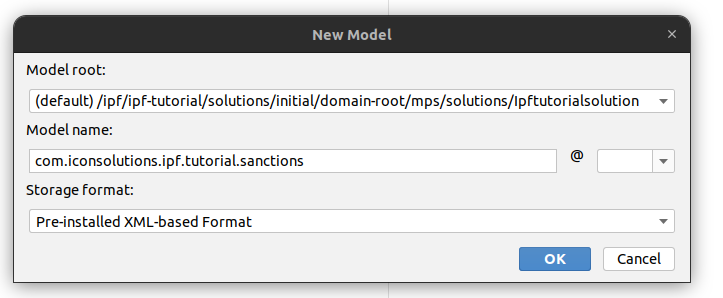
Press ok to create our model.
We should then be prompted to select our dependencies:
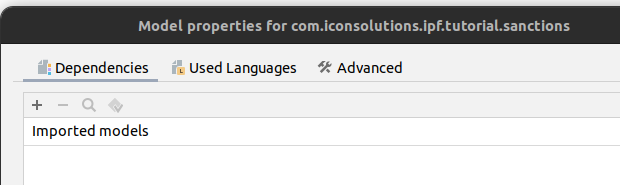
For now all we want to add is our actual flo-lang language. So let’s click on the "Used Languages" tab, then select the "+" symbol and add our v2Flo language:
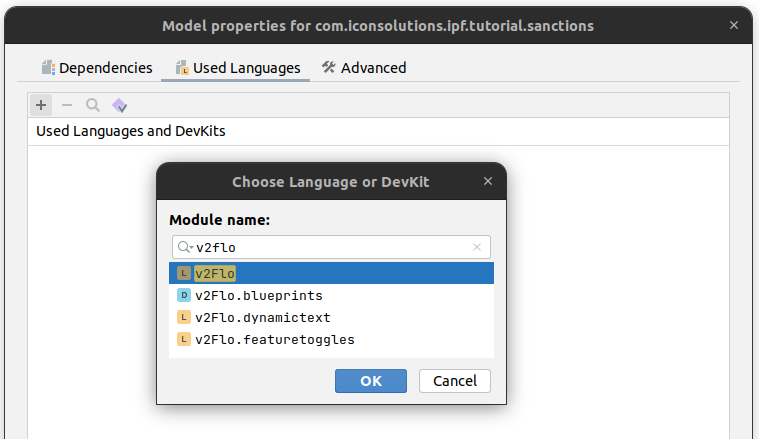
After selecting it we should see:
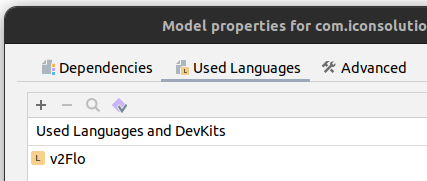
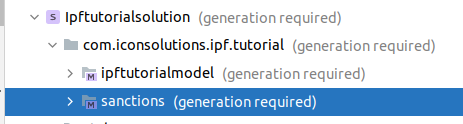
That’s our model all set up so press "OK" to create and you should now see a second model appear in the navigator:
Let’s now think about what makes up our Sanctions logic, we have:
-
Sanctions Subflow
-
Sanctions System
-
Sanctions Response Codes
We can move these to our new model by simply selecting them in the navigator and then pressing F6 to move the nodes. Then simply navigate to and select our new sanctions model and press refactor.
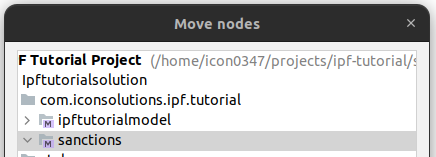
When prompted, confirm the refactor by pressing 'Do Refactor'
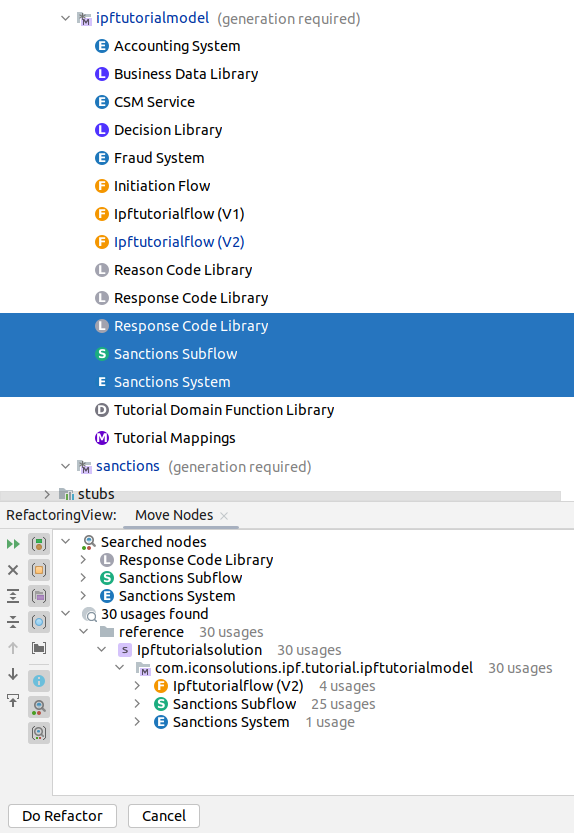
And we have successfully refactored all of our sanctions components into the new model.
The key thing to understand here is that the sanctions logic now exists in a different model, but that model has been shared with the current model as a dependency. MPS did this for us when we did the refactor, but it is perfectly possible to do this manually too. If we click on the ipftutorialmodel in the navigator and press ALT+ENTER (or right click then "Model Properties" we’ll find:
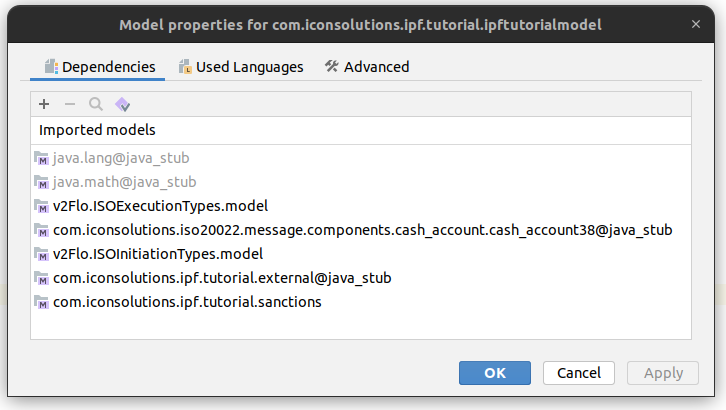
If you note here, the bottom entry shows our sanctions model. If we wanted to we could remove it (using the - sign) and then re-add it (using the +) and searching for our model name. It’s this ability to share a model with a different model that allows us to provide reusable components across many flows and solutions.
|
Top Tip
If you have a model that you know is only going to provide supporting models (i.e. it does not contain any flows) then you can slightly speed up the generation of your solution by clicking on the model, pressing ALT+ENTER and then going to the "Advanced" tab before checking the "Do Not Generate" box. It won’t cause issue’s if you don’t though! 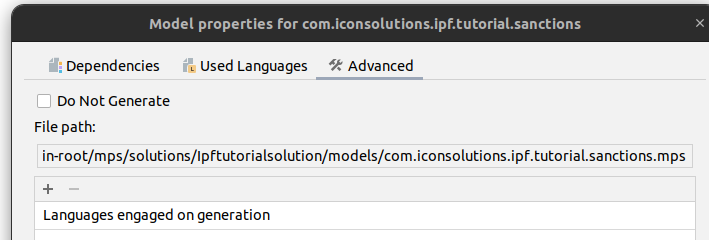
|
That’s it from a DSL perspective.
Java Implementation
The good news here is that there is not much we have to do from an implementation viewpoint to adapt to our newly refactored model.
When we consider our IpfTutorialConfig file, we create an entry for the creation of our IpfTutorialmodelDomain bean. In here we have:
.withSanctionsSystemActionAdapter(new SampleSanctionsSystemActionAdapter())Now the sanctions system implementation has been moved to our new model. So to remove this line and construct instead the new model domain for the sanctions domain:
@Bean
public SanctionsDomain sanctionsCheckDomain(ActorSystem actorSystem) {
    // All adapters should be added to the domain model
    return new SanctionsDomain.Builder(actorSystem)
            .withSanctionsSystemActionAdapter(new SampleSanctionsSystemActionAdapter())
            .build();
}|
Here we have implemented our sanctions domain within our main project application. In practice however, it could easily be that the implementation of the sanctions domain is stored alongside the DSL definitions so that we could simply import a dependency here to get the working implementation. |
That’s it and now we could just check the flow just like we have in previous steps.
Checking our solution
As normal let’s now check out solution works. Start up the application as previously (instructions are available in Reviewing the initial application if you need a refresher!)
And then we could send in a payment:
curl -X POST localhost:8080/submit | jqAnd if we bring up the payment in the Developer GUI and look at the graph of our tutorial flow (search by unit of work id, click view, click ipf tutorial flow, click view graph) then we see:
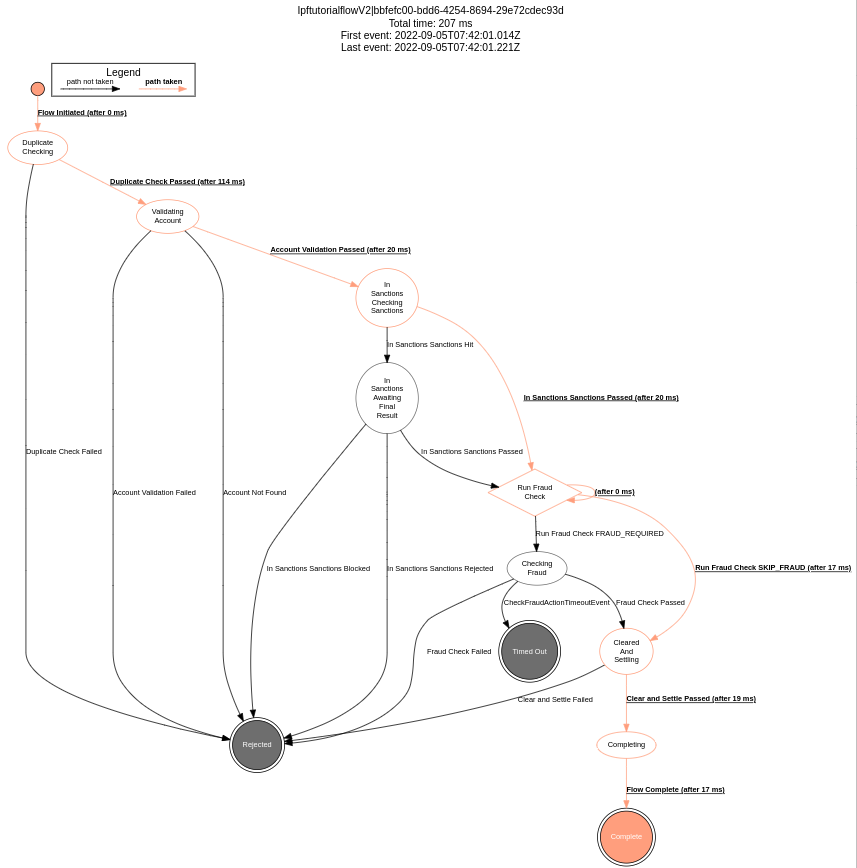
If we compare this to the graph of DSL 9 - Using Subflows, we can see that everything is the same as it was and we have successfully extracted out our subflow to a different model.
|
Sometimes you might accidentally import the core tutorial model into the sanctions one. If you do this, when you try to run you’ll be prompted to add the flow mapping ports into that domain too! To resolve simply ensure that the sanctions domain doesn’t have the import in the model properties. |
|
Next up, we’ll take this a step further and look at moving our subflow into a different solution in: DSL 14 - Using shared concepts (Part Two - Across Solutions) |