Step 2 - Add Business Data
Introduction to Step 2
In this step you will add some business data to the flow. This is the data that can be used inside the flow to perform steps or make decisions.
Add Business Data to Initiation Behaviour
If you assume that a command to trigger the initiation of the flow should contain the payment data in the form of a Pacs008 then you can add that to the business data used by the flow. Flow Designer already has a number of ISO data objects preloaded - so lets go ahead and select the object we want from the predefined list.
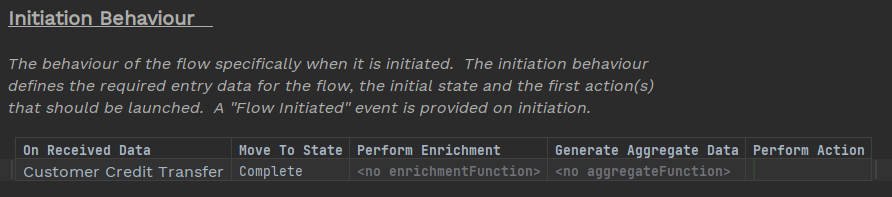
Go to 'Initiation Behaviour' in your flow and place the mouse in the 'On Received Data' cell - use Ctrl+Space to see your options - and select 'Customer Credit Transfer Request' from the list of business data provided.
Your initiation behaviour should now look like this:
Notes on ISO Message Types in Flow Designer
IPF mostly uses a subset of the following message sets published by ISO in 2019:
Payments Clearing and Settlement V09 Payments Initiation V10 Creditor Payment Activation Request V07 Exceptions & Investigations V09 Bank-to-Customer Cash Management V08 So when you select, for example, a Customer Credit Transfer data type, it will be a Pacs.008.001.08.
See ISO20022 Concepts | IPF Developer Documentation for more information.