Documentation for a newer release is available.
View Latest
Esta página no está disponible actualmente en Español. Si lo necesita, póngase en contacto con el servicio de asistencia de Icon (correo electrónico)
Dialog Module
A module of dialogs to be used with Angular Materials MatDialog feature.
Also see the DynamicFormModule for a dialog that uses the dynamic form functionality.
PayloadDialogComponent
A component to show different types of content. If an array of content is passed into the component then a menu appears in the bottom right hand corner to switch between them.
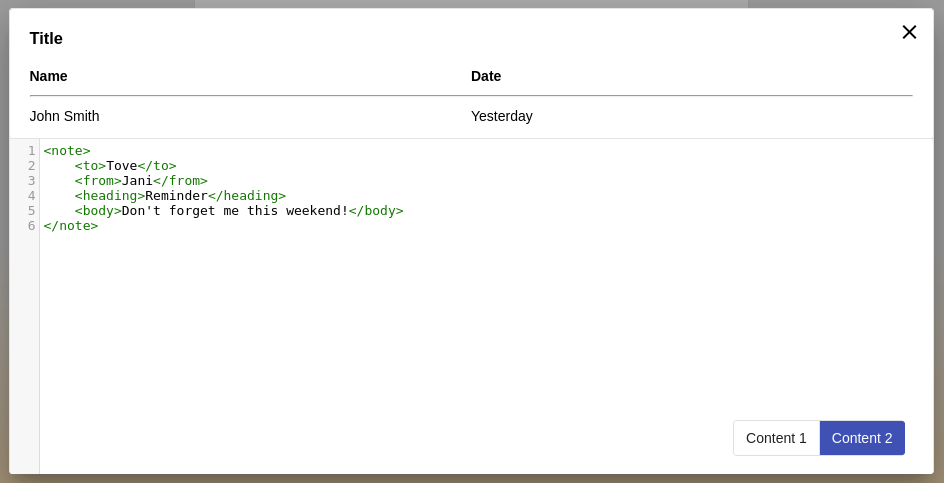
Example usage:
let dialogRef = this.dialog.open(PayloadDialogComponent, {
    data: {
        title: 'Title',
        missingValueString: 'N/A',
        content: [
            { title: 'Content 1', payload: '123' },
            { title: 'Content 2', payload: '<note><to>Tove</to><from>Jani</from><heading>Reminder</heading><body>Don\'t forget me this weekend!</body></note>' }
        ],
        summaryDetails: [
            { id: 'name', description: 'Name', value: 'John Smith', type: ListCardItemDisplayType.STRING },
            { id: 'dob', description: 'Date', value: 'Yesterday', type: ListCardItemDisplayType.STRING }
        ]
    },
    height: '50%',
    width: '50%',
});
ConfirmDialogComponent
A simple component that will return true or false depending on whether the user confirms or cancels in the dialog.
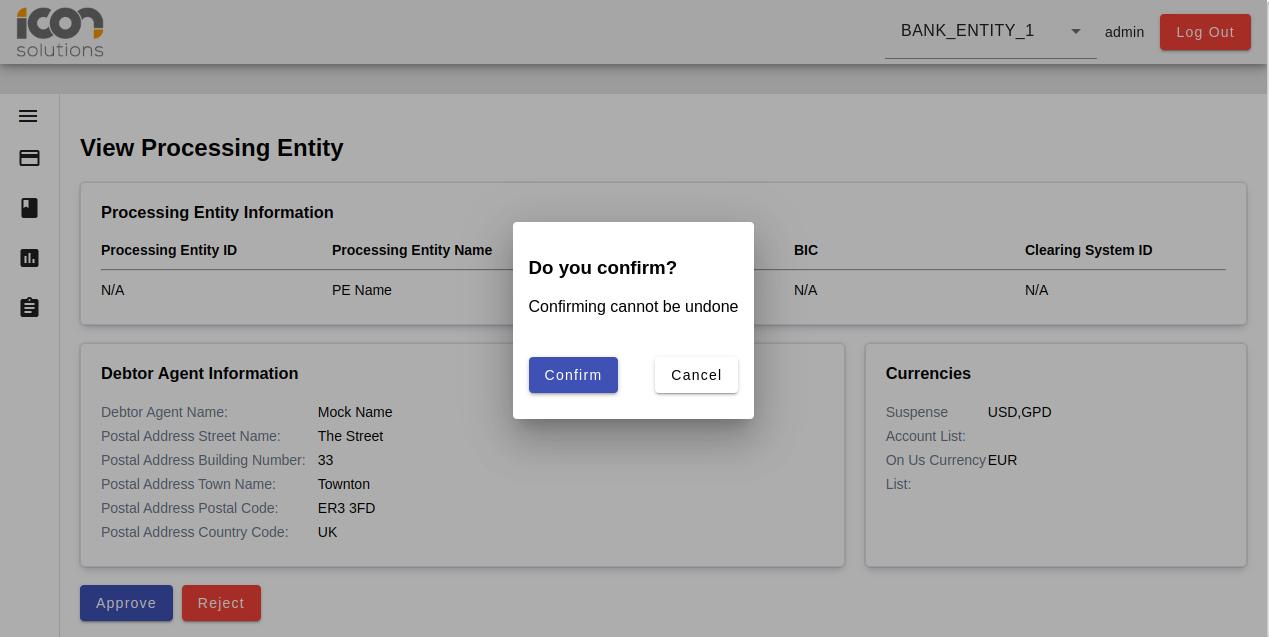
Example usage:
const dialogRef = this.dialog.open(ConfirmDialogComponent, {
    data: {
        title: 'Do you confirm',
        description: 'Confirming cannot be undone',
        confirmActionText: 'Confirm',
        cancelActionText: 'Cancel'
        }
    });

    dialogRef.afterClosed().subscribe((isConfirmed: Boolean) => {
        console.log('Did the user confirm?', isConfirmed);
    });