Defining a Custom Multiple Duplicate Check Key Mapping
This page explains how to define a mapping for a multiple duplicate check e.g. where you want to perform duplicate checks on a message which contains multiple transactions.
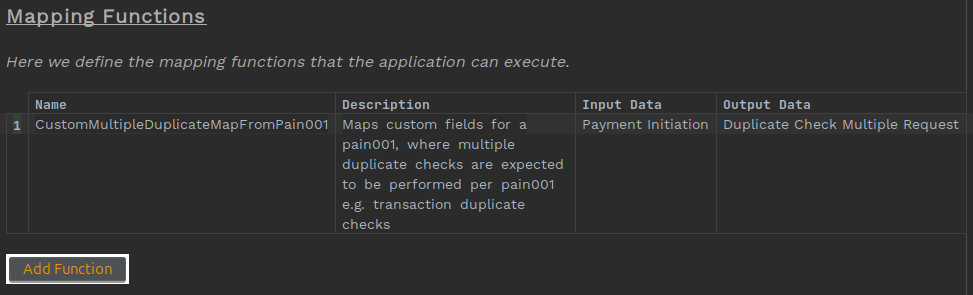
1. Add a mapping function
Within your MPS project, add a Mapping Library to your model. Right-click on your model and choose new → v2Flo → Mapping Library.
The output data must be Duplicate Check Multiple Request. Which should specify the transactionCacheEntryType and a map of entries for which you would like to perform duplicate checks.
2. Use the mapping function within your flow
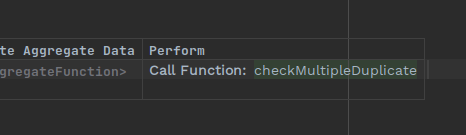
Within your MPS flow, left-click on the checkMultipleDuplicate action call you want to use the custom mapping with.
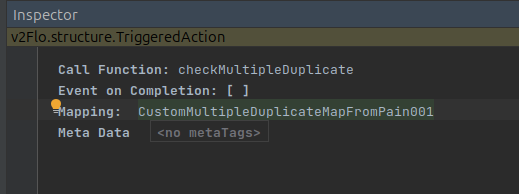
Press Ctrl+Alt+I to open the Inspector. Change the Mapping in the inspector to your mapping function.
3. Implement your mapping adapter
You need to provide a java implementation of your mapping function and provide it into your domain declaration as an adapter.
For example:
public class CustomDuplicateCheckMappingAdapterMultiple implements CustomDuplicateCheckMappingMappingPort {

    @Override
    public CustomMultipleDuplicateMapFromPain001MappingOutput performCustomMultipleDuplicateMapFromPain001(CustomMultipleDuplicateMapFromPain001MappingParameters inputParameters) {
        // Logic to build a map of Duplicate Check Keys here
        var txnCounter = new AtomicInteger(0);
        Map<String, DuplicateCheckKey> duplicateCheckKeyMap = Optional.ofNullable(inputParameters.getPaymentInitiation())
                .map(CustomerCreditTransferInitiationV09::getPmtInf)
                .map(instruction -> instruction.stream()
                        .flatMap(CustomDuplicateCheckMappingAdapter::createCustomDuplicateCheckKeyForPain001Transaction)
                        // Using a linked hashmap to preserve order
                        .collect(Collectors.toMap(__ -> createIdForMultipleDuplicateCheck(inputParameters.getId(), txnCounter), Function.identity(), (x, y) -> y, LinkedHashMap::new))))
                .orElseThrow(() -> new IconRuntimeException("No payment initiation found"));
        return new CustomMultipleDuplicateMapFromPain001MappingOutput(DuplicateCheckMultipleRequest.builder()
                .transactionCacheEntryType("PAIN_001_MULTIPLE_CUSTOM")
                .duplicateCheckKeyMap(duplicateCheckKeyMap)
                .build());
    }
}
The above, iterates through the transactions of the provided pain.001 message and builds a map of DuplicateCheckKey entries.
This map is wrapped in a Duplicate Check Key Multiple Request serves as input to the checkMultipleDuplicate function which will process each entry and perform a duplicate check, collating the results into a Duplicate Check Key Multiple Response. In addition to the map of Duplicate Check Keys, you can also specify the transactionCacheEntryType in the request (set to CheckMultipleDuplicatePain001 above) - the action name will be used as a default if none is specified.
    @Bean
    public DuplicatecheckexampleDomain duplicatecheckexampleDomain(ActorSystem actorSystem,
                                                                   CustomDuplicateCheckMappingMappingPort customDuplicateCheckMappingAdapter,
                                                                   Dispatcher floDispatcher) {
        return new DuplicatecheckexampleDomain.Builder(actorSystem)
                .withCustomDuplicateCheckMappingMappingAdapter(customDuplicateCheckMappingAdapter)
                .withDispatcher(floDispatcher)
                .build();
    }
You can find more details on using mapping functions at DSL 6 - Mapping Functions.
4. Handling multiple duplicate check responses
When handling CONTAINS_DUPLICATES response code in your flow, you should add the Duplicate Check Multiple Response business data element to the associated event as shown below:
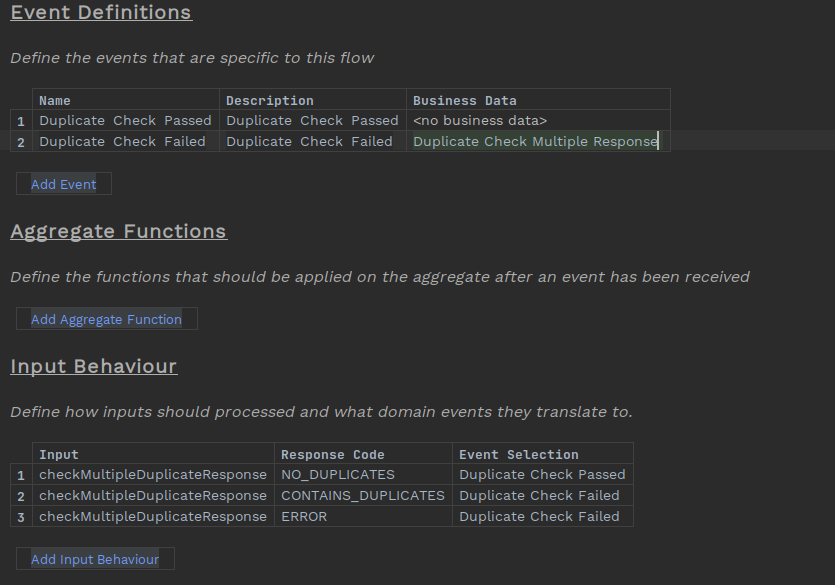
This will make the results available to downstream processing in your flow.
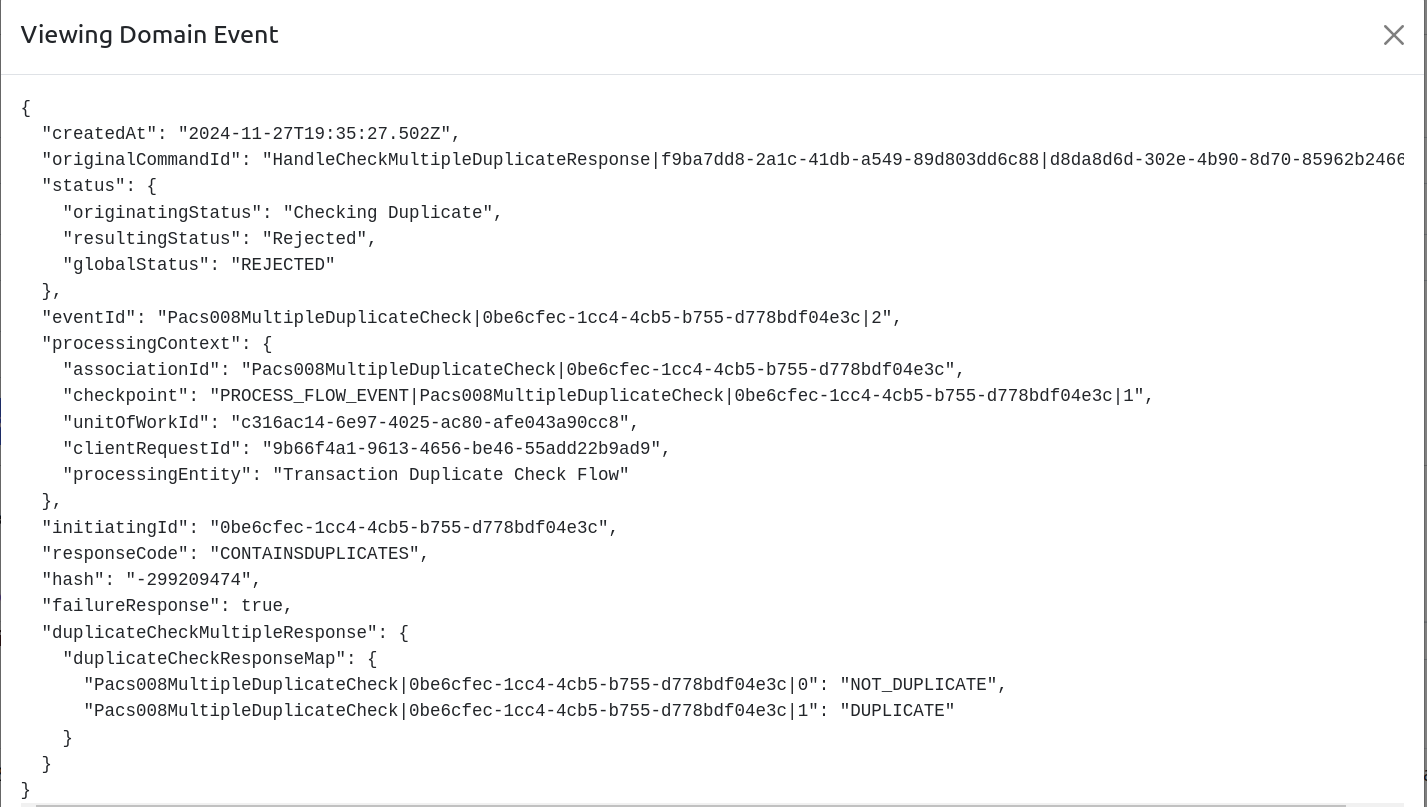
An example Duplicate Check Failed is shown below with the result map shown. The order of the entries is preserved from the source message. In the example below, the order in the response map is the same as the order of the transactions in the source message. The key can be used in the Duplicate Check Multiple Request map to retrieve the original duplicate key used to perform the duplicate check.