Providing Custom TransactionCacheEntryTypes
For a single duplicate check there are two ways to provide a transactionCacheEntryType, you can set the value using the metadata tag or set the field in your custom mapping function.
The transactionCacheEntryType is set according to the following precedence for single duplicate checks:
-
Value set via mapping function
-
Value set via meta data tag
-
Otherwise, if 1 or 2 have not been set then the
transactionCacheEntryTypeis defaulted to action name e.g.CheckSingleDuplicatePacs008
For multiple duplicate checks, the transactionCacheEntryType can only be set in the multiple duplicate mapping function. Additional details on how to set the tranactionCacheEntryType using the metadata tag are provided below.
Meta Data Tag
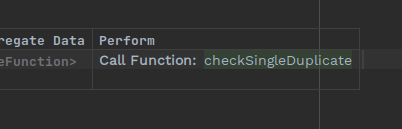
Within your MPS flow, left-click on the checkSingleDuplicate action call you want to use the custom mapping with.
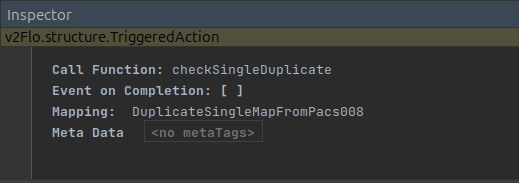
Press Ctrl+Alt+I to open the Inspector. Left-click on <no metaTags> next to Meta Data.
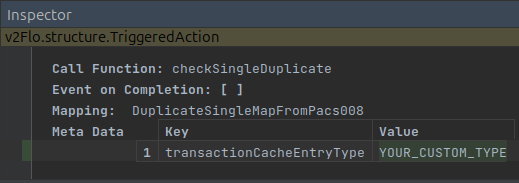
Press Enter to create a new table. For the key enter transactionCacheEntryType. For the value, provide the string you want as your custom transaction cache entry type.
Add a suitable purging mechanism for your type
Your custom type will not be covered by the default purger provided by the flo-client. You will want to implement a purging mechanism so that keys are not considered duplicates forever. You are free to implement a mechanism of your choice.
Some options you may want to use:
-
Implement your own TransactionCachePurgingScheduler bean as per the instructions in the transaction cache docs.
-
If this is the only type within the transaction cache, you can implement a MongoDB TTL index on the creationDate.