Providing Custom TransactionCacheEntryTypes
1. Add your TransactionCacheEntryType as a Meta Data tag
Within your MPS flow, left-click on the checkDuplicate action call you want to use the custom mapping with.
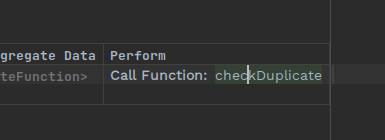
Press Ctrl+Alt+I to open the Inspector. Left-click on <no metaTags> next to Meta Data.
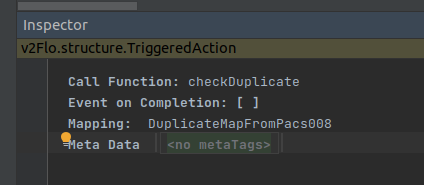
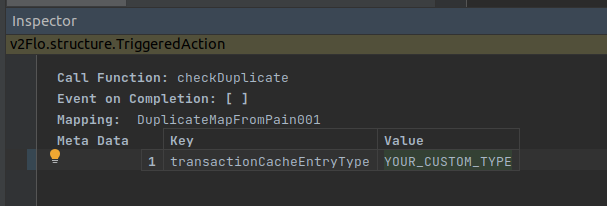
Press Enter to create a new table. For the key enter transactionCacheEntryType. For the value, provide the string you want as your custom transaction cache entry type.
2. Add a suitable purging mechanism for your type
Your custom type will not be covered by the default purger provided by the floclient. You will want to implement a purging mechanism so that keys are not considered duplicates forever. You are free to implement a mechanism of your choice.
Some options you may want to use:
-
implement you own TransactionCachePurgingScheduler bean as per the instructions in the transaction cache docs.
-
if this is the only type within the transaction cache, you can implement a MongoDB TTL index on the creationDate.