How Do I Use the Pre-Built HTM Error Handler for Flo-Lang?
The HTM Error handler can be used by simply importing the standard HTM floclient dependency, and then registering the error handler with your domain. For example:
@Bean
public HtmexampleDomain htmexampleDomain(ActorSystem actorSystem, Dispatcher floDispatcher,
                                         HtmErrorHandlerExtensions<Aggregate> htmErrorHandlerExtension) {
    // All adapters should be added to the domain model
    return new HtmexampleDomain.Builder(actorSystem)
            .withDispatcher(floDispatcher)
            .withFallbackExtensionProvider(ExtensionProvider.builder().flowErrorExtensions(htmErrorHandlerExtension).build()) (1)
            .build();
}| 1 | Here we can see that we’ve told our domain configuration to use the "HtmErrorHandlerExtension" as the flow error extension for the whole model domain. That’s everything you need to do! Now, any unexpected error that occurs during flow processing will activate error handling and process the error accordingly. For example, if we were to resume the flow, and that fixed the problem, we’d see something like this in our graphs: |
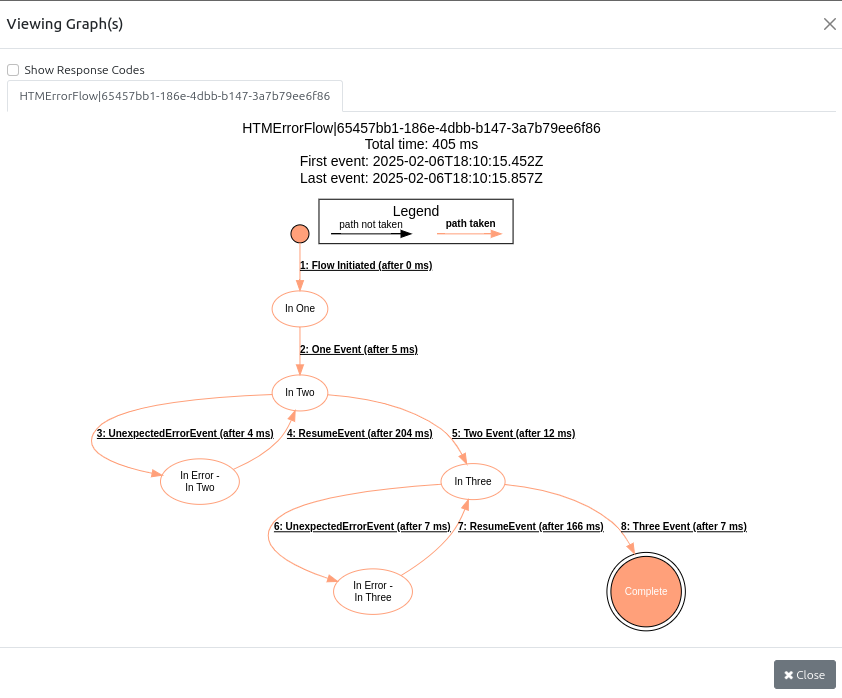
Here we can see the routing of the flow to the error state and the resumption and eventual completion of the flow. Alternatively, you may choose to force complete the flow instead:
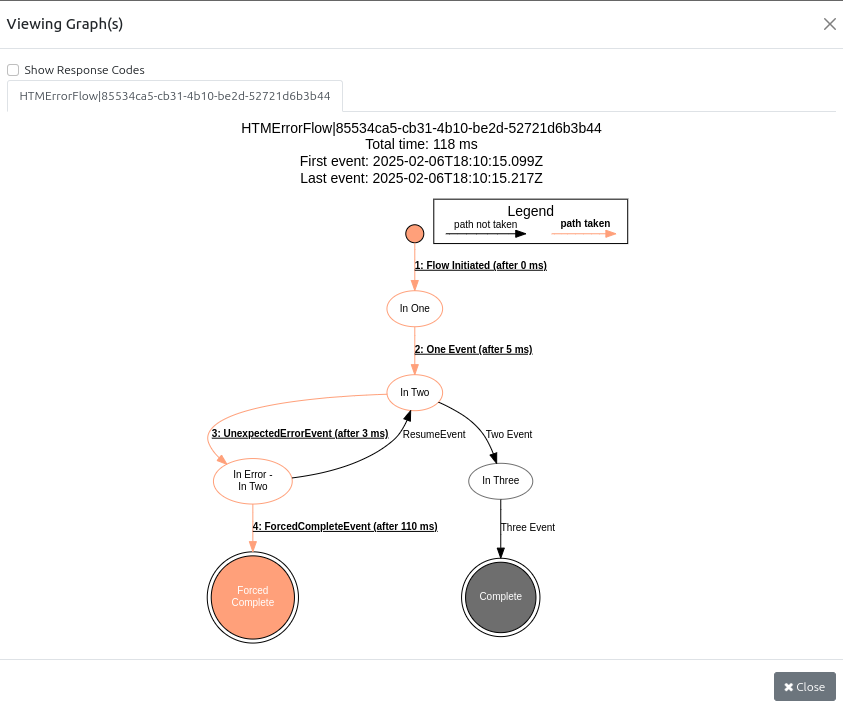
Configuration Options
The HTM Error client allows for configuration of the name, priority and number of required approvals associated with an error task. To set these we have three available properties:
| Property Name | Description | Default Value |
|---|---|---|
ipf.htm.error.task-name |
The task name of the error HTM Task |
ERROR_PROCESS |
ipf.htm.error.priority |
The priority of the error HTM Task |
1 |
ipf.htm.error.required-approvals |
The number of required approvals of the error HTM Task |
0 |